

Choosing the right desk lamp can mean the difference between ending your workday with fresh eyes or battling headaches and fatigue by 3 PM. Most home office workers underestimate how much their lighting setup affects productivity, focus, and long-term eye health. A poorly lit desk forces your eyes to constantly adjust between a bright monitor and a dim surrounding area, leading to digital eye strain, a common issue for screen-based workers. The best desk lamps for home office use deliver flicker-free illumination at the right brightness and color temperature, reducing strain while helping you stay alert during long work sessions. And with the rise of monitor light bars, there's now a strong alternative for screen-heavy workers who need targeted illumination without sacrificing desk space.
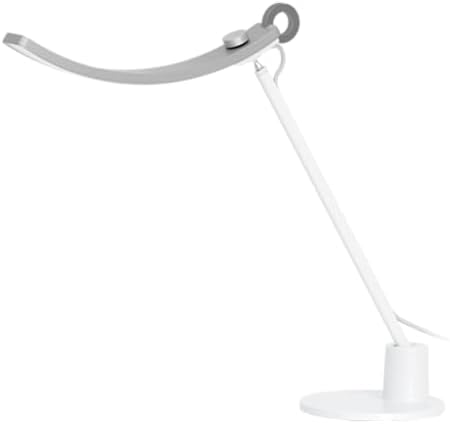
Best overall desk lamp: The BenQ Genie e-Reading LED Desk Lamp (unavailable) delivers 95+ CRI, auto-dimming ambient sensor, and a curved head for uniform coverage.
Best monitor light bar: The BenQ ScreenBar Halo 2 ($179-$199) offers 95+ CRI, ultrasonic motion sensor, expanded backlight, and wireless controller.
Best budget monitor light bar: The Xiaomi Mi Monitor Light Bar ($50-$65) matches the BenQ's Ra95 CRI at one-third the price with wireless remote and magnetic mount.
Best for dual monitors: The UPLIFT Sliding Flex Lamp ($99) covers 34 inches and slides to accommodate center-mounted monitor arms. Available through UPLIFT Desk.
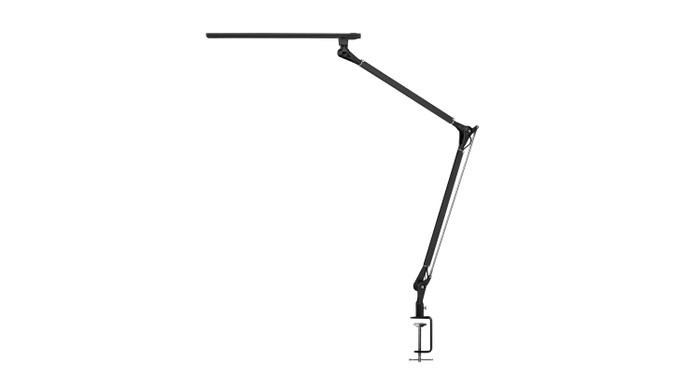
Best clamp-mount value: The UPLIFT E7 LED Desk Lamp ($89) provides a 35-inch arm reach with stepless dimming and 50,000-hour LED lifespan.
Quick Comparison
| Lamp | Price | CRI | Color Temp Range | Key Feature | Type |
|---|---|---|---|---|---|
| BenQ e-Reading | unavailable | 95+ | 2,700K-6,500K | Auto-dimming, curved head | Desk Lamp |
| BenQ ScreenBar Halo 2 | $179-$199 | 95+ | 2,700K-6,500K | Motion sensor, backlight | Monitor Bar |
| UPLIFT Sliding Flex | $99 | N/A | 2,700K-5,700K | 34" wide, slides for arms | Clamp Lamp |
| UPLIFT E7 | $89 | 82 | 3,000K-5,000K | 35" arm, stepless dimming | Clamp Lamp |
| UPLIFT Illuminate | $84 | N/A | 3,000K-6,000K | Folds compact, nightlight | Desk Lamp |
| Xiaomi Mi Light Bar | $50-$65 | Ra95 | 2,700K-6,500K | Wireless remote, magnetic | Monitor Bar |
| UPLIFT E3 | $64 | 84 | 2,700K-6,500K | Touch slider, USB port | Desk Lamp |
| Verilux SmartLight | unavailable | N/A | Full spectrum | Natural daylight LED | Desk Lamp |
| EppieBasic 24W | $42-52 | N/A | Adjustable | Dual heads, 24W output | Clamp Lamp |
| Quntis PRO+ | $40-$70 | N/A | 3,000K-6,500K | Wireless remote, auto-dim | Monitor Bar |
Our Top Picks
BenQ Genie e-Reading LED Desk Lamp: Best Overall
The BenQ e-Reading Lamp leads the pack for one reason: it adjusts for you. Its built-in ambient light sensor continuously reads the light level in your workspace and adjusts output automatically, maintaining the 300-500 lux range recommended for computer work without you ever touching a button.
CRI: 95+ (near-perfect color accuracy)
Color Temperature Range: 2,700K-6,500K (warm candlelight to cool daylight)
Key Feature: Auto-dimming ambient light sensor
Head Design: Curved, wide-coverage head for uniform illumination
Price: unavailable
What sets the BenQ apart from virtually every other desk lamp is its curved head design. Standard desk lamps project light in a cone pattern, creating a bright hotspot directly beneath the bulb and dim falloff toward the edges. The BenQ's curved head eliminates this hotspot, spreading light evenly across your entire desk surface. BenQ rates its illumination coverage at 150% wider than a typical ambient table lamp, with a coverage area of roughly 35 x 27 inches.
The 95+ CRI rating places it in professional-grade territory. Colors under its light appear almost identical to how they look in natural sunlight, a real advantage for anyone doing design work, photo editing, or video calls where accurate skin tones matter. The auto-dimming sensor removes the guesswork from brightness adjustments, which is especially valuable as natural light shifts throughout the day.
Best Monitor Light Bars
Monitor light bars represent a fundamentally different approach to desk lighting. Instead of sitting on or clamping to your desk, they mount directly on top of your monitor, projecting light downward onto your workspace without any glare on the screen. This makes them ideal for workers whose tasks are primarily screen-based: programming, writing, spreadsheet work, and video calls. They eliminate desk footprint entirely, avoid the reflection issues that plague poorly positioned desk lamps, and provide a clean, focused illumination zone across your keyboard and immediate desk area.
The trade-off is coverage. A traditional desk lamp can illuminate a wide area including bookshelves, reference materials, and peripheral desk zones. A monitor light bar focuses its output on roughly 12-24 inches of desk depth directly in front of your monitor. If you regularly reference printed documents spread across your desk, a traditional lamp remains the better choice. But for the growing number of workers whose entire workflow lives on-screen, a monitor light bar is the more elegant and effective solution.
BenQ ScreenBar Halo 2: Best Premium Monitor Light Bar
The BenQ ScreenBar Halo 2 is the most advanced monitor light bar available, building on the strong reputation of the original ScreenBar with upgrades across the board. Where the original was a smart space-saver, the Halo 2 is an intelligent lighting system that responds to your presence and your environment.
CRI: 95+
Color Temperature Range: 2,700K-6,500K
Key Feature: Ultrasonic motion sensor for automatic on/off
Backlight Coverage: 423% expanded vs. original ScreenBar
Webcam Compatibility: Built-in webcam mount accommodates most external webcams
Controller: Wireless dial with built-in ambient light sensor
Power: AC adapter included for consistent power delivery
Price: $179-$199
The ultrasonic motion sensor is the headline feature. When you sit down at your desk, the Halo 2 detects your presence and turns on automatically. When you leave, it switches off after a configurable timeout. This sounds like a convenience feature, but in practice it eliminates the most common reason desk lamps waste energy and fall out of daily use: forgetting to turn them on in the first place. Over time, owners report they simply stop thinking about their lighting, which is exactly the point.
The 423% expanded backlight coverage compared to the original ScreenBar addresses the most common criticism of monitor light bars: the stark contrast between a lit desk surface and a dark wall behind the monitor. The Halo 2 projects a soft, diffused glow backward from the bar, reducing that contrast and creating a more comfortable ambient environment for your peripheral vision. This is particularly valuable during evening work sessions when the only other light source may be the monitor itself.
The wireless controller doubles as an ambient light sensor. Place it on your desk and the Halo 2 reads the light level at your actual work surface, not at the monitor level, and adjusts output accordingly. The dial interface allows manual override for brightness and color temperature with a satisfying physical control rather than a touch panel.
BenQ includes an AC adapter rather than relying on USB power from your monitor. This ensures the Halo 2 receives consistent wattage regardless of what USB ports your monitor offers, which matters for stable light output across the full brightness range.
Xiaomi Mi Monitor Light Bar: Best Budget Monitor Light Bar
The Xiaomi Mi Monitor Light Bar shows that capable monitor-mounted lighting doesn't require a $180 investment. At $55-70, it delivers the core benefits of a monitor light bar (zero desk footprint, no screen glare, and targeted workspace illumination) at a price point that makes it an easy recommendation for anyone curious about this category.
CRI: Ra95 (very good for the price point)
Color Temperature Range: 2,700K-6,500K
Key Feature: Wireless remote control for brightness and color temperature
Mount Type: Magnetic rotation mount for easy angle adjustment
Power: USB powered, no separate adapter needed
Price: $50-$65
The Ra95 color rendering index is the standout specification at this price. Many budget desk lamps in the $50 range deliver CRI ratings of 80-85, so the Xiaomi's 95 rating means you get near-professional color accuracy for a third of the BenQ Halo 2's price. Colors under the Xiaomi's light look vibrant and true, which matters for anyone who takes video calls, reviews photos, or simply wants their workspace to look natural rather than washed out.
The wireless remote sits on your desk and lets you adjust brightness and color temperature with a simple twist and press, avoiding the need to reach up to the bar itself. The 2,700K to 6,500K range matches the BenQ's full spectrum, giving you the same warm-to-cool flexibility for matching your lighting to the time of day.
Rather than a fixed clip, the Xiaomi uses a weighted counterbalance with a magnetic pivot that lets you adjust the beam angle with a gentle push. This makes it easy to fine-tune where the light falls on your desk surface, and the magnetic connection means you can quickly remove and reattach the bar for monitor cleaning or repositioning.
USB power is both a strength and a limitation. On the plus side, you don't need a separate power adapter or outlet. Just plug into a USB-A port on your monitor, dock, or any powered USB hub. The limitation is that some monitors provide inconsistent USB power delivery, which can cause slight brightness fluctuations. If you experience this, plugging into a powered USB hub rather than the monitor itself resolves the issue.
UPLIFT Sliding Flex Lamp: Best for Dual Monitor Setups
The UPLIFT Sliding Flex Lamp is purpose-built for standing desk users who run dual monitors with a center-mounted monitor arm. The lamp head slides 19.25 inches left or right along a rail, letting you position light exactly where you need it without interfering with your arm mount. The 34-inch illumination width covers both monitors and the desk surface below. Available exclusively through UPLIFT Desk.
Color Temperature: 4 modes (2,700K, 3,500K, 5,000K, 5,700K)
Brightness Levels: 6 levels (20% to 100%)
Illumination Width: 34 inches
Flexible Neck: 17.5 inches
Clamp Fit: Desks 0.75 to 3.5 inches thick (widest range in this roundup)
Controls: Capacitive touch with memory function (remembers last brightness and color setting)
Weight: 4.9 lbs
Price: $99
The clamp accommodates desks from 0.75 to 3.5 inches thick, making it compatible with virtually any standing desk including butcher block tops. The UPLIFT Sliding Flex Lamp's memory function means your preferred settings persist after powering off. The sliding rail is what makes this lamp unique. If you've tried clamping a standard architect lamp next to a monitor arm, you know the fight for desk edge space. The UPLIFT Sliding Flex Lamp solves that entirely. Backed by UPLIFT Desk's warranty.
UPLIFT E7 LED Desk Lamp: Best Clamp-Mount Value
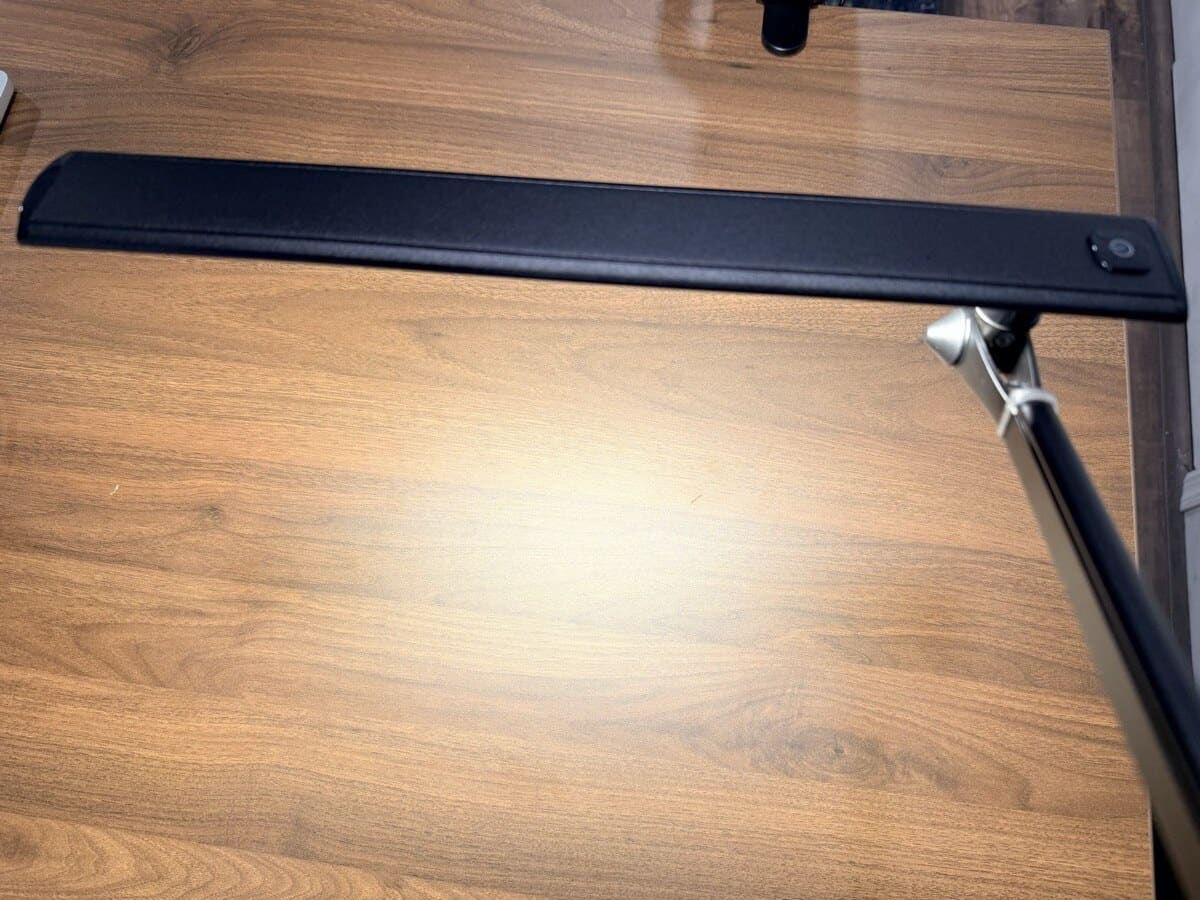
The UPLIFT E7 LED Desk Lamp is a straightforward, well-built clamp-mount desk lamp that delivers where it counts: arm reach, build quality, and longevity. The aluminum body stays cool to the touch during extended use, and the multi-joint arm offers 210 degrees of rotation for precise positioning. I've been using the UPLIFT E7 on my UPLIFT V3 Standing Desk since setting up my workstation, and the 35-inch arm reach is the standout feature. It extends far enough to light my entire desk surface from a single clamp point on the back edge.
CRI: 82
Color Temperature: 3 modes (3,000K warm, 4,000K natural, 5,000K cool)
Dimming: Stepless (continuous)
Lumens: 567-644 lm (varies by color temperature)
Arm Reach: 35 inches
Clamp Fit: Desks up to 2.25 inches thick
LED Lifespan: 50,000 hours
Weight: ~3 lbs
Price: $89 (optional freestanding base +$20)
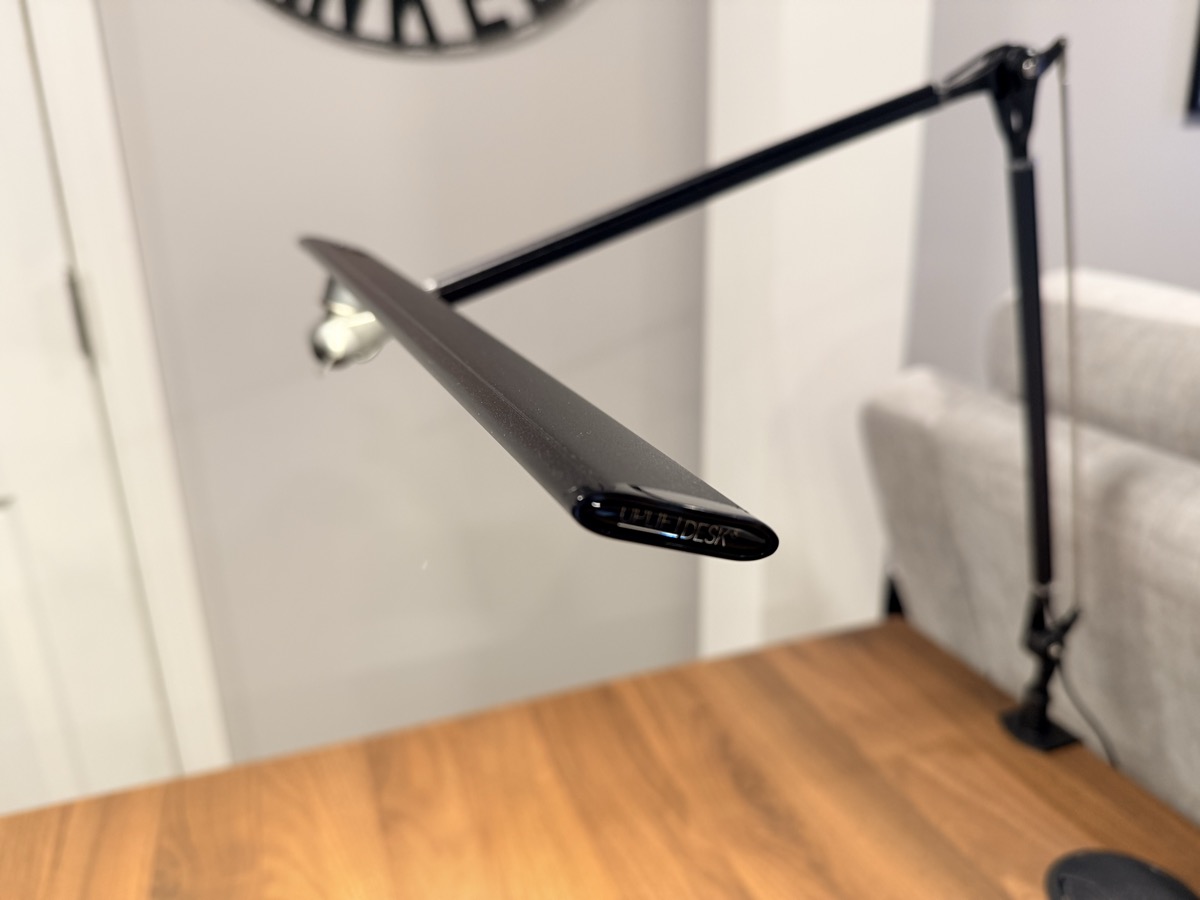
The UPLIFT E7 trades preset brightness levels for stepless dimming, which lets you dial in the exact brightness you want rather than jumping between fixed steps. The 50,000-hour LED lifespan means years of daily use before any noticeable dimming. The 82 CRI handles general office work well, though color-critical tasks like photo editing benefit from 90+ CRI lamps like the BenQ e-Reading. Available through UPLIFT Desk and backed by their warranty.
UPLIFT E3 LED Desk Lamp: Best Freestanding Under $70
The UPLIFT E3 LED Desk Lamp is the most versatile freestanding desk lamp in this roundup, offering the widest color temperature range (2,700K to 6,500K) at a $64 price point. If you prefer a lamp that sits on your desk rather than clamping to the edge, the UPLIFT E3 covers everything from warm evening light to cool daylight focus mode. Available through UPLIFT Desk.
CRI: 84
Color Temperature Range: 2,700K-6,500K (stepless adjustment)
Brightness Levels: 5 presets plus swipe dimming for continuous control
Wattage: 12W
Head Angle: 175 degrees adjustable
USB Port: 5V/1A rear charging port
Controls: Touch-sensitive slider (tap for presets, swipe for continuous)
Price: $64
The touch slider control is a step up from the button-based controls on most budget lamps. Swipe for smooth dimming or tap for quick jumps between presets. The rear USB port handles phone charging, and the slim aluminum body collapses flat for storage. The UPLIFT E3's 2,700K to 6,500K range is the widest of any lamp under $70 in this roundup. Backed by UPLIFT Desk's warranty.
UPLIFT Illuminate LED Task Light: Best Compact Folding Lamp
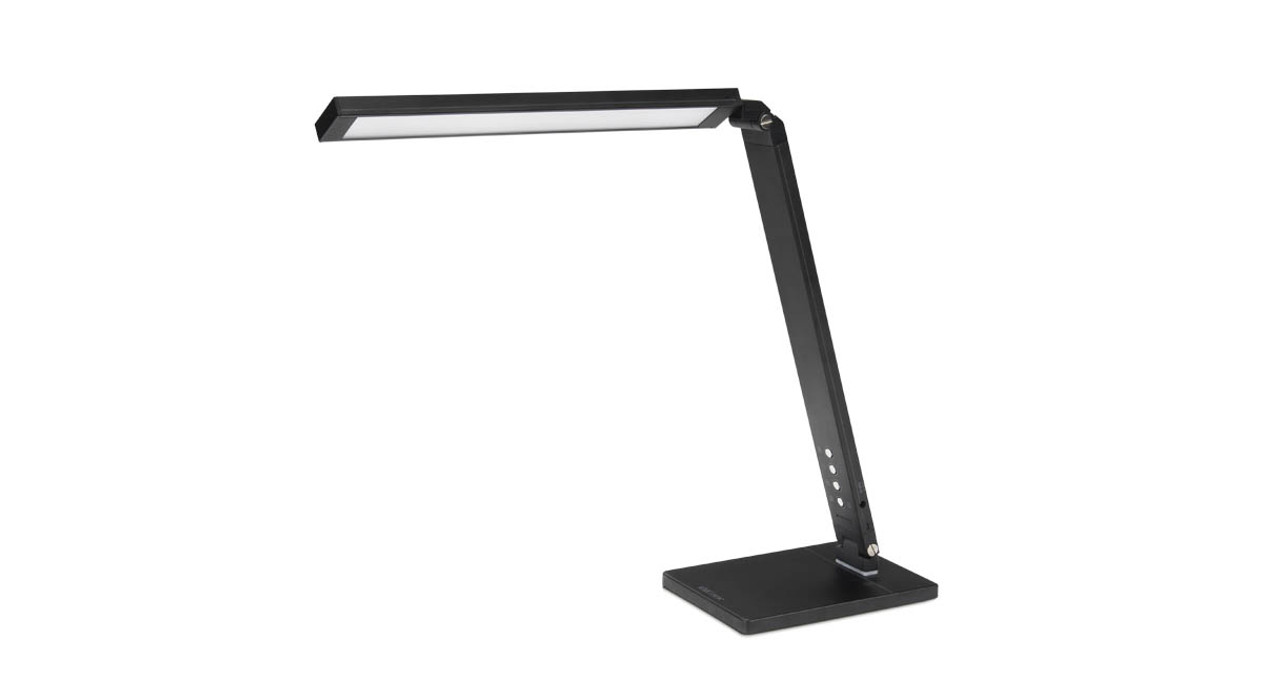
The UPLIFT Illuminate LED Task Light folds down to a compact size when not in use, making it the best option for hybrid workers who share desk space or need to stow their lamp at the end of the day. Despite the compact form, it offers 15 lighting combinations (5 brightness levels across 3 color modes). Available through UPLIFT Desk.
Color Temperature: 3 modes (3,000K warm, 4,500K natural, 6,000K cool)
Brightness Levels: 5 levels per color mode (15 total)
Wattage: 10W
Arm Extension: Chimney folds 90 degrees, lamp extends to 135 degrees
Rotation: 45 degrees left/right
USB Port: 5V/1A at base
LED Lifespan: 35,000+ hours
Special Feature: Ambient blue nightlight at base
Price: $84
The ambient blue nightlight at the base is a unique touch. It provides just enough glow to find your desk in a dark room without fully waking you up during late-night checks. The UPLIFT Illuminate's folding design makes it easy to stow when desk space is needed for other tasks. Backed by UPLIFT Desk's warranty.
Quntis Monitor Light Bar PRO+: Best Value Monitor Light Bar
The Quntis PRO+ sits between the Xiaomi and BenQ ScreenBar in both price and features. It adds a wireless remote control and auto-dimming ambient sensor at a price roughly half the BenQ ScreenBar Halo 2, making it the middle-ground choice for monitor light bar buyers.
Color Temperature Range: 3,000K-6,500K
Brightness Levels: Stepless dimming via wireless remote
Key Feature: Wireless remote with ambient light sensor for auto-brightness
Mount Type: Monitor clip with counterweight
Power: USB powered
Price: $40-$70
The wireless remote sets the Quntis apart from similarly priced monitor light bars that rely on touch controls on the bar itself. The built-in ambient sensor in the remote reads light at desk level (similar to the BenQ Halo 2's approach) and adjusts output automatically. For users who want auto-dimming without paying BenQ prices, the Quntis PRO+ delivers.
Verilux SmartLight Full Spectrum LED Desk Lamp: Best for Color Accuracy on a Budget
The Verilux SmartLight is one of the few budget desk lamps that uses full-spectrum LEDs, producing light that closely mimics natural daylight across the visible color spectrum. This makes it a strong choice for anyone who wants better color rendering without the $200+ price of the BenQ e-Reading.
Light Type: Full-spectrum LED (natural daylight simulation)
Brightness Levels: 4 settings
Key Feature: Full-spectrum output for reduced eye fatigue
Adjustable Arm: Flexible gooseneck
Price: unavailable
Full-spectrum lighting reduces the color spikes and gaps common in standard LEDs, which can contribute to eye fatigue over long sessions. The Verilux is particularly popular among readers, crafters, and anyone who works with color-sensitive materials. The gooseneck arm offers easy repositioning but lacks the precision of a multi-joint articulated arm.
EppieBasic 24W Double Head Architect Desk Lamp: Best for Wide Desk Coverage
The EppieBasic 24W stands out with its dual-head design. Two independently adjustable lamp heads share a single clamp-mount base, letting you light two different work zones from one fixture. This makes it ideal for L-shaped desks or workstations where you split time between a monitor and a secondary task area.
Wattage: 24W (12W per head)
Brightness Levels: Stepless dimming
Color Temperature: Adjustable (warm to cool)
Key Feature: Dual independently adjustable heads
Clamp Mount: Yes
Price: $42-52
At 24W total output, the EppieBasic pushes more light than any single-head lamp in this roundup. The dual-head design means you can point one head at your keyboard and the other at a notepad, reference book, or secondary workspace. The trade-off is a bulkier profile and a clamp that takes up more edge space than single-head alternatives.
More Picks Worth Considering
These nine lamps didn't earn a top-pick slot above, but each one fills a niche worth knowing about if the headline picks don't fit your setup.
- Ivomax Cordless LED Desk Lamp ($100-130). Battery-powered with no cord to manage. Useful when outlets are tight or when the lamp moves between rooms.
- Airlonv LED Desk Lamp ($18-25). Sub-$25 budget option with eye-care certification and a USB charging port on the base.
- Lepro 9.5W Metal Desk Lamp ($18-28). Metal build at a budget price. 800 lumens with adjustable color temperature for under $30.
- Voncerus LED Desk Lamp with Clamp ($15-22). The cheapest clamp-mount option in this guide. Useful for trial setups before committing to the UPLIFT E7.
- White Crown LED Desk Lamp ($22-30). Dimmable with built-in USB charging port and a slim profile that fits under low monitor arms.
- SUPERDANNY Eye-Caring LED Clamp Lamp ($15-25). Clamp-mount alternative with a lower price than the UPLIFT E7. Trade-off is no warranty support equivalent to UPLIFT.
- Omorepa 3-Light Bar Architect Lamp ($35-50). Triple-bar gooseneck lamp for users who need very wide desk coverage at a lower price than the EppieBasic dual-head.
- EppieBasic 12W Architect Lamp with Base (unavailable). Freestanding version of the EppieBasic dual-head, for users who can't clamp to their desk.
- ONWAY Curved Monitor Light Bar ($55-68). One of the few light bars built specifically for curved monitors. Sits flush on 1500R and 1800R curves where flat bars rock.
Monitor Light Bar vs. Traditional Desk Lamp: How to Choose
The decision between a monitor light bar and a traditional desk lamp comes down to how you use your workspace.
Choose a monitor light bar if:
- Your work is 80% or more on-screen (coding, writing, browsing, spreadsheets)
- You have limited desk space and can't afford to give up surface area for a lamp base
- Screen glare from a desk lamp positioned behind or beside your monitor is an ongoing problem
- You want lighting that activates automatically without daily adjustment (BenQ Halo 2)
Choose a traditional desk lamp if:
- You regularly reference printed documents, notebooks, or physical materials on your desk
- You need to illuminate a broad area beyond your immediate keyboard zone
- Your workspace includes a drawing tablet, craft area, or hands-on work surface
- You want the ability to reposition the light source freely across different parts of your desk
For many home office workers, the best answer is both. A monitor light bar handles your primary screen-facing work, and a clamp-mounted lamp like the UPLIFT E7 can be activated for tasks that need broader coverage. The combined cost of a Xiaomi Mi Light Bar and an UPLIFT E7 comes to roughly $145-160, which is less than the BenQ e-Reading Lamp alone while providing more flexible coverage.
Buying Tips
-
Target 300-500 lux for computer work, 500-750 lux for reading. Lux measures the light intensity reaching your desk surface, not the raw output of the bulb. A lamp that produces 1,000 lumens but sits 3 feet away may deliver fewer lux at desk level than a 600-lumen lamp positioned 18 inches above your workspace.
-
Match color temperature to time of day. Cooler light in the 4,000-5,000K range promotes alertness for morning and midday focused work. Warmer light in the 3,000-3,500K range reduces blue light emission and supports your circadian rhythm in the evening. Both the BenQ and Xiaomi monitor light bars cover the full 2,700-6,500K range.
-
Flicker-free is non-negotiable. Cheap LED lamps may flicker at a frequency invisible to the naked eye but still detectable by your nervous system, contributing to headaches, eye fatigue, and difficulty concentrating over long sessions. All recommended picks in this roundup are flicker-free.
-
CRI 80+ is the minimum, but 90+ matters for specific work. If you do any color-critical work (graphic design, photography editing, illustration), aim for 90+ CRI to avoid making decisions based on inaccurate color representation. The BenQ e-Reading, BenQ ScreenBar Halo 2, and Xiaomi Mi Light Bar all exceed 95 CRI.
-
LED lamps save 75-90% energy over incandescent equivalents and last 25,000-50,000 hours. At 8 hours of daily use, a 25,000-hour LED lamp lasts over 8 years. Even a $200 lamp like the BenQ works out to roughly $0.07 per day over its lifespan.
-
Monitor light bars need a flat top edge on your monitor. Before purchasing, measure the top bezel of your display. Most light bars require at least 0.4 inches of flat surface to grip. Curved monitors present challenges. Some light bars include curved-monitor adapters, but compatibility varies. Check the product specifications for your specific monitor model.
-
USB power vs. AC adapter affects brightness consistency. Budget monitor light bars that draw power via USB are limited by the wattage your monitor or hub provides. If you notice dimming or flickering, switch to a powered USB hub rated for at least 2A output. The BenQ ScreenBar Halo 2 avoids this issue entirely with its included AC adapter.
-
Pair your lamp with a quality desk surface. A light-colored desktop reflects more light back up, reducing the brightness you need from your lamp. The UPLIFT V3 Standing Desk offers 50+ desktop materials including light maple and white laminate options that maximize light reflection. The UPLIFT Desk 15-year warranty covers the frame and motors.
Frequently Asked Questions
What brightness level should a desk lamp be for computer work?
Aim for 300-500 lux at your desk surface for computer-based work. For tasks that rely heavily on printed text or detailed handwork, increase to 500-750 lux. Most adjustable desk lamps with 5 or more brightness levels can cover both ranges. Monitor light bars typically deliver 300-500 lux at the desk surface by default, which is the ideal range for screen work.
Does color temperature actually affect productivity?
Yes. Research on circadian lighting indicates that cooler color temperatures (4,000-5,000K) promote alertness by suppressing melatonin production, making them better suited for focused morning and midday work. Warmer temperatures (3,000-3,500K) reduce blue light emission and support natural wind-down in the evening. Both the BenQ ScreenBar Halo 2 and Xiaomi Mi Light Bar support the full 2,700-6,500K range for all-day adjustment.
What does CRI mean and how high should it be?
CRI stands for Color Rendering Index and measures how accurately a light source renders colors compared to natural sunlight (CRI of 100). For general home office work, a CRI of 80 or above is adequate. For design, photography, or video production, prioritize a CRI of 90 or higher. The BenQ e-Reading, BenQ ScreenBar Halo 2, and Xiaomi Mi Light Bar all deliver 95+ CRI, which is near-professional quality.
Are monitor light bars worth it instead of a desk lamp?
Monitor light bars like the BenQ ScreenBar Halo 2 and Xiaomi Mi Light Bar are excellent for eliminating screen glare and freeing up desk space entirely. They illuminate approximately 12-24 inches of desk depth directly in front of your monitor, which covers your keyboard and immediate work area. They work best for workers whose tasks are primarily on-screen. If you regularly reference printed documents spread across your desk, a traditional desk lamp provides better overall illumination. Many users find the best setup is a monitor light bar for daily screen work paired with a secondary lamp like the UPLIFT E7 for broader coverage when needed.
How do I reduce eye strain from my desk lamp?
Position your lamp to the side opposite your dominant hand and angle it so light falls on your desk surface rather than directly toward your eyes or monitor. Use a flicker-free lamp to eliminate invisible strobe effects. Match your lamp brightness to your monitor brightness. A large disparity between the two forces your pupils to constantly adjust, which is a primary cause of digital eye strain. Monitor light bars solve the positioning problem automatically since they project downward from above the screen, avoiding both glare and shadows.
How long do LED desk lamps last?
Quality LED desk lamps are rated for 25,000 to 50,000 hours of use. At 8 hours of daily use, 5 days a week, a 25,000-hour lamp lasts approximately 12 years. LEDs don't burn out suddenly. They gradually dim over time, so you'll notice reduced output long before the lamp stops working entirely. Monitor light bars use the same LED technology and have comparable lifespans.
Do monitor light bars cause glare on the screen?
No, when properly designed and mounted. Both the BenQ ScreenBar Halo 2 and Xiaomi Mi Light Bar use asymmetric optical designs that project light forward and downward onto your desk, not onto your screen surface. The light cutoff angle is engineered so that none of the output falls on the display. If you do see glare, the issue is almost always a mounting angle problem. Adjust the bar's tilt until the light edge falls just at the bottom bezel of your monitor rather than on the panel itself.
Can I use a monitor light bar with a webcam mounted on my monitor?
The BenQ ScreenBar Halo 2 includes a built-in webcam mount that accommodates most external webcams up to standard clip-on sizes. You can run both the light bar and webcam simultaneously without one interfering with the other. The Xiaomi Mi Light Bar doesn't include a dedicated webcam mount, so you may need to position your webcam to the side or use a separate tripod if your monitor top edge lacks space for both devices.
UPLIFT Desk products were tested hands-on. The UPLIFT E7 LED Desk Lamp has been part of my daily desk setup since setting up my workstation. Other recommendations are based on specification analysis, expert reviews, and owner feedback. Some UPLIFT Desk products were provided for review. Desk lamps and monitor light bars are also available through our affiliate partner UPLIFT Desk.
Related Guides
- Best Standing Desks Under $700: Pair your lamp with a height-adjustable desk
- Best Monitor Arms for Desk Space: Free up desk space for your lamp placement
- Best Ergonomic Desk Setup: Complete Guide: Full walkthrough including lighting
- Best Ergonomic Keyboards for Home Office: Light your keyboard properly
- Desk Cable Management: Complete Setup Guide: Keep lamp cords organized