
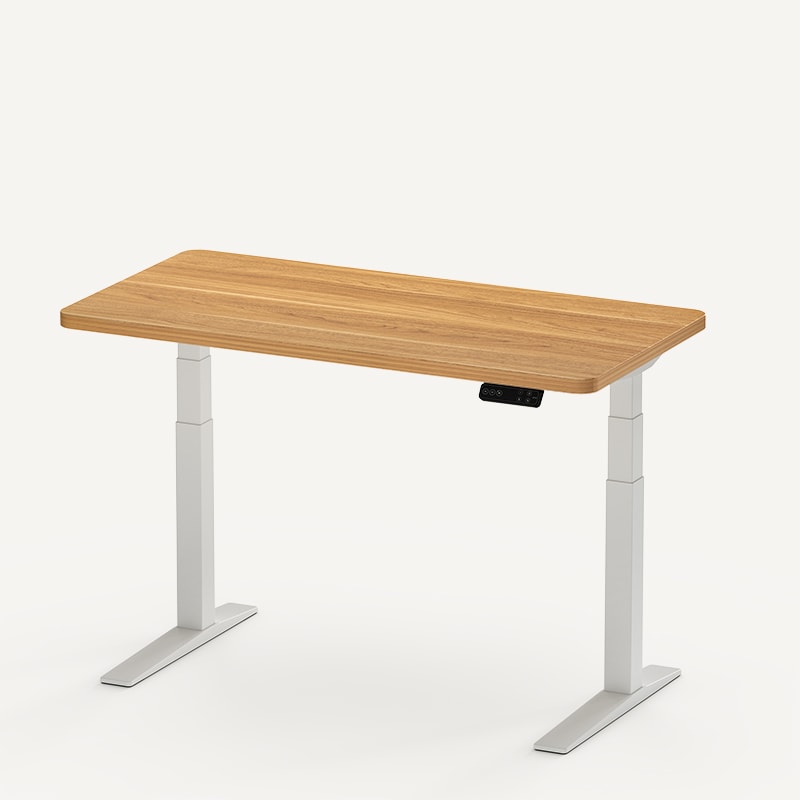
The current FlexiSpot E7 Pro at $399.99−20% and the UPLIFT V3 Standing Desk are both configurable dual-motor standing desks, but their current specifications are not interchangeable. FlexiSpot lists the E7 Pro with a 440 lb maximum static load, a 25 to 50.6 inch height range, a 15-year warranty, and included cable-management accessories. UPLIFT lists the standard V3 with a 355 lb lifting capacity and a 22.6 to 48.7 inch height range. A maximum static load and a lifting capacity are not equivalent measurements, so this comparison does not declare a capacity winner.
Check today's price $599-$939
The evidence is also different. Matt has assembled and used the UPLIFT V3 hands-on. That coverage is in the UPLIFT V3 standing desk review. WorkstationSetup has not tested the FlexiSpot E7 Pro hands-on. Every E7 Pro conclusion on this page comes from current manufacturer documentation and specification analysis.
Buy the UPLIFT V3 (Hands-on): You need the lower 22.6 inch seated height, want FlexMount, or want the desk we have used. See the UPLIFT V3 standing desk review.
Consider the FlexiSpot E7 Pro (Research-backed, not tested hands-on): The 50.6 inch manufacturer-listed maximum height or its current desktop configurations solve a real requirement in your setup.
Check the exact configuration: FlexiSpot sells the current E7 Pro in configurable frame and desktop combinations. Check the selected size, surface, and final configured price before ordering.
Which Desk for Your Situation
| Your Situation | Best Pick | Why |
|---|---|---|
| Need a seated height below 25 inches | UPLIFT V3 | Listed minimum height is 22.6 inches |
| Need a maximum height above 48.7 inches | FlexiSpot E7 Pro | FlexiSpot lists a 50.6 inch maximum |
| Need to compare load limits | Neither from the headline numbers alone | FlexiSpot labels 440 lbs as maximum static load; UPLIFT labels 355 lbs as lifting capacity |
| Want an accessory-heavy UPLIFT workstation | UPLIFT V3 | FlexMount cable management and 48 threaded mounting points |
| Want the desk we can describe from direct use | UPLIFT V3 | We assembled and use this desk hands-on |
| Want the current E7 Pro configuration | Check FlexiSpot directly | Current direct price starts at $399.99−20% before configuration changes |
Who This Comparison Is For
This comparison is for someone choosing between the current E7 Pro and the standard two-leg UPLIFT V3. It is not a comparison between the UPLIFT V3 and an older Amazon FlexiSpot listing with a similar name. If you're shopping four-leg, four-motor frames instead, see our FlexiSpot E7 Plus Max vs UPLIFT V3 4-Leg comparison. If the FlexiSpot you are pricing is the under-$700 complete desk, use FlexiSpot E6 Pro vs UPLIFT V3.
If you want the two FlexiSpot frames against each other instead of this V3 compare, see FlexiSpot E6 Pro vs E7 Pro. That page is FlexiSpot vs FlexiSpot. Both desks stay research-backed.
If you want the two-motor E7 Pro against the four-motor E7 Plus Max instead of this V3 compare, see FlexiSpot E7 Pro vs E7 Plus Max. That 1v1 is FlexiSpot vs FlexiSpot, not E7 Pro vs V3. Both desks stay research-backed.
Both desks target home-office users who want programmable height presets, anti-collision protection, and a configurable work surface. The decision turns on usable height range, required load capacity, accessory plans, and how much weight you place on hands-on evidence versus manufacturer specifications.
The Stability Question
We cannot name a direct hands-on stability winner because we have not tested the E7 Pro. The UPLIFT V3 Standing Desk has felt stable in Matt's daily setup, including at standing height with workstation equipment installed. That observation applies only to the V3 configuration we used.
FlexiSpot describes the current E7 Pro as a semi-C-leg desk with extended overlapping columns, thickened automotive-grade steel legs, and a 440 lb maximum static load. Those are manufacturer specifications, not WorkstationSetup measurements. A static-load figure does not prove how the desk behaves while lifting or how much it wobbles at a particular height.
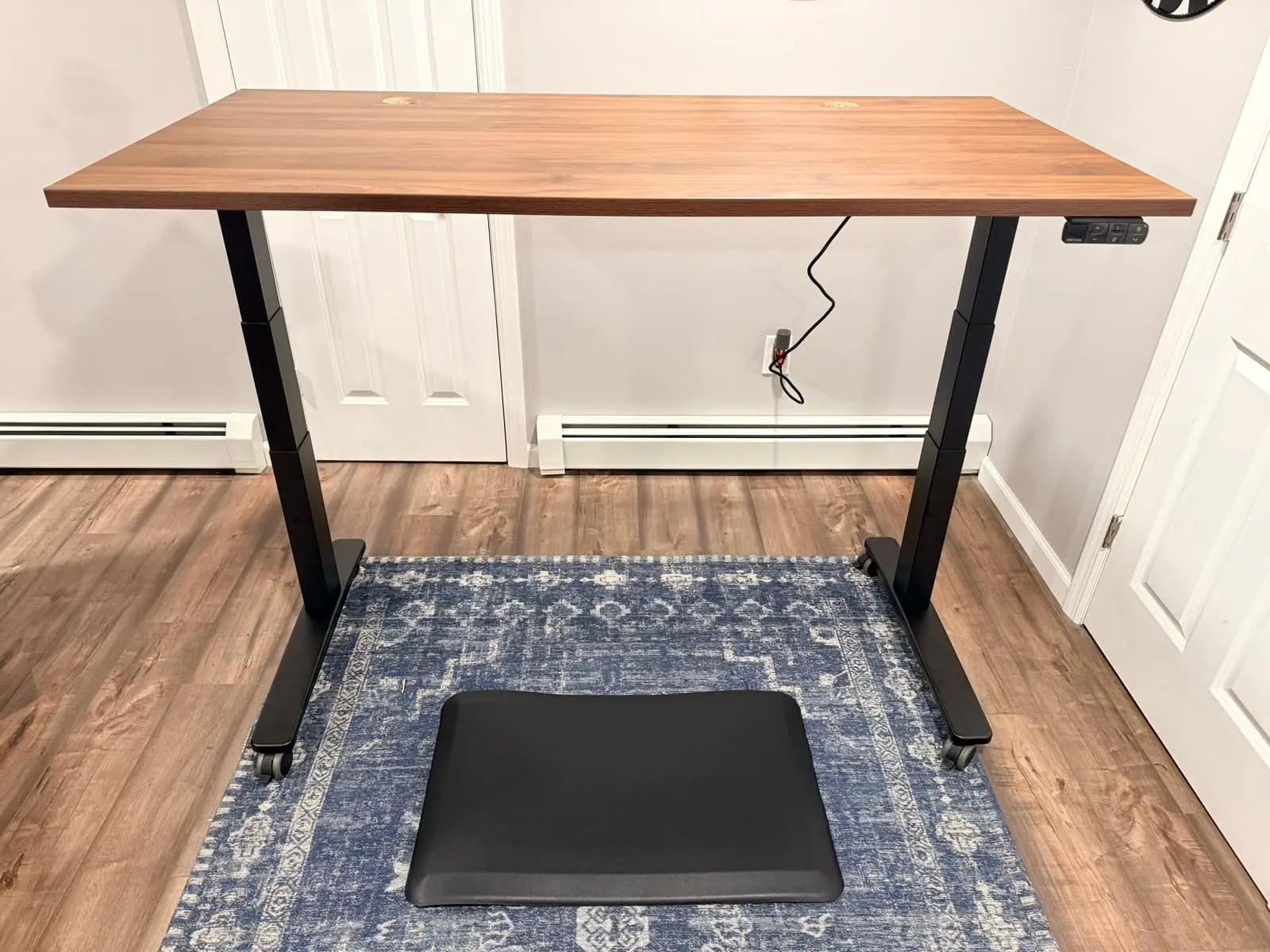
What this means for your setup: Do not subtract one headline number from the other and treat the result as extra lifting headroom. Confirm the exact load definition with each manufacturer, then choose based on height fit, desktop configuration, cable management, warranty terms, and the accessories you will actually use.
The Motor Question
Both desks use dual motors and provide programmable memory positions and anti-collision protection. UPLIFT lists a 2 inch per second lifting speed and less than 48 dB operating noise for the V3. In hands-on use, the V3 transitions quickly enough that changing position does not interrupt normal work.
FlexiSpot describes the current E7 Pro as using advanced dual motors, but the current product page does not provide a directly comparable numeric speed or noise figure. We therefore do not claim that one motor system is faster or quieter based on the older Amazon-linked model.
The Warranty and Setup Question
Both manufacturers currently advertise 15-year coverage for these desks. Check the applicable warranty documents before purchase because covered components, exclusions, and service terms can differ even when the headline duration matches.
Matt assembled the UPLIFT V3 hands-on. The preassembled frame sections, preinstalled fasteners, and included tool made that process unusually fast in our configuration. We have not assembled the E7 Pro, so this page does not assign it an assembly time from owner reports or an older product listing.
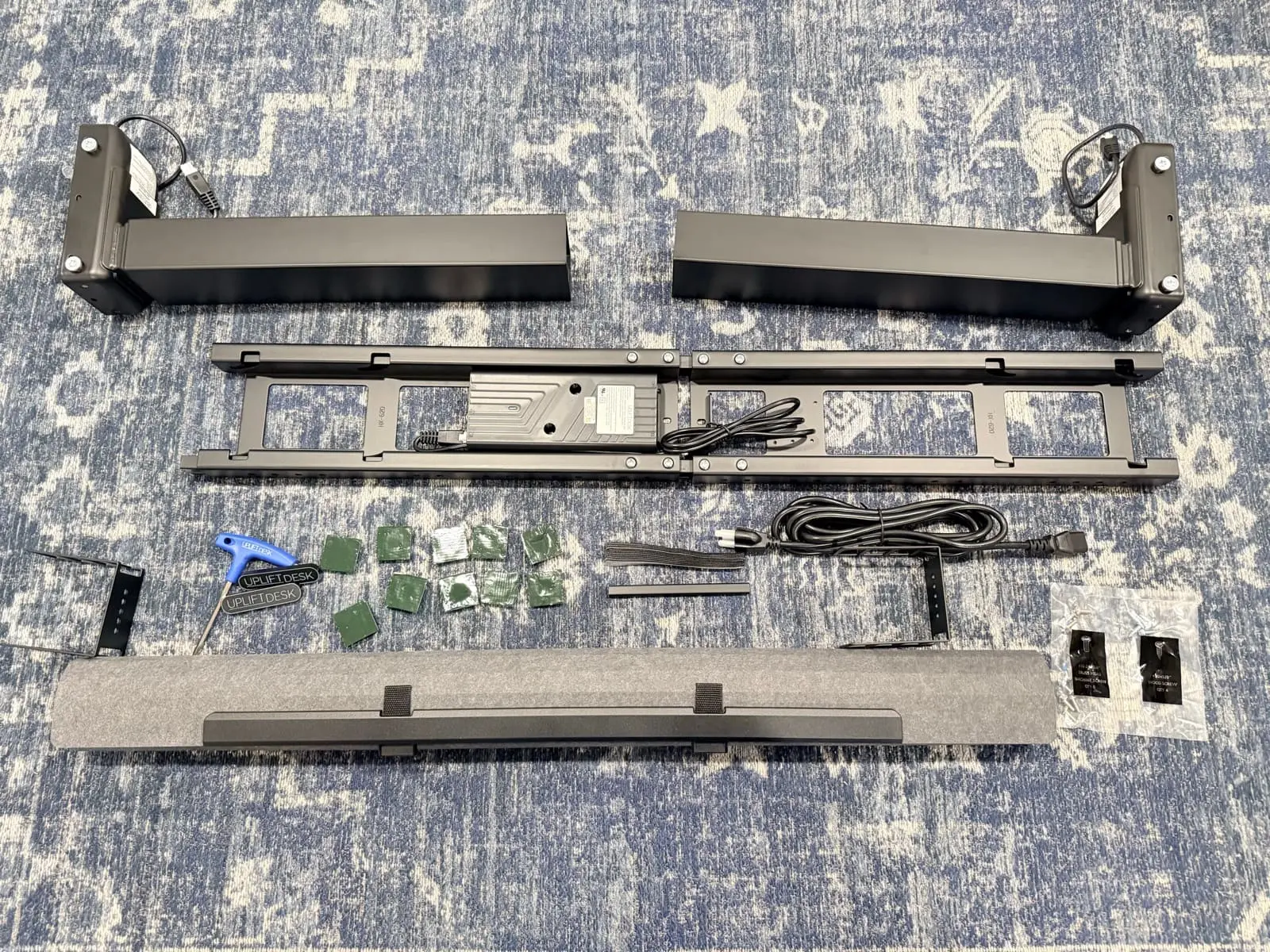
Both desks include cable-management hardware. The UPLIFT V3 includes FlexMount components and uses 48 threaded frame points for compatible accessories. FlexiSpot lists a magnetic cover, cable tray, grip tape, and cable clips with the current E7 Pro. The practical difference is not whether either desk has cable management. It is whether you want UPLIFT's broader frame-mounted accessory system.
The Height Range Question
| FlexiSpot E7 Pro | UPLIFT V3 Standing Desk | |
|---|---|---|
| Minimum Height | 25 inches | 22.6 inches |
| Maximum Height | 50.6 inches | 48.7 inches |
| Listed Travel | 25.6 inches | 26.1 inches |
The UPLIFT V3 reaches 2.4 inches lower, which can matter for shorter users who need the desktop below a typical fixed-desk height. The E7 Pro reaches 1.9 inches higher, which can matter for taller users or specialized standing positions.
Measure your seated and standing elbow heights before ordering. A desk with the larger headline load number or longer warranty still fails the fit test if its usable height range does not place your keyboard at a comfortable level.
Head-to-Head Specs
| Specification | FlexiSpot E7 Pro | UPLIFT V3 Standing Desk |
|---|---|---|
| Where to check current configuration | FlexiSpot | UPLIFT Desk |
| Motor System | Advanced dual motor | Dual motor |
| Min. Height | 25 inches | 22.6 inches |
| Max. Height | 50.6 inches | 48.7 inches |
| Manufacturer Capacity Label | 440 lb maximum static load | 355 lb lifting capacity |
| Lift Speed | Not numerically listed on current product page | 2 inches per second |
| Memory Presets | 4 | 4 |
| Anti-Collision | Included | Six-axis gyroscope system |
| Listed Noise Level | Not numerically listed on current product page | Less than 48 dB |
| Advertised Warranty | 15 years | 15 years |
| Cable Management | Magnetic cover, tray, grip tape, and clips | FlexMount system |
| Frame Design | Semi-C leg | C-frame or T-frame options |
| Accessory Mounting | Standard configuration-specific mounting | 48 threaded frame points |
| Evidence Used Here | Manufacturer documentation and specification analysis | Hands-on use plus manufacturer documentation |
Our Call
Choose the FlexiSpot E7 Pro if: its 50.6 inch manufacturer-listed maximum height or current desktop configurations are decisive for your workstation. The current direct starting price is $399.99−20%, but the final price depends on the desktop and options selected.
Choose the UPLIFT V3 Standing Desk if: you need a minimum height below 25 inches, want the UPLIFT frame-mounted accessory system, or prefer the option supported by WorkstationSetup's direct assembly and daily-use experience.
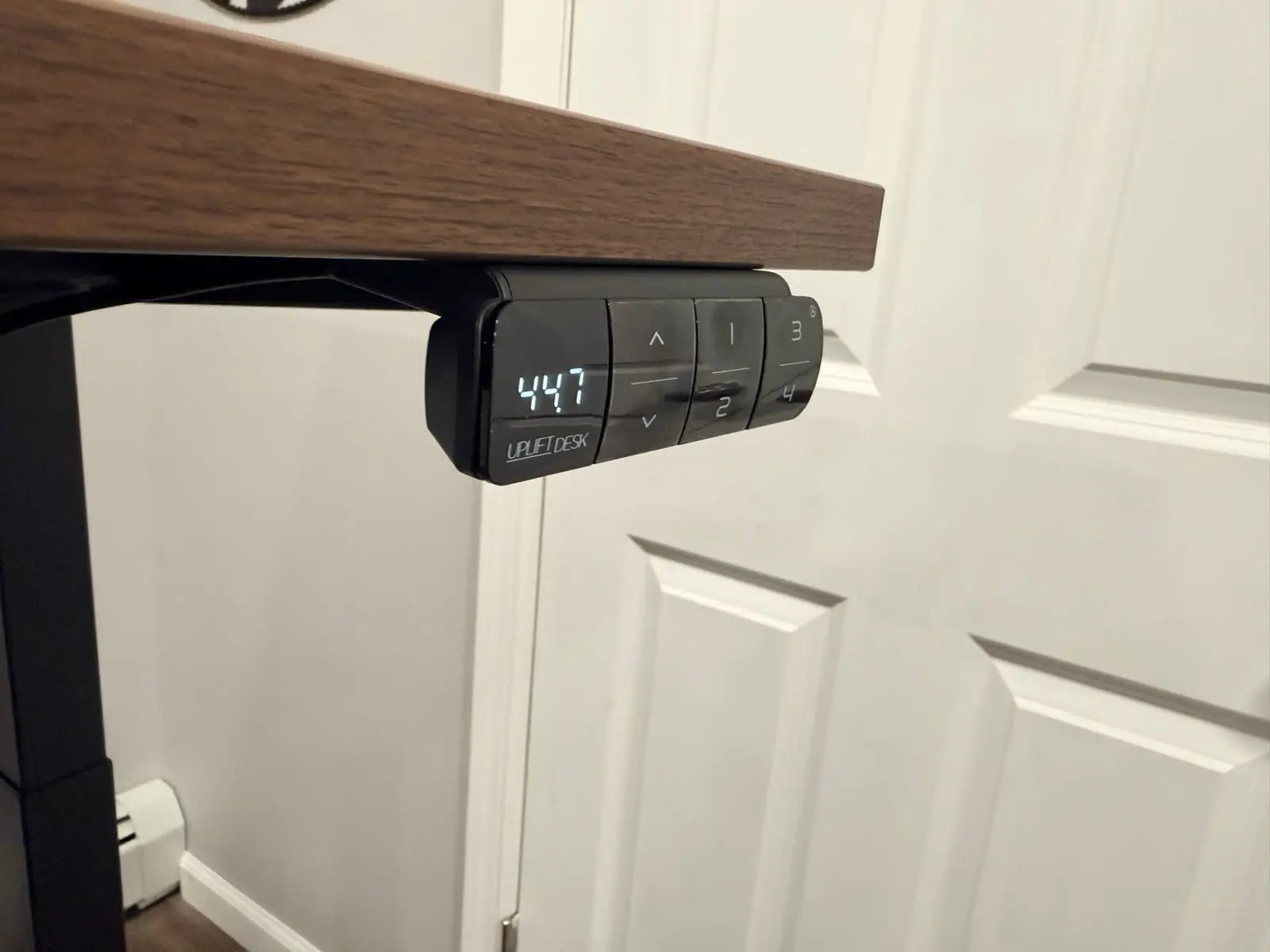
Neither desk wins simply because it has a larger number in one row. The load figures use different labels and should not be ranked as though they were the same test. The E7 Pro has the higher listed maximum height. The V3 reaches lower and has the accessory system we have evaluated in a real workstation. Match the desk to the constraint that affects your setup.
Buying Tips
- Measure first. Record the floor-to-elbow height you need while seated and standing. The V3 has the lower minimum, while the E7 Pro has the higher maximum.
- Confirm the load definition. Ask whether the published number is static or lifting capacity and whether the desktop is included before calculating your configuration.
- Compare complete configurations. Desktop material, width, controls, cable accessories, shipping, and warranty terms can change the final decision. If the V3 is the pick and you only need laminate versus bamboo versus solid wood, see UPLIFT V3 desktop comparison.
- Plan underside clearance. Cable trays, control boxes, drawers, monitor-arm clamps, and PC mounts can compete for the same space.
- Verify the exact model. Do not assume an older FlexiSpot Amazon listing is the current E7 Pro because the names or images look similar.
Frequently Asked Questions
Is the FlexiSpot E7 Pro or UPLIFT V3 more stable?
We have not completed a direct hands-on stability test between them, so we do not name a winner. Matt has used the UPLIFT V3 and found it stable in his workstation. FlexiSpot lists a semi-C frame, extended overlapping columns, and a 440 lb maximum static load for the current E7 Pro, but those are manufacturer claims rather than WorkstationSetup measurements.
Can I compare the E7 Pro's 440 lb figure with the V3's 355 lb figure?
Not directly. FlexiSpot labels 440 lbs as a maximum static load, while UPLIFT labels 355 lbs as lifting capacity. Confirm how each manufacturer defines and tests its number before using either one for a purchasing decision.
Can either desk support a multi-monitor setup?
Both manufacturers market configurations for multi-monitor workstations, but compatibility depends on desktop size and material, arm clamp requirements, equipment weight, and the manufacturer's load definition. Confirm the exact configuration instead of relying on the headline capacity number alone.
Which desk is better for two people with different heights?
The V3's lower 22.6 inch minimum is more useful when one user needs a low seated position. The E7 Pro's 50.6 inch maximum provides more upper range. Measure both users before choosing, then confirm that each person's seated and standing targets fall inside the same desk's range.
Where can I buy the current FlexiSpot E7 Pro?
Use the FlexiSpot E7 Pro product page to check current configurations, availability, and the final configured price. An older Amazon model should not be represented as the current E7 Pro.
Are there less expensive standing desk options?
Yes. The Best Standing Desks Under $700 guide covers other motor and frame options. The research-backed FlexiSpot EN1 Bamboo review covers a lower-cost single-motor path for readers who prioritize a bamboo surface. The Complete Home Office Setup Under $500 guide approaches the decision as part of a complete workstation budget.
Testing disclosure: UPLIFT Desk provided the walnut-laminate V3 configuration with the advanced keypad documented in WorkstationSetup's review at no cost. Matt assembled and used that desk hands-on. WorkstationSetup has not tested the FlexiSpot E7 Pro hands-on. E7 Pro statements above are based on FlexiSpot's current product documentation, accessed July 11, 2026.
Related Guides
- UPLIFT V3 Standing Desk Unboxing: Assembly walkthrough, real photos, and first impressions
- UPLIFT V3 Standing Desk Review: Extended hands-on use of the desk compared here
- UPLIFT V3 Desktop Comparison: Laminate vs bamboo vs solid wood on the same V3 builder
- IKEA Standing Desk vs UPLIFT: Store-pickup sit/stand vs the V3
- FlexiSpot E6 Pro vs UPLIFT V3: The under-$700 complete-desk FlexiSpot vs the same V3
- FlexiSpot E6 Pro vs E7 Pro: Research-backed E6 Pro vs the current E7 Pro, not vs V3
- FlexiSpot E7 Pro vs E7 Plus Max: Two-motor E7 Pro vs four-motor E7 Plus Max, not vs V3
- FlexiSpot E7 Plus Max vs UPLIFT V3 4-Leg: The four-motor version of this decision
- UPLIFT Parsons Standing Desk Review: The solid-wood UPLIFT alternative if design matters more than frame accessories
- Best Standing Desks Under $700: Other standing-desk options by budget and use case
- FlexiSpot EN1 Bamboo Review: Research-backed look at a lower-cost bamboo option
- Best Monitor Arms for Desk Space: Free up desktop surface for sitting and standing
- Desk Cable Management Setup Guide: Plan cable slack and underside clearance