Disclosure: UPLIFT Desk provided this desk at no cost for review. All opinions are my own. This post contains affiliate links.
This is the standard 2-leg UPLIFT V3 Standing Desk review, distinct from the UPLIFT V3 L-shaped standing desk and the UPLIFT Parsons standing desk. The 4-Leg lifts 535 lb to the V3's 355, but the V3 suits most setups.
There's a moment about two weeks in where I stopped noticing the desk. Not because it blended into the background, but because everything just worked. I'd sit down, work for a couple hours, feel my back tighten up, hold a button for a few seconds, and keep going at standing height. No noise, no wobble, no thinking about it. That's when I knew the UPLIFT V3 Standing Desk was different from every other desk I've used.
Configure the UPLIFT V3 $599-$939
I covered the full unboxing and assembly in my UPLIFT V3 Unboxing. This is the review I couldn't write until I'd spent real time with it. Four to six hours a night, every night, for weeks. If you're deciding between the V3 and the competition, I also have a detailed FlexiSpot E7 Pro vs UPLIFT V3 comparison and an IKEA standing desk vs UPLIFT compare.
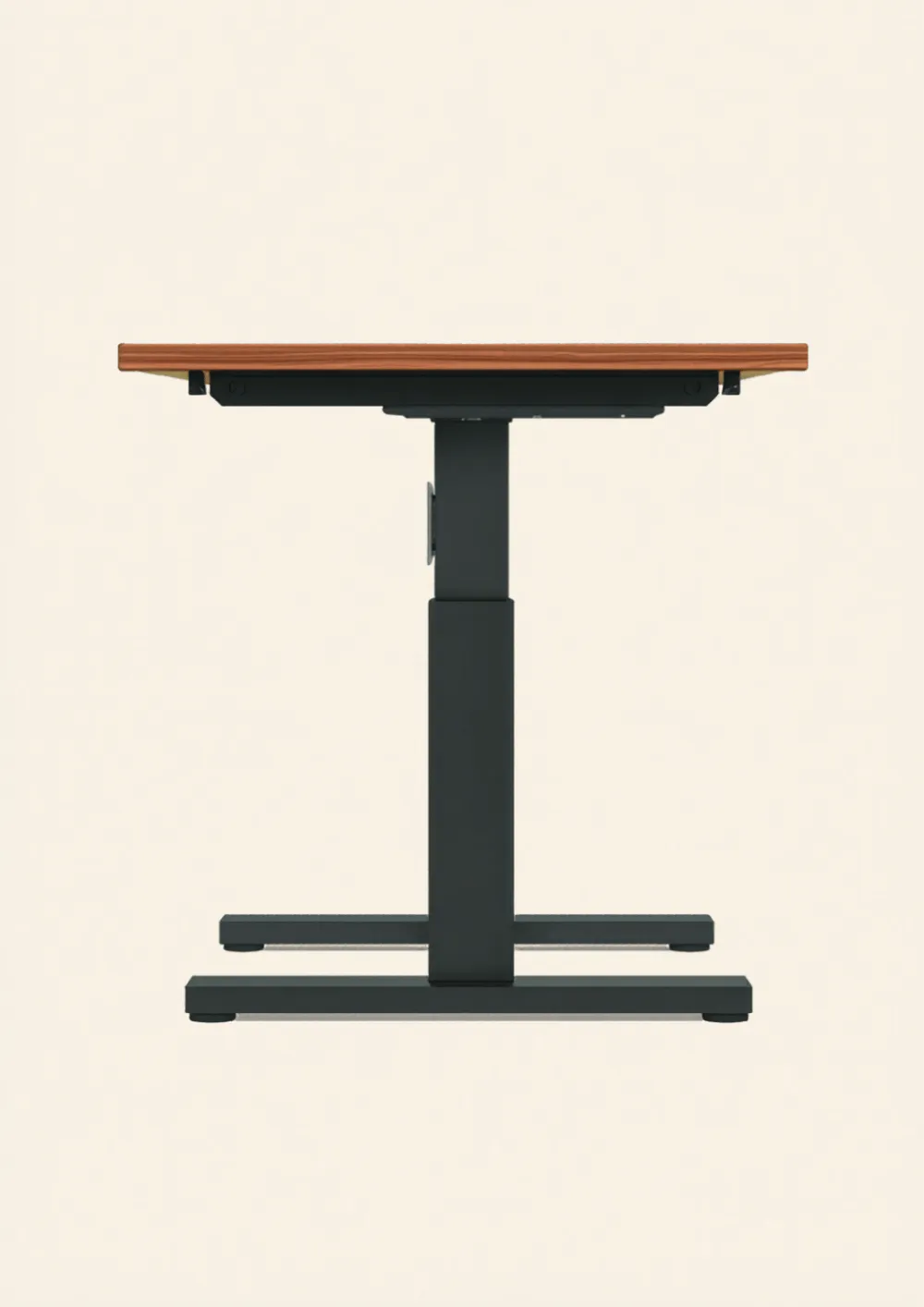
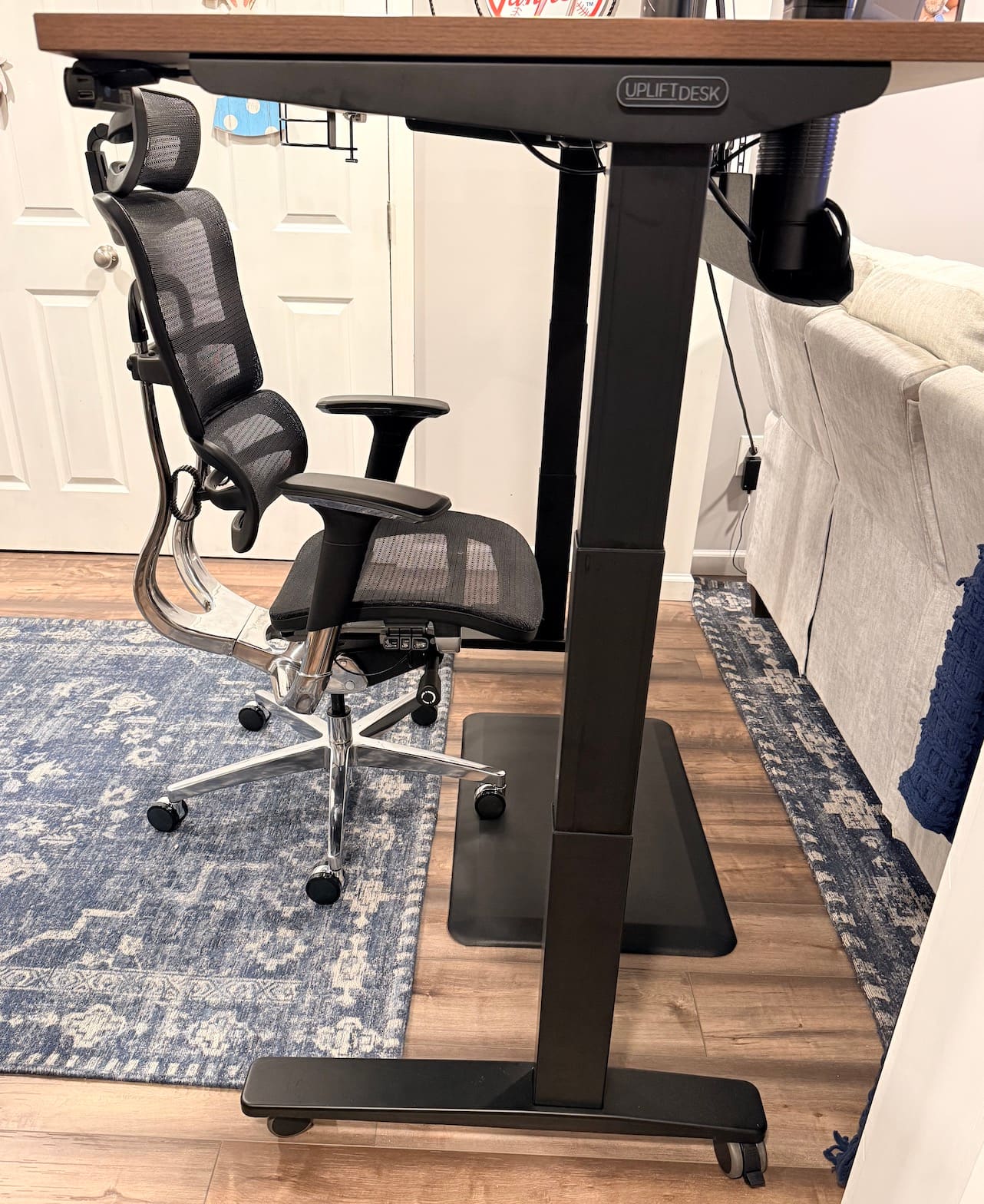
Build quality: The UPLIFT V3 Standing Desk frame is the most solid standing desk I've used. Zero wobble at standing height, even on casters.
Best feature: Going from sitting to standing takes seconds. Fast enough that you stop thinking about it and just do it.
Watch out for: Dark laminate shows fingerprints. Easy to wipe, but you'll notice them.
Who it's for: Anyone who owns a standing desk but never actually stands. The V3 is fast enough to fix that habit.
UPLIFT V3 Standing Desk Key Specs
| Spec | Detail |
|---|---|
| Weight Capacity | 355 lbs |
| Height Range | 22.6" to 48.7" (26.1" travel) |
| Full Range Speed | 13.45 seconds lowest to highest |
| Motor Noise | Under 48 dB |
| Assembly | 16 screws, 1 tool, pre-installed control box |
| Desktop Size | 60" x 30" (walnut laminate, 50+ options from UPLIFT Desk) |
| Mounting Points | 48 threaded points for accessories |
| Cable Management | FlexMount included (holds 10 lbs, tool-free) |
| Safety | ANSI/BIFMA X5.5-2021, anti-collision sensor |
| Warranty | UPLIFT Desk advertises 15-year coverage; current written terms apply |
| Connectivity | Bluetooth app control |
The Speed That Changed How I Work
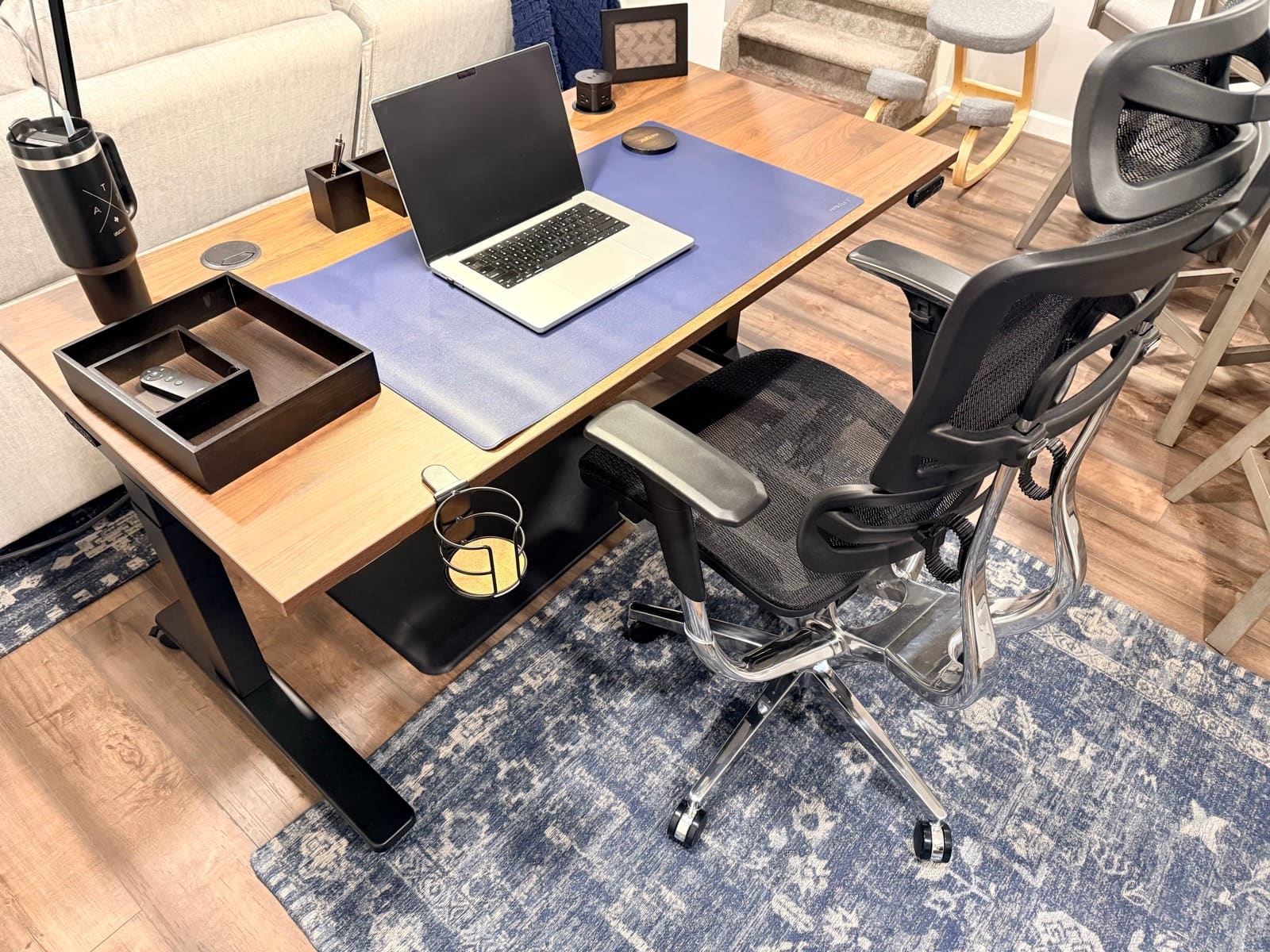
I don't use this desk to stand all day. Most of my time at the UPLIFT V3 Standing Desk is spent sitting. I'll work for a couple hours, feel the need to move, hold the button, and I'm at standing height. Then I'll drop back down when I'm ready. That back-and-forth is the whole point, and the V3 makes it feel like nothing.
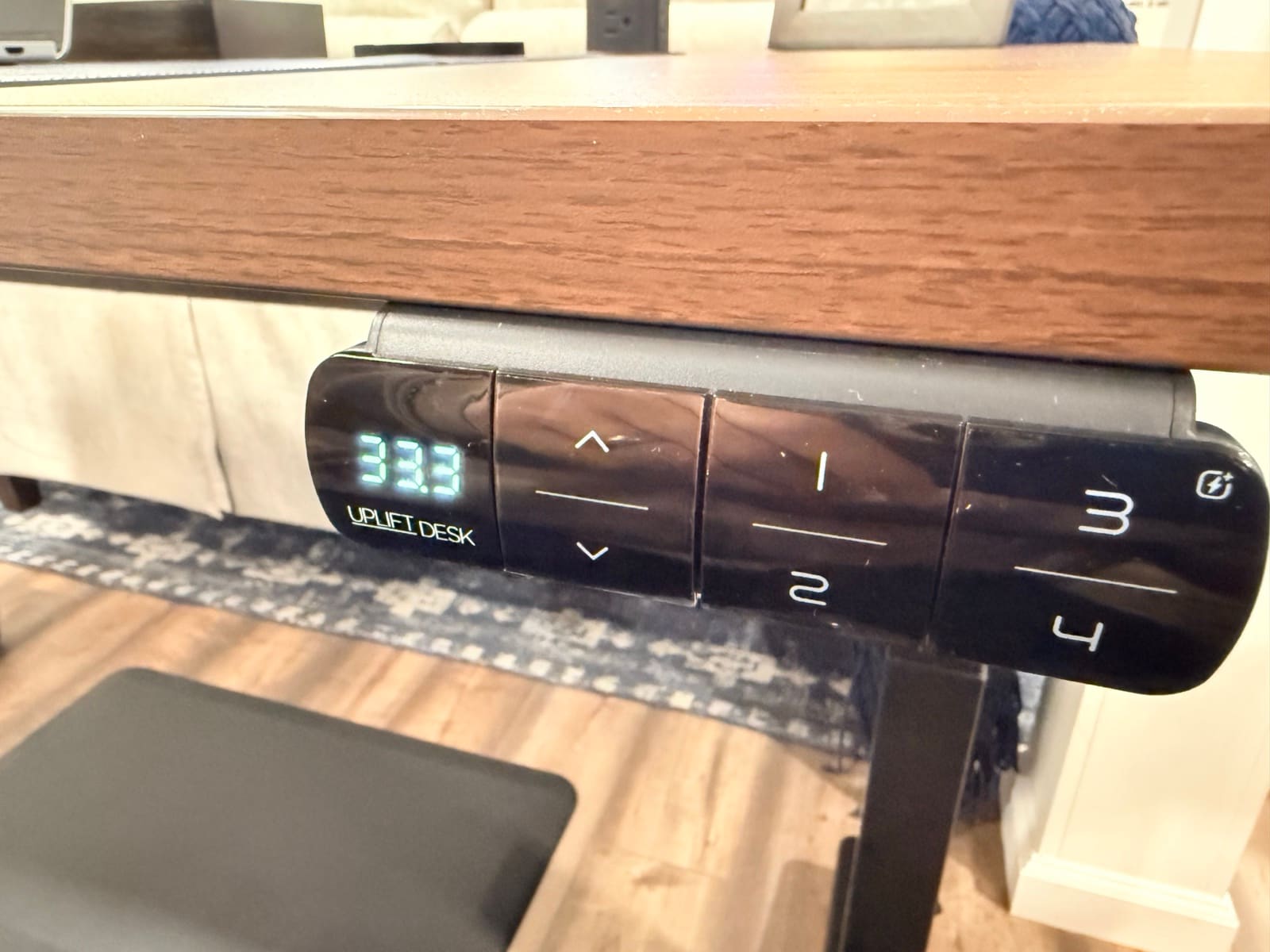
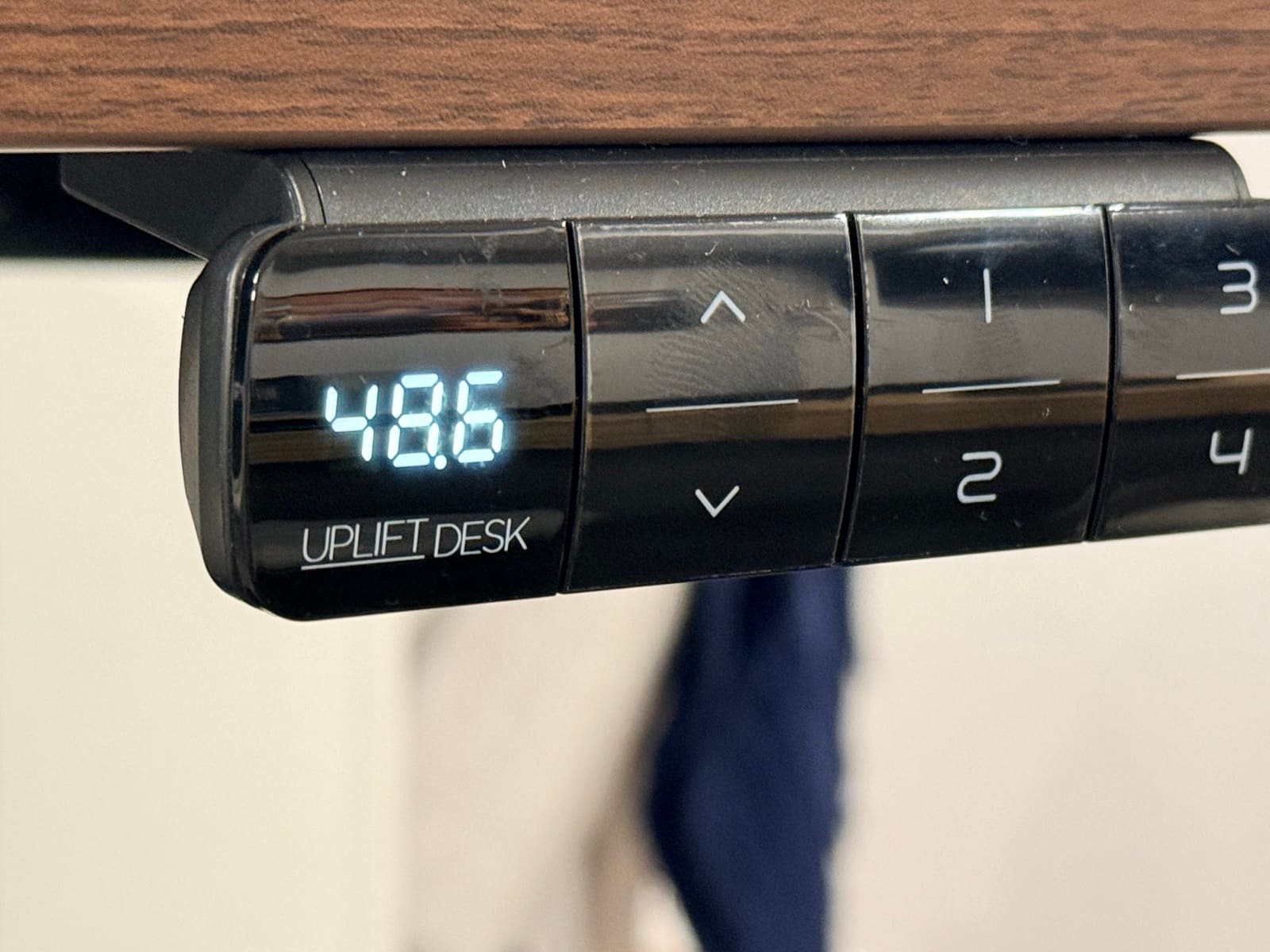
The full range, 22.6 inches to 48.7 inches, takes 13.45 seconds. That's floor to ceiling. In practice, a typical sitting-to-standing switch takes about 8 seconds. Fast enough that I don't plan around it. I just do it whenever my body says to move.
I've used other standing desks where adjusting the height felt like a chore. Slow enough that you'd skip it. Loud enough that you'd think twice. The UPLIFT V3 Standing Desk removed that friction entirely. I switch positions more now than I ever expected to. Going back and forth throughout the day keeps me feeling fresh after long sessions in a way that sitting all night never did.
UPLIFT V3 Frame Stability: Zero Wobble on Casters
The soft-roll casters are one of my favorite upgrades on this desk. I can roll the V3 out of the way in seconds when I need to clean behind it or make room. They move smooth and fast on hardwood. But lock those wheels down and this desk is not going anywhere. The frame is heavy steel. You feel it every time you bump into it. Nothing rattles. Nothing flexes. At standing height, typing feels the same as it does at sitting height. Completely solid.
Sometimes I forget to lock the casters and lean on the desk. It glides across the floor. I've done this more times than I'll admit. But that's a me problem, not a desk problem.
The dual-wall steel feet, the contract-grade steel i-beam crossbar, the UPLIFT Desk logo on the front crossbar. These details show up everywhere on this desk. Small things that add up to a build that feels like it was made to last longer than you'll want to keep it.
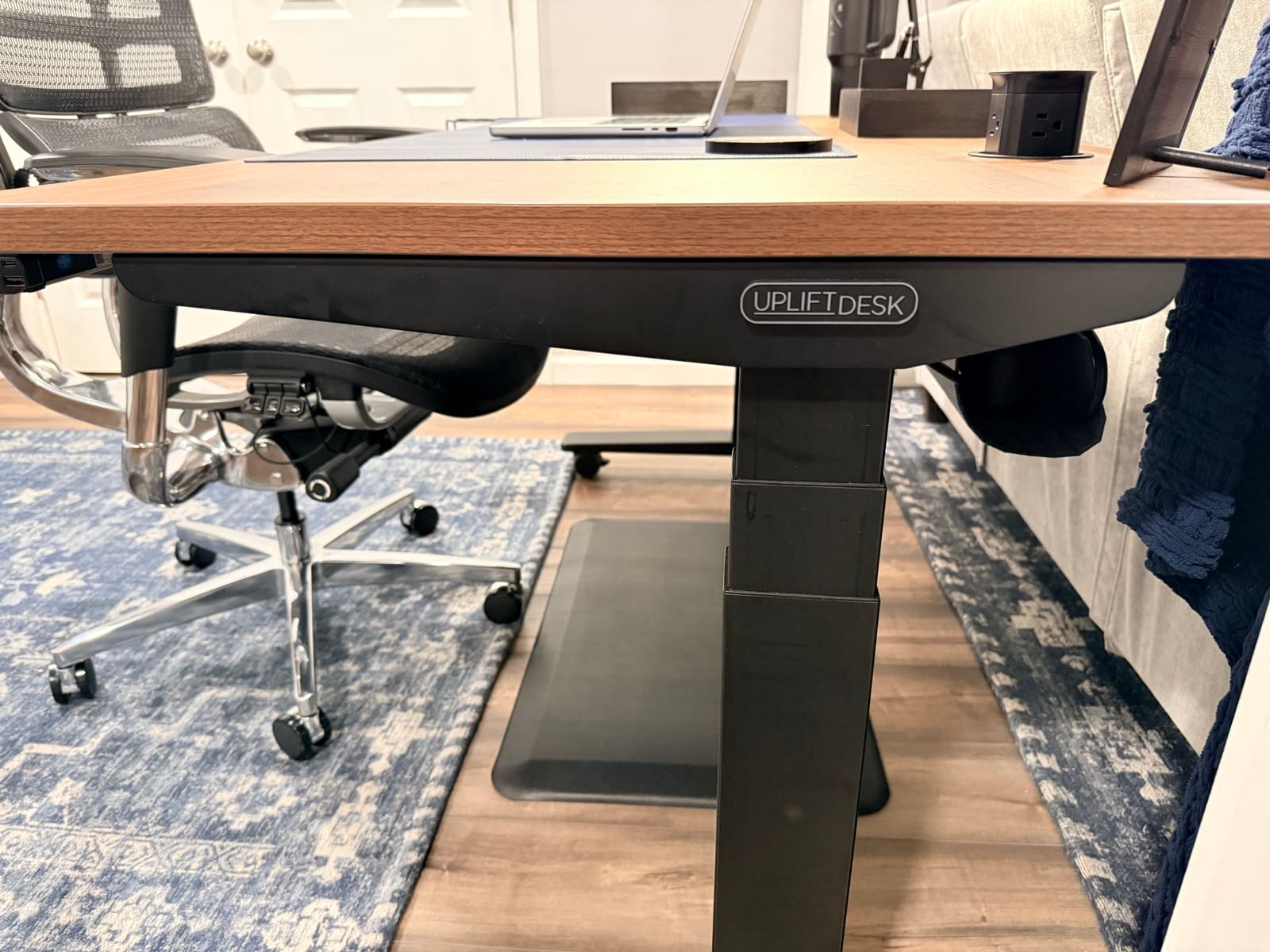
Then there's the moment that caught me off guard. I was raising the desk with my legs underneath and instinctively pushed down against it. The desk stopped. Immediately. Then it dropped back a few inches to give my legs clearance. The anti-collision sensor isn't just a spec on the product page. It's responsive enough that I trust it. If you have kids running around the house or a dog that likes to sleep under furniture, this matters.
UPLIFT V3 Motor Noise: Can You Take a Call?
The dual precision motors run under 48 dB. Here's what that actually means in my house: if I'm on a call with noise suppression, nobody hears the desk adjust. On speakerphone without suppression, someone might catch a subtle hum in the background. It's not disruptive. It's the kind of sound you have to listen for to notice. During normal use, the motor is the last thing on your mind.
Advanced Keypad, Bluetooth, and the Feature I Didn't Expect
The UPLIFT Desk Advanced Keypad has four programmable presets, a USB charging port on the side, and a height display accurate to a tenth of an inch. I don't use the presets. I prefer to adjust the height to wherever feels right in the moment, and that changes depending on what I'm doing. Some people will love mapping their sitting and standing heights to buttons 1 and 2 and hitting them every day. That's what they're designed for. I just hold the arrow and stop where it feels right.
The feature I didn't expect at all was the Bluetooth adapter. The UPLIFT V3 Standing Desk connects to the UPLIFT Desk app on your phone, and you can adjust the height from across the room. I'll be honest about how I use this: mostly to move the desk while someone else is sitting at it. The look on their face when the desk starts rising on its own is worth the price of the Bluetooth adapter alone. It gets a reaction every single time.
Living with the Walnut Laminate Desktop
The walnut laminate was the right call for me. After weeks of daily use, there are no scratches, no dents, no wear marks. The surface holds up. But the one thing I want anyone considering the dark finish to know: it shows fingerprints. Not from spilling something or being careless. Just from resting your hands on it during normal work. They appear, you wipe them off in two seconds, and they come back the next day.
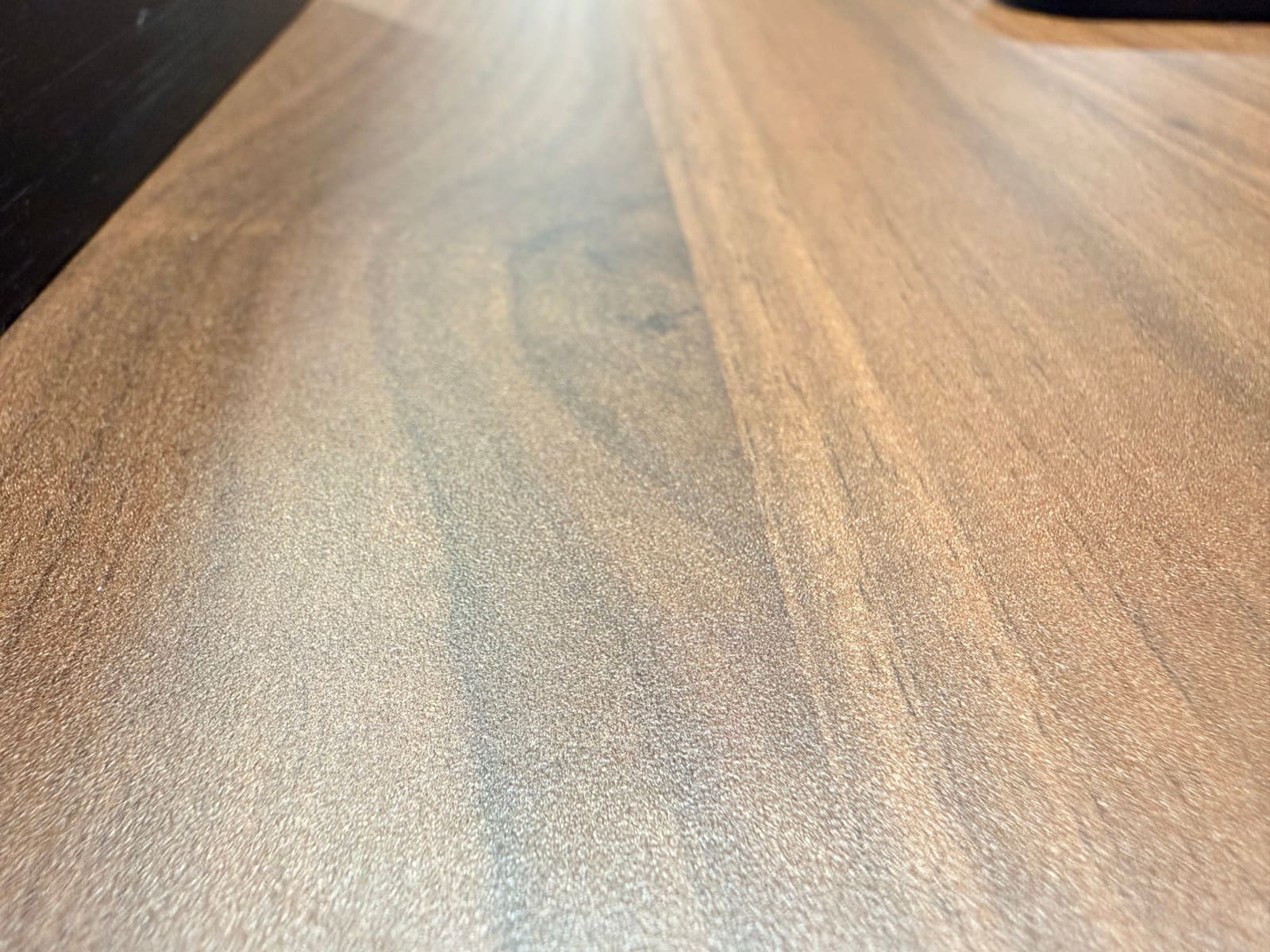
It's not a dealbreaker. It's barely an inconvenience. But it led me to two things that actually made the setup better. First, the UPLIFT Desk desk mat. It covers most of the work surface, gives you a defined workspace, and hides the fingerprints completely. Second, it made me appreciate what a real wood desktop feels like. I have the Acacia Butcher Block on my UPLIFT Desk Parsons, and the difference is obvious. The weight, the texture, the way it catches light differently than laminate. UPLIFT Desk offers 50+ desktop materials for a reason. The laminate is good and holds up well. Real wood is a different experience entirely.
Cable Management: What Nobody Tells You
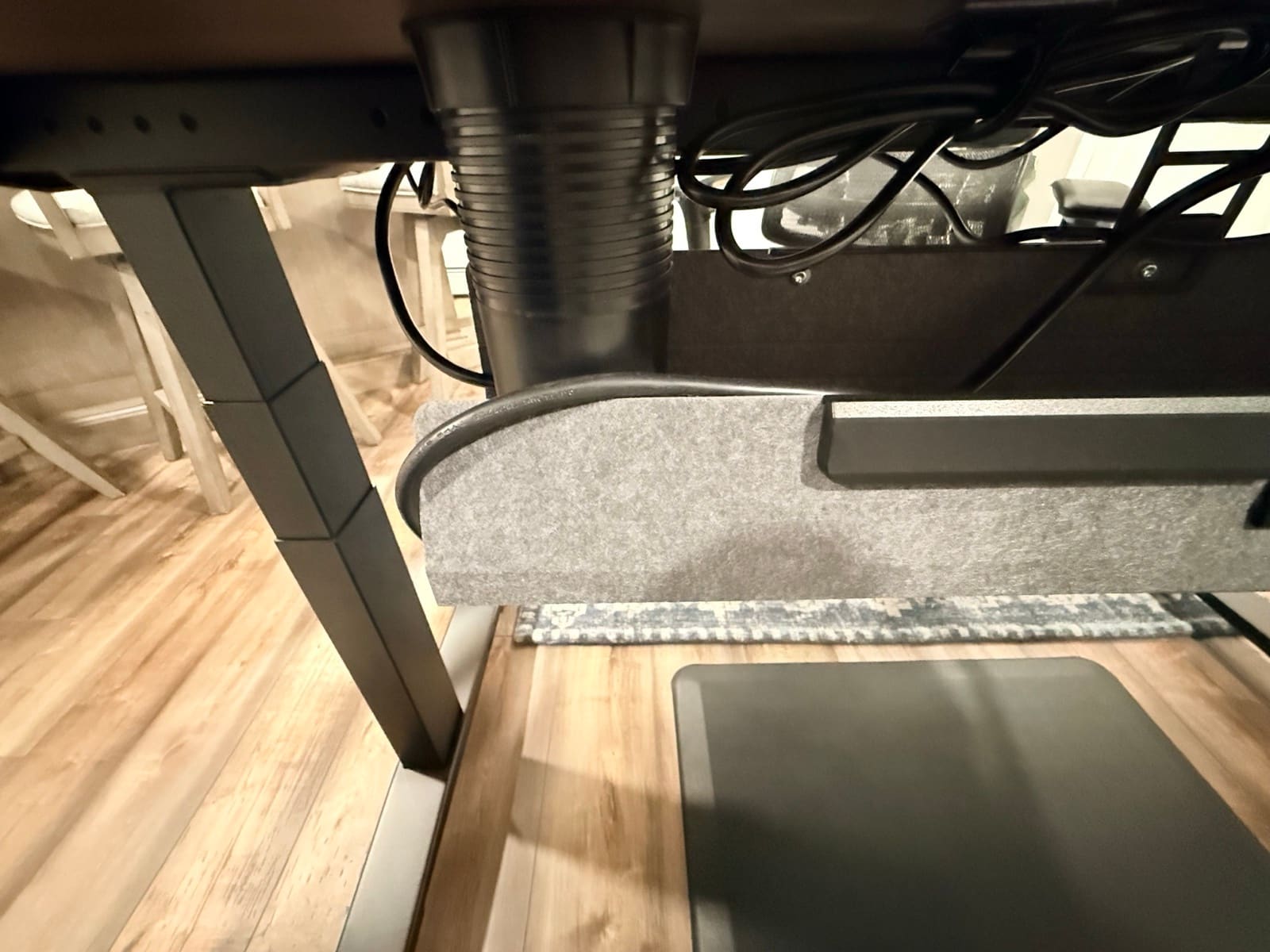
The UPLIFT V3 Standing Desk comes with the FlexMount cable management system, clips, zipped sleeves, an 8-Outlet Mountable Surge Protector, and under-desk hooks. I also have the Pop Up Power Grommet installed, and this is the accessory I use the most. Built-in outlets and USB ports right on the desktop surface. I plug in my laptop, charge my phone, and never reach under the desk for power.
Here's what I learned the hard way: the cable management tray and the pop-up grommet compete for space underneath the desk. With cables routed through the grommet and tucked into the tray, plus the surge protector, things get tight fast. It all fits, but you need a plan before you start bolting things down. Install the grommet first. Route your cables. Then figure out the tray placement around what's left. Don't do what I did and try to fit everything after the fact. I wrote a full breakdown of cable strategies in my cable management guide if you want to plan yours out before you start.
The Accessories That Surprised Me
I expected the UPLIFT Desk accessories to feel like add-ons. Things you buy because they're in the same store, not because they're actually good. I was wrong.
The clamp-on cup holder keeps my drink off the desktop and out of the way of my keyboard. The bottle opener is mounted under the desk edge, and I use it more than I'd admit. The LED Desk Lamp E7 clamps to the back edge and lights the entire workspace without taking up any surface area. The headphone stand keeps my desk clear when I'm not on calls. None of these feel like afterthoughts. The 48 threaded mounting points on the V3 frame mean everything bolts on tight and stays put. These accessories were built for this desk, and you can tell by how cleanly they attach. If your priority is getting drawers, a laptop, or a dock off the work surface, the UPLIFT Desk storage accessories guide compares the mounted and freestanding options by the space they use. The biggest accessory here doesn't bolt on at all: the UPLIFT Inclining Walking Pad slides under the frame, and I covered what it's actually like to walk and work on it in its own review.
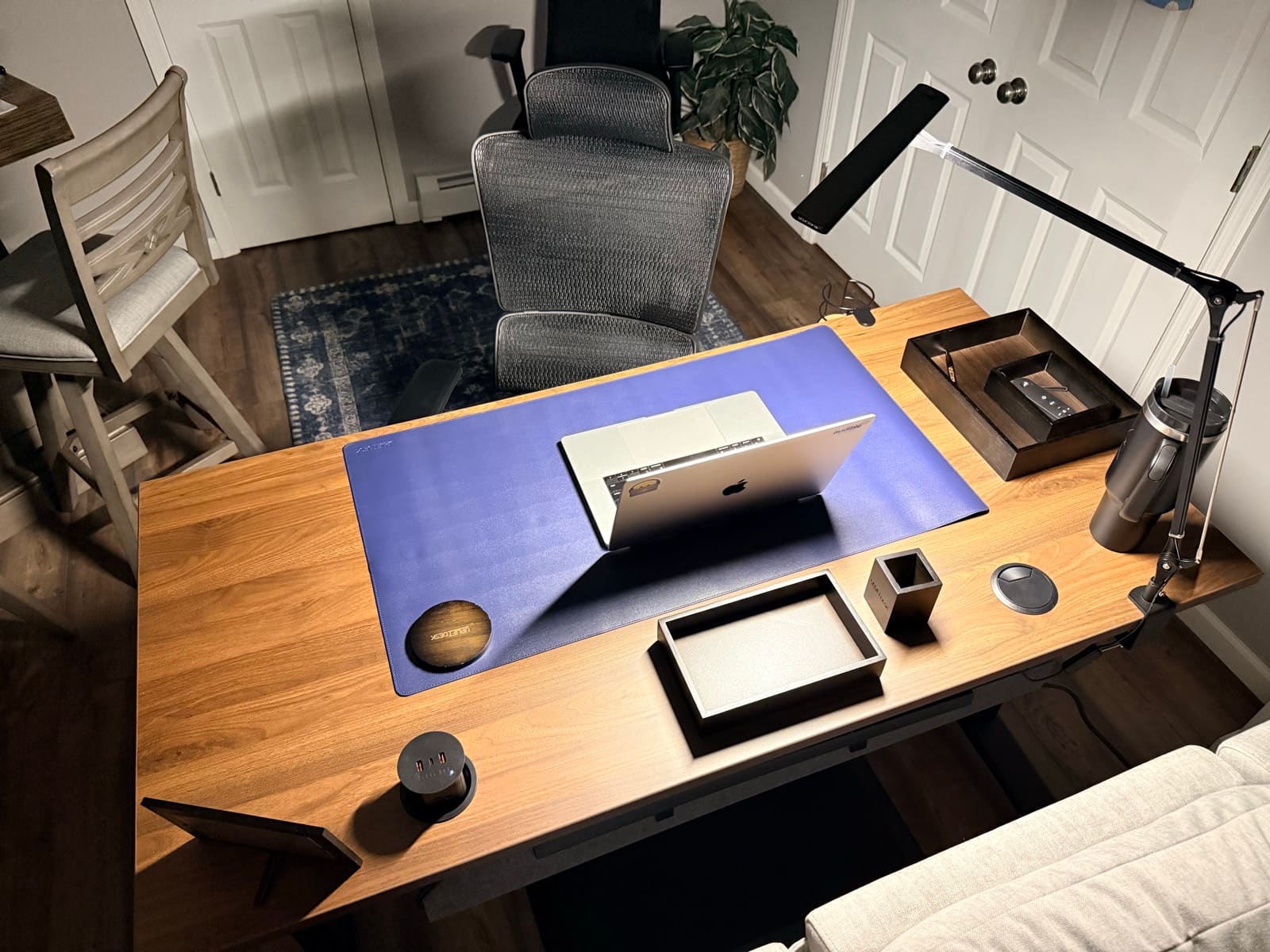
One tip from assembly that I covered in my unboxing but is worth repeating here: finish every step while the desk is upside down. Install the casters, route cables, attach anything underneath. Once you flip this desk over solo, you don't want to flip it back. The frame is too heavy.
What I'd Change
I've been honest about the fingerprints and the cable tray spacing. Those are real, and they're worth knowing before you order. But if I could change one thing about my UPLIFT V3 Standing Desk configuration, it wouldn't be either of those.
I'd go with the real wood desktop from day one. The walnut laminate does its job and it's held up well. But I have the Acacia Butcher Block on my UPLIFT Desk Parsons, and every time I sit down at the Parsons I feel the difference. The weight, the texture, the way it looks in the room. If you're configuring your V3 through the UPLIFT Desk builder, consider the real wood options. The laminate is a solid starting point. The wood is what makes people stop and look at your desk.
If the frame is already the V3 and you only need the top split, see UPLIFT V3 desktop comparison. That page covers laminate, bamboo, and solid wood upcharges on the same builder.
How the UPLIFT V3 Compares
UPLIFT V3 vs. Other Standing Desks
I've used other standing desks. They work. But the UPLIFT V3 Standing Desk raised my standard for what a standing desk should feel like. The frame quality is in a different class. The motor is faster and quieter. The accessory system gives you options that other desks don't have at all. If you're comparing the V3 against desks in the same price range, my best standing desks under $700 guide puts them side by side with specs and use cases.
UPLIFT V3 vs. UPLIFT V3 4-Leg
The UPLIFT V3 4-Leg Standing Desk raises listed lifting capacity from 355 to 535 lb and is my preferred frame for a wide, equipment-heavy rectangular workstation. The standard V3 remains the model I recommend to more people because it is easier to handle and already supports far more than a typical home-office setup.
UPLIFT V3 vs IKEA
If the other option is a store-pickup sit/stand, see IKEA standing desk vs UPLIFT. That page keeps the buy path on the V3.
UPLIFT V3 vs. UPLIFT Parsons Standing Desk
I own both. The UPLIFT Desk Parsons is the better looking desk. It doesn't even look like a standing desk, and the engineering behind it is impressive. But I use the V3 every night because of the accessories. The 48 threaded mounting points mean I can add the cup holder, lamp, cable management, and anything else without worrying about whether it'll fit. The Parsons is more limited there. A larger Parsons desktop might open up more attachment options, but right now, the V3 wins on flexibility. If you're trying to choose between UPLIFT Desk models, my UPLIFT desk selector guide breaks down the full lineup.
For a detailed spec-by-spec comparison against the top competitor, see my FlexiSpot E7 Pro vs UPLIFT V3 breakdown. The four-motor version of that decision is FlexiSpot E7 Plus Max vs UPLIFT V3 4-Leg.
If you want the two FlexiSpot frames against each other instead of that V3 compare, see FlexiSpot E6 Pro vs E7 Pro. That page is FlexiSpot vs FlexiSpot. Both desks stay research-backed.
If you want the two-motor E7 Pro against the four-motor E7 Plus Max instead of E7 Pro vs V3, see FlexiSpot E7 Pro vs E7 Plus Max. That 1v1 is the 2-motor vs 4-motor FlexiSpot split, not E7 Pro vs V3 and not E7 Plus Max vs V3 4-Leg. Both desks stay research-backed.
After Weeks with the UPLIFT V3
Before this desk, I'd sit for an entire session and not move. Not because I wanted to stay in one position, but because adjusting meant interrupting what I was doing. The UPLIFT V3 Standing Desk changed that. The motor is fast enough, quiet enough, and smooth enough that switching positions became something I do without planning it. I shift when my body tells me to, and I keep working.
That's not something I expected. I figured I'd stand a few times a week and mostly sit. Instead, I'm going back and forth throughout every session. The difference in how I feel after four or five hours is noticeable. Less stiffness, more energy, no end-of-night fatigue from sitting in the same position.
I didn't think the price difference over a basic standing desk was worth it before I started using this one. I was wrong. The build quality, the speed, the UPLIFT Desk accessory system. It adds up to something you feel every time you sit down at it. This is the desk that makes me look forward to working from the setup.
If you're building out a full workstation around the V3, my complete ergonomic desk setup guide covers every piece of the puzzle from desk to chair to lighting.
Frequently Asked Questions
Is the UPLIFT V3 Standing Desk worth the price?
I didn't think so before I started using it. The build quality, motor speed, and UPLIFT Desk accessory system add up to something you notice in daily use. It's not one feature that justifies the cost. It's how everything works together without friction. After weeks of use, I don't question the price anymore.
Does the UPLIFT V3 Standing Desk wobble at standing height?
No. I use it on casters and it's rock solid with the wheels locked. Even unlocked, the desk doesn't wobble. It rolls, but nothing shakes. The steel frame keeps everything stable across the full height range.
Can you hear the UPLIFT V3 motor on a phone call?
With noise suppression on, no. On speakerphone without suppression, someone might pick up a subtle hum from the motor while it's adjusting. It's not loud enough to be a problem. During normal use you won't notice it.
Does the walnut laminate scratch easily?
No scratches after weeks of daily use. The surface is durable. The only thing to watch for is fingerprints on the dark finish. They appear with regular use but wipe clean immediately.
Can you assemble the UPLIFT V3 Standing Desk alone?
Yes. I assembled it solo. The frame goes together in about 5 minutes thanks to the reduced screw count and pre-assembled components. Accessories take longer. Finish everything while the desk is upside down before you flip it. The frame is too heavy to flip back easily by yourself.
Does the UPLIFT V3 Standing Desk have an app?
Yes. The Bluetooth adapter connects to the UPLIFT Desk app on your phone. You can adjust the desk height from anywhere in the room.
How does the UPLIFT V3 compare to the Parsons Standing Desk?
I own both. The UPLIFT Desk Parsons has a sleeker design that doesn't even look like a standing desk. But I use the UPLIFT V3 Standing Desk every night because of the accessory mounting system. The V3's 48 threaded points let you add a cup holder, monitor arm, lamp, and cable management without compromise. The Parsons is more limited there.
Should I get the laminate or real wood desktop?
The laminate holds up well. No scratches, easy to clean. But I have the Acacia Butcher Block on my Parsons, and the real wood is a noticeably different experience. If your budget allows it, the real wood options from UPLIFT Desk are worth considering. If you want to start practical and upgrade later, the laminate is a solid choice.
Related Guides
- UPLIFT V3 Standing Desk Unboxing: Full unboxing and assembly walkthrough
- IKEA Standing Desk vs UPLIFT: Store-pickup sit/stand vs the V3
- FlexiSpot E7 Pro vs UPLIFT V3: Head-to-head comparison with the top competitor
- FlexiSpot E6 Pro vs E7 Pro: Research-backed E6 Pro vs the current E7 Pro, not vs V3
- FlexiSpot E7 Pro vs E7 Plus Max: Two-motor E7 Pro vs four-motor E7 Plus Max, not vs V3
- FlexiSpot E7 Plus Max vs UPLIFT V3 4-Leg: Four-motor FlexiSpot vs the 4-Leg
- Which UPLIFT Standing Desk Is Right for You?: Full UPLIFT Desk lineup breakdown
- UPLIFT V3 Desktop Comparison: Laminate vs bamboo vs solid wood on the V3 builder
- Best Standing Desks Under $700: V3 in context with alternatives
- UPLIFT Inclining Walking Pad Review: The walking pad under this desk
- UPLIFT Clarksville Ergonomic Chair Review: The chair paired with this desk
- Desk Cable Management: Setup Guide: Cable routing strategies
- Best Ergonomic Desk Setup: Complete Guide: Full workstation planning