The FlexiSpot E7 Plus Max and the UPLIFT V3 4-Leg Standing Desk answer the same question: what happens when a standing desk gets a motorized lifting column in all four corners instead of two? Both are four-leg, four-motor frames aimed at wide, equipment-heavy workstations. Their headline numbers aren't interchangeable, though. FlexiSpot labels the E7 Plus Max with a 660 lb maximum static load, while UPLIFT labels the V3 4-Leg with a 535 lb lifting capacity that includes the desktop's own weight. Those are different measurements, so this comparison doesn't declare a capacity winner from the spec sheet.
Configure the UPLIFT V3 4-Leg $959
The evidence is different too. Matt assembled the UPLIFT V3 4-Leg himself and uses it as a daily workstation. WorkstationSetup hasn't tested the FlexiSpot E7 Plus Max hands-on. Every E7 Plus Max conclusion on this page comes from FlexiSpot's current product documentation and specification analysis.
Choose the UPLIFT V3 4-Leg if: You need the lower 22.6 inch listed minimum height, want the 40-point accessory mounting system, or value the four-motor desk backed by our hands-on assembly and daily use.
Choose the FlexiSpot E7 Plus Max if: The 51.4 inch manufacturer-listed maximum height, a lower frame starting price at $749.99, or support for desktops up to 94.5 inches long solves a real requirement in your setup.
Check the exact configuration: Both desks are sold as configurable frame and desktop combinations. Confirm the desktop size, surface, keypad, and final configured price before ordering either one.
Which Desk for Your Situation
| Your Situation | Best Pick | Why |
|---|---|---|
| Need a listed minimum height below 25 inches | UPLIFT V3 4-Leg | UPLIFT lists 22.6 inches with a 1 inch desktop |
| Need a listed maximum height above 48.7 inches | FlexiSpot E7 Plus Max | FlexiSpot lists a 51.4 inch maximum |
| Need to compare load limits | Neither from the headline numbers alone | FlexiSpot labels 660 lbs as maximum static load; UPLIFT labels 535 lbs as lifting capacity |
| Want a desktop longer than 80 inches | FlexiSpot E7 Plus Max | The frame accepts desktops from 47.2 to 94.5 inches long |
| Want frame-mounted accessories and cable hardware included | UPLIFT V3 4-Leg | 40-point mounting system with the FlexMount Cable Manager and ten cable wraps included |
| Want the desk we can describe from direct use | UPLIFT V3 4-Leg | Matt assembled this desk and works at it every day |
| Want a four-leg stance at a lower price | FlexiSpot E7 Plus | A dual-motor four-leg frame at $499.99−17%, covered in the FAQ below |
Who This Comparison Is For
This comparison is for someone who has already decided a standard two-leg desk isn't enough and is choosing between the two most direct four-motor rivals. If you're still weighing two-leg desks, our FlexiSpot E7 Pro vs UPLIFT V3 comparison covers that decision, and the UPLIFT V3 4-Leg review explains when four legs are worth it at all.
If you want the two-leg E6 Pro against the current E7 Pro instead of this four-motor page, see FlexiSpot E6 Pro vs E7 Pro.
If you want the two-motor E7 Pro against this four-motor E7 Plus Max instead of the V3 4-Leg, see FlexiSpot E7 Pro vs E7 Plus Max. That page is the 2-motor vs 4-motor FlexiSpot split, not this four-motor vs UPLIFT decision. Both desks stay research-backed.
Both desks target the same buyer: a wide desktop, multiple monitors, a desktop computer or production gear, and a workstation that keeps growing. The decision turns on height fit, desktop plans, included hardware, and how much weight you place on hands-on evidence versus manufacturer specifications.
Two Four-Motor Frames, Two Designs
Both manufacturers arrived at one motor per leg, but the frames underneath are laid out differently.
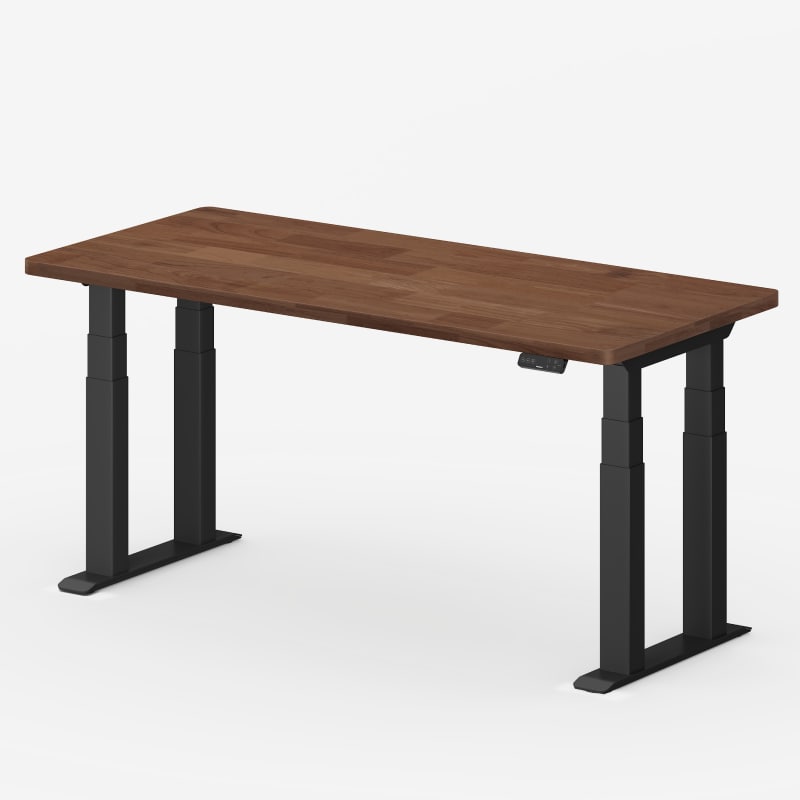
FlexiSpot describes the E7 Plus Max as a 4-leg, 4-motor, 4-crossbeam structure with dual-set 4-beam crossbars and a lower center of gravity. The four legs use three-stage columns, and the frame width adjusts from 43.3 to 74.8 inches to accept desktops from 47.2 to 94.5 inches long. Those are manufacturer descriptions, not WorkstationSetup measurements.
The UPLIFT V3 4-Leg uses four three-stage lifting columns tied together by two large steel feet and crossbar rails that run under the desktop, with no lower crossbar between the floor-level feet. UPLIFT lists the frame as meeting and exceeding the ANSI/BIFMA X5.5-2021 standard, and its 40 threaded mounting points accept UPLIFT's frame-mounted accessories. Matt's assembly notes from the review match that layout: each column slides into a corner receiver, and the crossbar rails and feet tie the four corners into one rigid base.
The Capacity Question
This is where the two spec sheets look comparable and aren't. FlexiSpot's SPECS tab lists the E7 Plus Max at 660 lbs as a maximum static load. UPLIFT lists the V3 4-Leg at 535 lbs as lifting capacity, inclusive of desktop weight. A static rating describes what the frame can hold while parked. A lifting rating describes what the motors can raise and lower. The two numbers answer different questions, so don't subtract one from the other and treat the difference as extra headroom.
FlexiSpot's own product line shows why the labels matter. The dual-motor E7 Plus lists both figures for the same desk: 540 lbs static and 440 lbs lifting. The static number is 100 lbs higher than the lifting number on the identical frame, which is exactly why a static figure from one brand shouldn't be ranked against a lifting figure from another.
What we can say plainly: both manufacturers rate these frames far beyond a typical home workstation. A multi-monitor setup with a desktop PC, arms, and audio gear usually lands in the low hundreds of pounds. Either desk's rating covers that with room to spare. If your equipment approaches these limits, confirm the load definition with the manufacturer before ordering.
The Stability Question
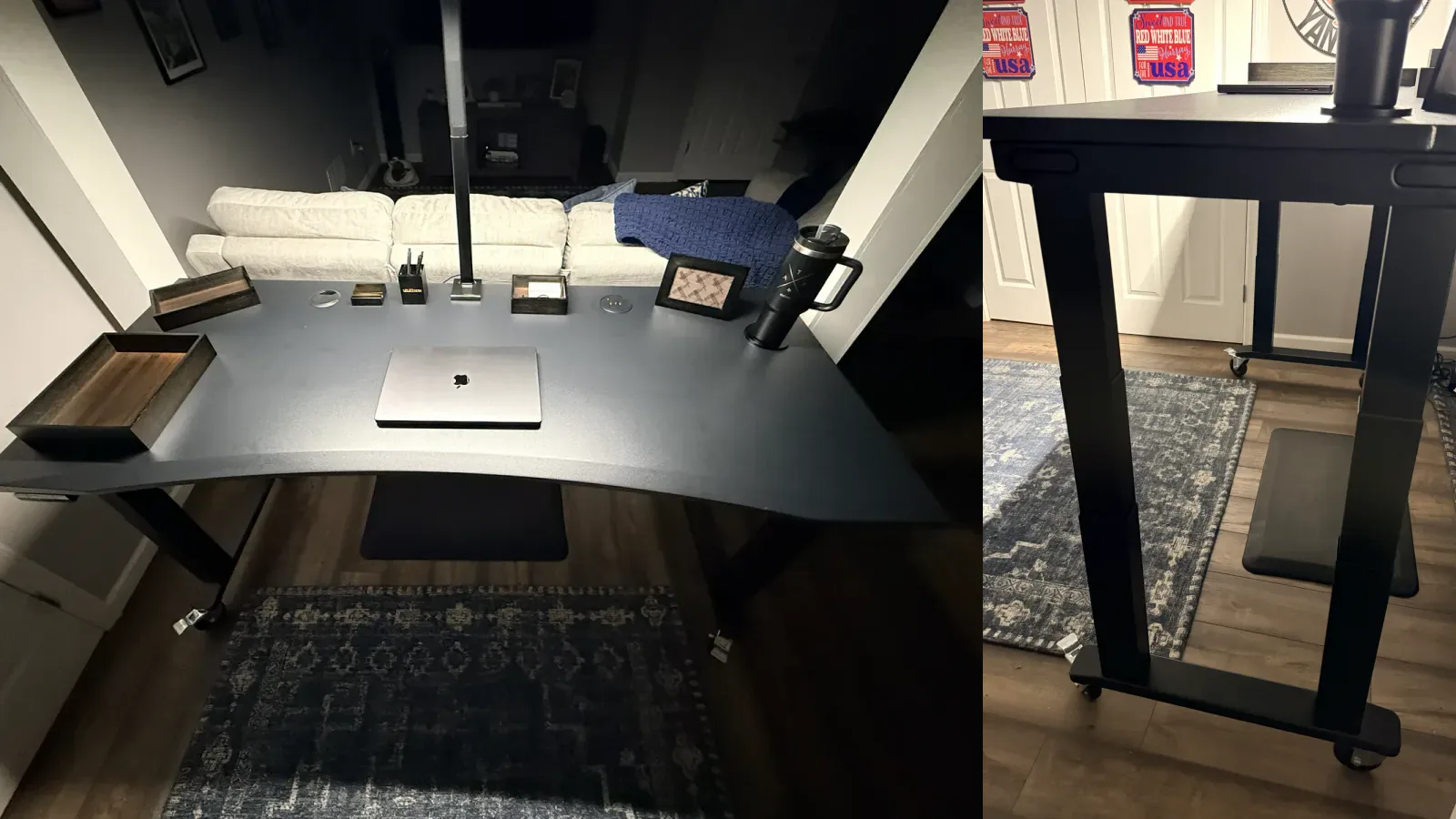
We can't name a direct hands-on stability winner because we haven't tested the E7 Plus Max. What we can report from direct use is this: the UPLIFT V3 4-Leg feels planted in Matt's daily setup. The lifting columns seat tightly in their receivers, there's no looseness at the four leg connections he assembled, and the 72 by 30 inch desktop carries a full workstation without feeling undersupported. Those are early-use observations, not instrumented wobble measurements.
FlexiSpot markets the E7 Plus Max around stability, citing twice the support points of a two-leg desk and a lower center of gravity from its four-crossbeam layout. Those claims are consistent with how four-leg frames work in principle, but they are manufacturer statements. We won't convert them into a hands-on verdict the evidence doesn't support.
The Motor, Speed, and Keypad Question
UPLIFT publishes numbers for the V3 4-Leg: a 2 inch per second travel speed with soft start and stop, and operating noise under 48 dB. FlexiSpot's current E7 Plus Max page describes the quad-motor system as faster than dual-motor desks and whisper-quiet but doesn't publish a numeric speed or noise figure. We therefore don't claim either desk is faster or quieter than the other.
Both desks include an anti-collision system that stops and reverses when the desk meets an obstacle, and UPLIFT's manual documents adjustable sensitivity. Keypads split the difference in FlexiSpot's favor: the E7 Plus Max includes a touch keypad with four memory presets, a child lock, and a USB charging port in the base configuration. The UPLIFT V3 4-Leg ships with a basic constant-touch keypad, and saved-height presets require one of the advanced keypad upgrades, which cost extra. Matt's configuration uses the Advanced Keypad with USB for saved sitting and standing heights.
The Height Range Question
| FlexiSpot E7 Plus Max | UPLIFT V3 4-Leg | |
|---|---|---|
| Listed Minimum Height | 25.8 inches | 22.6 inches with a 1 inch desktop |
| Listed Maximum Height | 51.4 inches | 48.7 inches with a 1 inch desktop |
| Listed Travel | Not separately listed | 26.1 inches |
The UPLIFT V3 4-Leg reaches 3.2 inches lower on the listed figures, which matters for shorter users and for anyone who wants a true seated typing height. The E7 Plus Max reaches 2.7 inches higher, which matters for taller users and specialized standing positions.
One caution on the FlexiSpot figures: the current page's configuration selector labels the 25.8 to 51.4 inch range as a frame height without a desktop, while UPLIFT's range is quoted with a 1 inch top, so the two ranges aren't measured the same way. Measure your seated and standing elbow heights, then confirm with the manufacturer how the range applies to your configuration before treating a half-inch difference as decisive.
Desktop Sizes and Configuration Price
The two desks price their base configurations differently, and it changes the comparison more than the headline numbers do.
UPLIFT's base price of $959 includes a 48 by 30 inch laminate desktop, the frame, a basic keypad, grommet covers, and the FlexMount Cable Manager with ten cable wraps. Larger tops add cost in steps up to 80 by 30 inches, and thicker solid-wood surfaces change the price further. FlexiSpot's E7 Plus Max page starts at the frame configuration at $749.99, with desktops selected separately across laminate, bamboo, and solid wood options, from 48 by 30 inches up to 80 by 30 and deeper 79 by 35 inch formats. The frame itself accepts tops up to 94.5 inches long, so oversized or custom surfaces are part of its pitch.
Compare complete configurations, not starting prices. A desk with the lower base price can pass the other once you add the desktop, keypad, and accessories you actually want. Matt's hands-on configuration is a 72 by 30 inch Eco Curve top, and at that width the four-leg frame stops being overkill and starts being the point.
Cable Management and the Underside
Four motors mean four motor cables on either desk, so the underside deserves a plan before assembly. From hands-on experience with the V3 4-Leg: route the four motor cables to the control box first, confirm every plug is seated, leave slack for the full height range, and only then layer in power and accessory wiring. Our desk cable management setup guide covers the planning step in detail.
The included hardware differs. UPLIFT ships the FlexMount Cable Manager and ten hook-and-loop cable wraps with the desk, and the frame's 40 threaded mounting points accept trays, hooks, and surge protectors without drilling. FlexiSpot builds a fabric-wrapped magnetic cable channel into the underside of the E7 Plus Max and doesn't publish a complete included-accessory list on the current page. If you want a frame designed as a mounting platform for a growing accessory system, that is UPLIFT's stronger suit. If you want the cable channel built in and plan to stop there, FlexiSpot covers the basics without add-ons.
Assembly, Weight, and Living With a Four-Leg Desk
A four-motor desk is a heavy object before and after assembly, and neither brand changes that.
Matt's hands-on notes from the V3 4-Leg build: the frame arrives in two heavy boxes, each lifting column slides into its corner receiver with preinstalled fasteners, and the assembly sequence is repetitive rather than confusing. The hard part is the flip. UPLIFT recommends two people for turning the completed desk upright, and after doing it alone once, Matt agrees. The heavy-duty locking casters in his configuration are what make the finished desk practical to reposition.
FlexiSpot lists the E7 Plus Max frame at 61.5 pounds per box across two boxes before any desktop, so plan for a comparable two-person job. We haven't assembled the E7 Plus Max, so this page doesn't assign it an assembly time or difficulty rating.
Warranty and Returns
Both desks carry a 15-year headline warranty, but the coverage underneath differs.
UPLIFT's 15-year warranty covers the desktop, frame, motors, and electronics under one term, and an optional extension to 25 years is available within 90 days of purchase. FlexiSpot's 15-year term covers the E7 series frame, motors, and electronics, while desktops carry their own shorter terms: 5 years for solid wood and bamboo, 2 years for chipboard and wood-texture surfaces.
Returns run 30 days at both brands. UPLIFT advertises free returns with free return shipping. FlexiSpot's 30-day policy applies to continental US orders of up to three items, with a 10 percent restocking fee if an item comes back in less than like-new condition. Read the current policy pages before ordering; the details above are what each manufacturer published as of mid-July 2026.
Head-to-Head Specs
| Specification | FlexiSpot E7 Plus Max | UPLIFT V3 4-Leg |
|---|---|---|
| Where to check current configuration | FlexiSpot | UPLIFT Desk |
| Motor System | Four motors, one per leg | Four synchronized motors, one per leg |
| Leg Design | Four 3-stage columns, dual-set 4-beam crossbars | Four 3-stage columns, steel feet, no lower crossbar |
| Listed Min. Height | 25.8 inches | 22.6 inches with 1 inch desktop |
| Listed Max. Height | 51.4 inches | 48.7 inches with 1 inch desktop |
| Manufacturer Capacity Label | 660 lb maximum static load | 535 lb lifting capacity, inclusive of desktop |
| Lift Speed | Not numerically listed on current product page | 2 inches per second, load dependent |
| Listed Noise Level | Not numerically listed on current product page | Less than 48 dB |
| Memory Presets | 4, included keypad with child lock and USB | Saved heights via advanced keypad upgrades |
| Anti-Collision | Stop and reverse on obstacle contact | Stop and reverse, adjustable sensitivity |
| Desktop Sizes | 48 x 30 up to 80 x 30 and 79 x 35 inches; frame accepts tops 47.2 to 94.5 inches long | 48 x 30 to 80 x 30 inches |
| Included Cable Hardware | Built-in magnetic cable channel | FlexMount Cable Manager and ten cable wraps |
| Accessory Mounting | Standard configuration-specific mounting | 40 threaded frame points |
| Durability Claims and Standards | 30,000 lift-cycle manufacturer claim | ANSI/BIFMA X5.5-2021 and G1-2013 |
| Warranty | 15 years frame, motors, electronics; desktop 2 to 5 years by material | 15 years including desktop; optional 25-year extension |
| Returns | 30 days, up to three items, conditions apply | 30 days with free return shipping |
| Evidence Used Here | Manufacturer documentation and specification analysis | Hands-on assembly and daily use plus manufacturer documentation |
Our Call
Choose the FlexiSpot E7 Plus Max if: you need the taller listed height range, a desktop longer than 80 inches, or a four-motor frame at the lower starting price of $749.99. The included four-preset keypad is a real convenience advantage in the base configuration.
Choose the UPLIFT V3 4-Leg Standing Desk if: you need the lower minimum height, want the frame that doubles as a mounting system for cable and accessory hardware, prefer a single 15-year warranty that includes the desktop, or want the four-motor desk WorkstationSetup can describe from assembly and daily use.
Neither desk wins because one number on the spec sheet is bigger. The capacity labels measure different things, the height ranges fit different bodies, and the base prices include different hardware. Match the desk to the constraint that actually affects your setup, then price the complete configuration you would order.
Buying Tips
- Measure first. Record your floor-to-elbow height seated and standing. The V3 4-Leg lists the lower minimum; the E7 Plus Max lists the higher maximum.
- Price the full configuration. One base price includes a desktop and one doesn't. Add the top, keypad, and accessories you want before comparing totals.
- Confirm the load definition. Static load and lifting capacity are different tests. Ask the manufacturer which one applies before counting on a number.
- Plan the flip before delivery. Both frames ship heavy in multiple boxes. Have a second person available for turning the assembled desk upright.
- Check desktop compatibility for oversized tops. Only the E7 Plus Max frame lists support for tops past 80 inches; confirm thickness and mounting before ordering a custom surface.
Frequently Asked Questions
Is the FlexiSpot E7 Plus Max or UPLIFT V3 4-Leg more stable?
We haven't tested them side by side, so we don't name a winner. Matt uses the UPLIFT V3 4-Leg daily and reports a planted, solid feel with no looseness at the leg connections he assembled. FlexiSpot describes the E7 Plus Max as having twice the support points of a two-leg desk with a lower center of gravity, but those are manufacturer claims rather than WorkstationSetup measurements.
Can I compare the 660 lb and 535 lb capacity figures directly?
No. FlexiSpot labels 660 lbs as a maximum static load, which describes holding weight while parked. UPLIFT labels 535 lbs as lifting capacity including the desktop, which describes what the motors raise and lower. FlexiSpot's own E7 Plus listing shows the gap between the two measurements on a single desk: 540 lbs static against 440 lbs lifting.
Is there a cheaper four-leg standing desk option?
Yes. The FlexiSpot E7 Plus at $499.99−17% uses the same four-leg stance with two motors instead of four. FlexiSpot lists it at 540 lbs static and 440 lbs lifting with a 26 to 51.6 inch frame height range. Its current product page doesn't document an anti-collision system, so weigh that against the savings if you share the desk with kids or pets.
Which desk is better for a very tall user?
The E7 Plus Max lists the higher maximum at 51.4 inches, against 48.7 inches for the V3 4-Leg with a 1 inch desktop. FlexiSpot's configuration selector labels that figure as a frame height without a desktop, so confirm the finished surface height for your configuration. A thicker desktop raises the finished surface on either desk.
Do the E7 Plus Max and V3 4-Leg work with a multi-monitor setup?
Both frames are rated far beyond a typical multi-monitor workstation. The practical differences are surface and mounting: the E7 Plus Max frame accepts desktops up to 94.5 inches long, while the V3 4-Leg's 40 threaded frame points make monitor-arm and accessory mounting cleaner. Our multi-monitor desk setup guide covers planning the surface itself.
Where can I check current prices and configurations?
Use the FlexiSpot E7 Plus Max product page and the UPLIFT V3 4-Leg product page for live pricing. Both desks are configurable, so the final price depends on the desktop, keypad, and accessories you select.
Testing disclosure: UPLIFT Desk provided the V3 4-Leg configuration documented in WorkstationSetup's review at no cost. Matt assembled that desk and uses it daily. WorkstationSetup has not tested the FlexiSpot E7 Plus Max or E7 Plus hands-on. FlexiSpot statements above are based on FlexiSpot's current product documentation, accessed July 28, 2026.
Related Guides
- UPLIFT V3 4-Leg Standing Desk Review: The hands-on assembly and daily-use review behind this comparison
- FlexiSpot E7 Pro vs UPLIFT V3: The two-leg version of this decision
- FlexiSpot E6 Pro vs E7 Pro: Two-leg E6 Pro vs current E7 Pro, not this four-motor page
- FlexiSpot E7 Pro vs E7 Plus Max: Two-motor E7 Pro vs four-motor E7 Plus Max, not vs V3 4-Leg
- UPLIFT V3 Standing Desk Review: The standard two-leg V3 most workstations should start with
- IKEA Standing Desk vs UPLIFT: Store-pickup sit/stand vs the two-leg V3
- Best Standing Desks Under $700: Budget-first standing desk options
- Multi-Monitor Desk Setup Guide: Plan the wide workstation these frames are built for
- Desk Cable Management Setup Guide: Route four motor cables and everything else cleanly