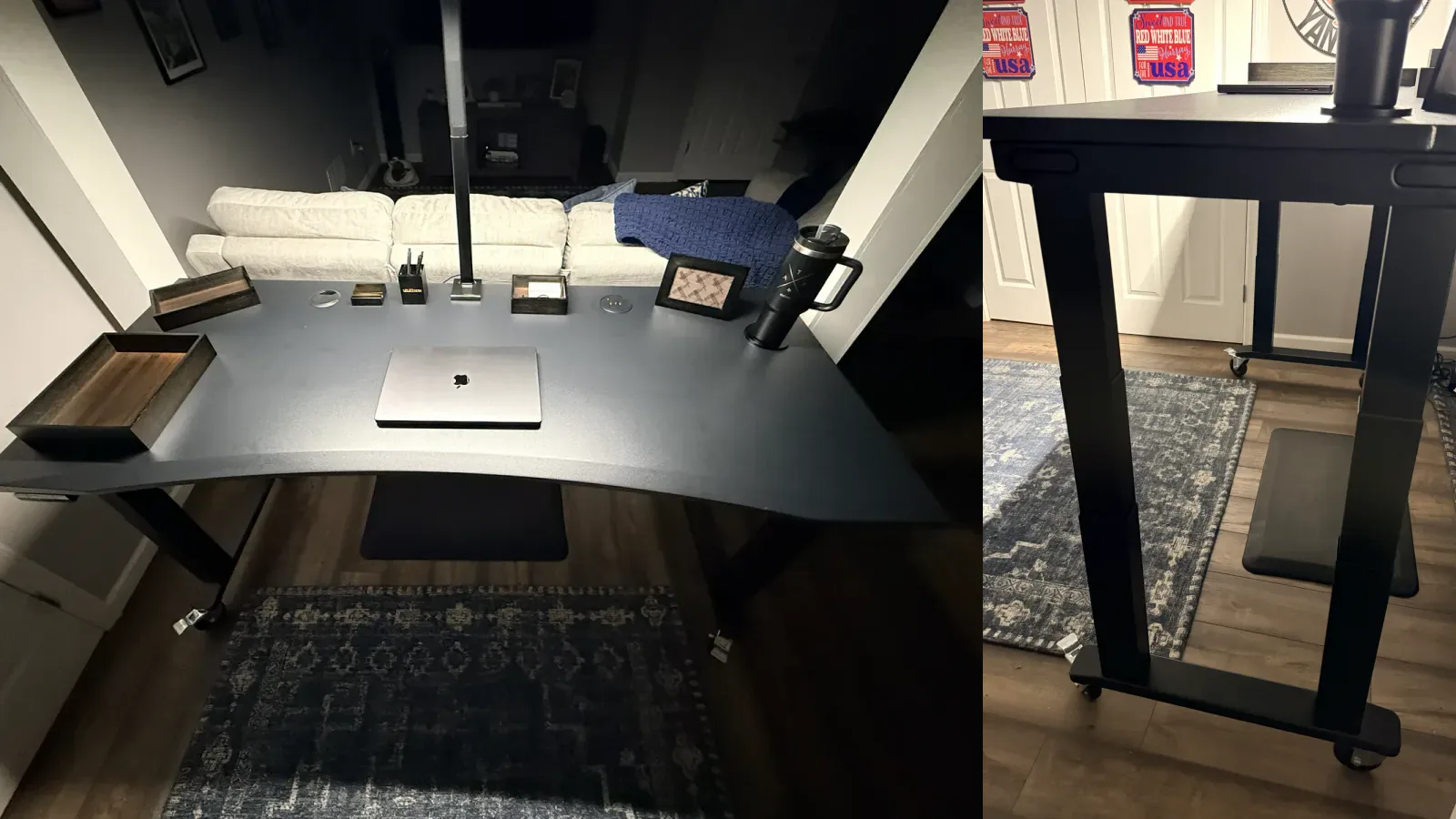
Disclosure: UPLIFT Desk provided this desk at no cost for review. All opinions are my own. This post contains affiliate links.
The first thing to know about the UPLIFT V3 4-Leg Standing Desk is that it is heavy. The frame comes in two boxes because four steel lifting columns, two large feet, crossbars, motor hardware, and a 72 by 30 inch desktop are a lot to move around a house. This was the heaviest standing desk I've assembled.
It was also far easier to put together than that first impression suggested. The parts arrived neatly separated. The frame layout made sense. Each leg slid into its receiver with the kind of precise fit that makes an assembly step satisfying. Once everything was upright, the desk felt as substantial as all those boxes promised.
I assembled and flipped this desk by myself. That answers whether one person can do it, but it is not my recommendation. UPLIFT calls for two people during the flip, and I agree. The combined weight and 72-inch desktop make the finished assembly too awkward to treat as a normal solo furniture build.
Matt's Verdict
Bottom line: This is my favorite UPLIFT desk so far. The regular V3 remains the model I'd recommend to more people, but the V3 4-Leg is the one I'd choose for a wide, heavy workstation where the most substantial rectangular frame matters.
Best detail: The heavy-duty locking casters move this enormous desk so smoothly that it reminds me of rollerblading. With the wheels unlocked, I can move it across my hard floor with one finger.
Main drawback: Weight. Assembly is straightforward, but handling and flipping the completed desk are two-person jobs.
My configuration: Black V3 4-Leg frame, black 72 by 30 inch Eco Curve desktop, Advanced Keypad with USB, Bluetooth adapter, Sliding Flex Lamp, grommet covers, cable accessories, and four heavy-duty locking casters.
My Exact UPLIFT V3 4-Leg Configuration
UPLIFT standing desks are configurable enough that two reviews of the same frame can describe very different finished desks. Here is the exact version in my photos and observations.
| Component | My configuration |
|---|---|
| Frame | UPLIFT V3 4-Leg, black |
| Desktop | Eco Curve, black, 72" x 30", 1" thick |
| Front edge | Center cut with ergo edge |
| Grommets | Two holes with black grommet covers |
| Keypad | Advanced Keypad with USB, black |
| Mobility | Four heavy-duty locking casters |
| Lighting | Sliding Flex Lamp by UPLIFT Desk |
| Connectivity | UPLIFT Desk Bluetooth Adapter and 4-Port USB 3.0 Hub |
| Power | 4-Outlet Mountable Surge Protector |
| Cable management | FlexMount system, Basic Wire Management Kit, and two 60" zipped cable sleeves |
| Other order items | Black bamboo organizer set, standing desk mat, and promotional accessories |
The 72 by 30 inch Eco Curve top is important context. This is not a compact desk with an unnecessarily large frame underneath it. It is a wide desktop built for a full workstation, which is exactly where the four-leg design starts to make sense.
The casters are also a selected accessory, not something every configuration should be assumed to include. I would add them again without hesitation. On a desk this heavy, easy mobility changes how practical the finished setup is.
Verified UPLIFT V3 4-Leg Specs
| Spec | UPLIFT V3 4-Leg |
|---|---|
| Lifting columns | Four 3-stage legs |
| Motors | Four synchronized motors, one per leg |
| Lifting capacity | 535 lb, confirmed directly by UPLIFT's product team |
| Height range | 22.6" to 48.7" with a 1" desktop |
| Total height travel | 26.1" |
| Listed travel speed | 2" per second |
| Listed noise level | Less than 48 dB |
| Accessory mounting | 40-point mounting system |
| Included cable management | FlexMount Cable Manager and ten hook-and-loop cable wraps |
| Safety | Adjustable anti-collision system |
| Standards | ANSI/BIFMA X5.5-2021 and BIFMA G1-2013 |
| Warranty | 15 years |
The 535 lb figure is the current lifting-capacity number for this exact V3 4-Leg model. UPLIFT's product team confirmed it directly. I am not treating that rating as a claim that I personally loaded the desk with 535 lb.
This is a hands-on assembly and early-use review. I assembled the full desk, flipped it upright, moved it on its casters, and have used the finished setup. I have not run an instrumented maximum-load test or a long-term durability test, so I will not manufacture conclusions that require either one. Manufacturer figures are labeled as such, and my own observations are described as observations.
Delivery: Five Packages, Not One Desk Box
UPLIFT split my order across five tracked packages. The desktop, Sliding Flex Lamp, and two frame boxes arrived on May 30, 2026. The smaller accessories traveled together in another package.
That shipment structure is worth knowing before delivery day. The desktop is one large flat package. The frame is divided into two heavy boxes. Accessories such as the keypad, casters, Bluetooth adapter, cable sleeves, surge protector, USB hub, mat, and organizer can arrive separately. Clear a staging area before you start opening anything, and build the desk in the room where it will live if you can.
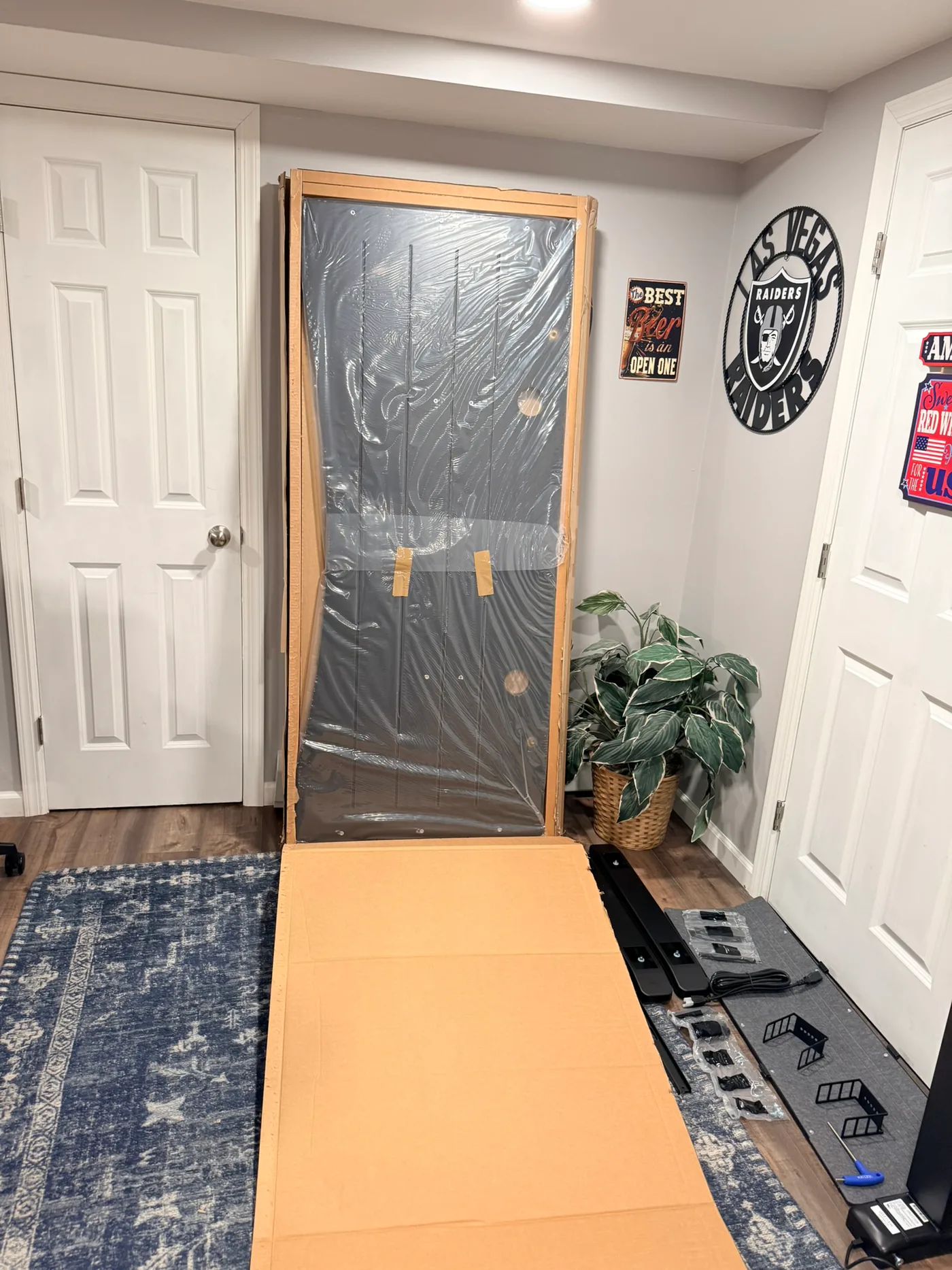
The packaging itself was one of the first things I noticed. It was clean and organized, with the desktop wrapped and protected around its edges and the frame hardware separated into logical groups. A heavy shipment can feel chaotic when every part is loose inside a large box. This one did not.
Assembly: Easier Than the Weight Suggests
The four-leg frame looks intimidating when every component is on the floor. Four lifting columns immediately make it look like twice the project of a standard standing desk. In practice, most of the build is a clear sequence repeated at each corner.
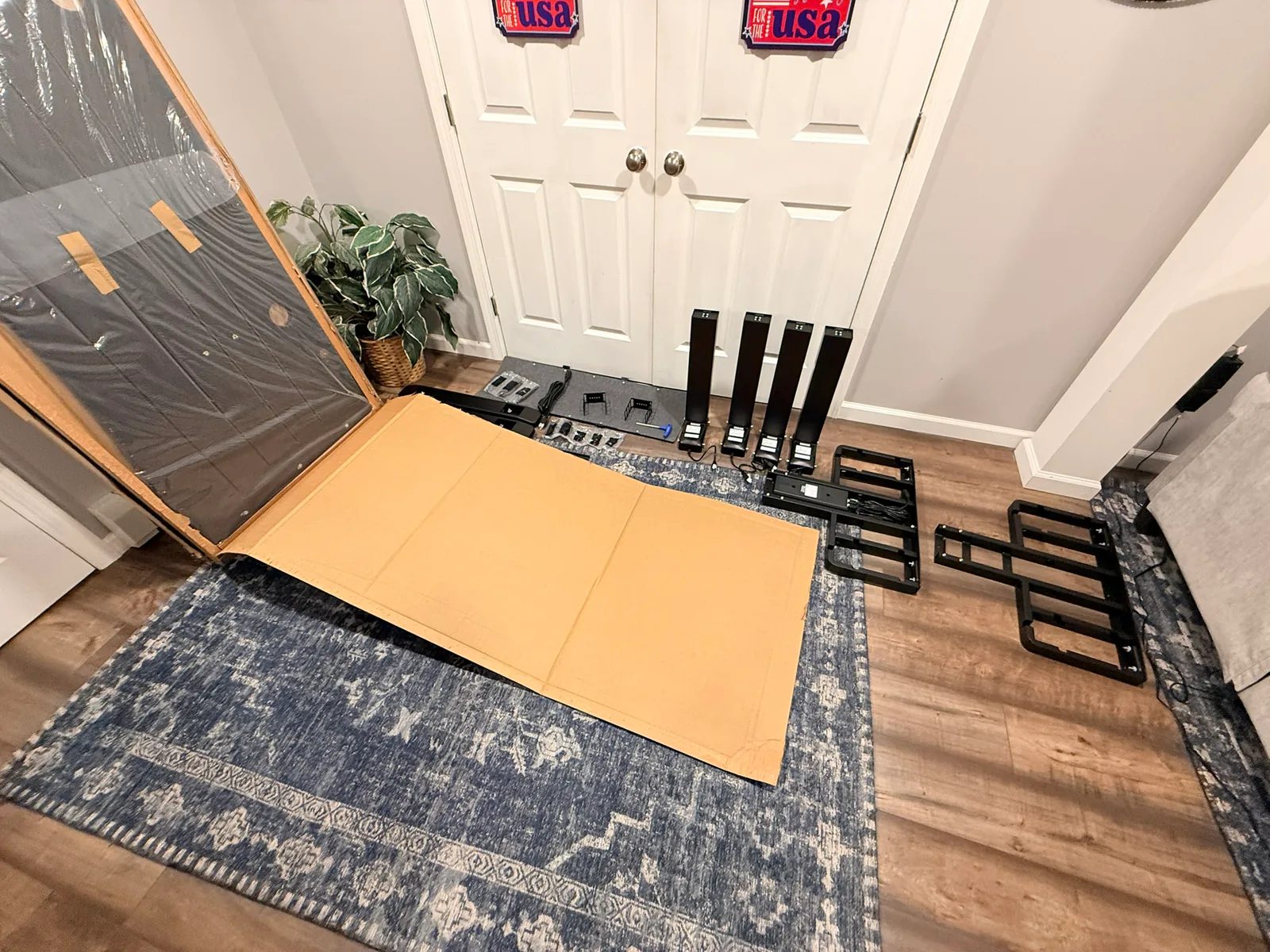
UPLIFT ships much of the frame prepared for assembly. The fasteners that secure the legs are already positioned in the crossbar ends, and the included Allen wrench handles the main frame connections. The official V3 4-Leg assembly manual shows the same basic sequence I followed: lay out the parts, attach the crossbar assembly, insert each leg, attach the feet, connect the four motor cables, add accessories, then flip the desk upright.
The legs slide into place
This was the best part of the build. Each lifting column slides into the slots at its frame corner, and the preinstalled screws line up with the openings in the leg. There was no wrestling a loose motor housing into a vague position while trying to start a bolt with the other hand. The leg goes where it belongs, and you can feel when it is seated.
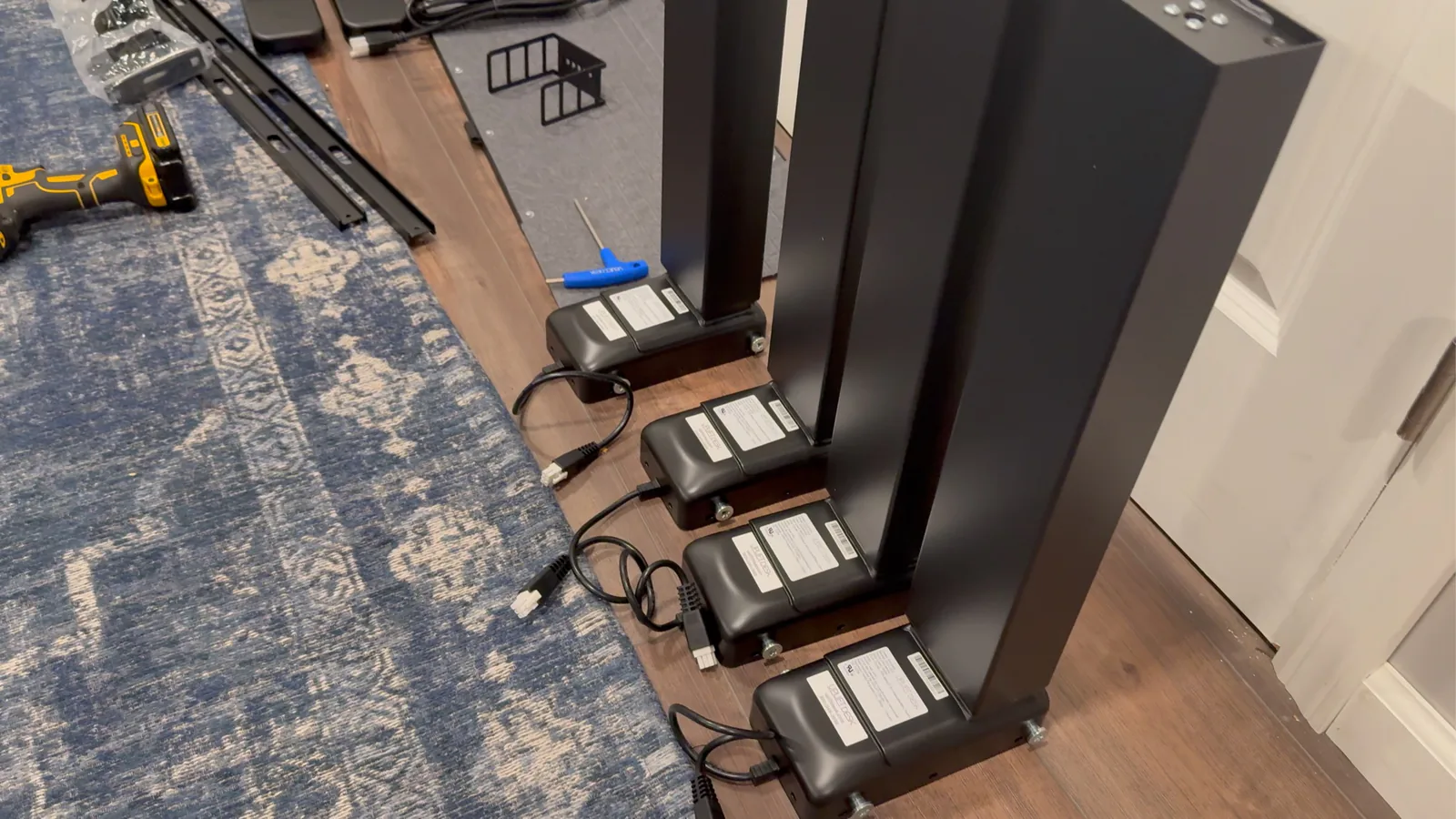
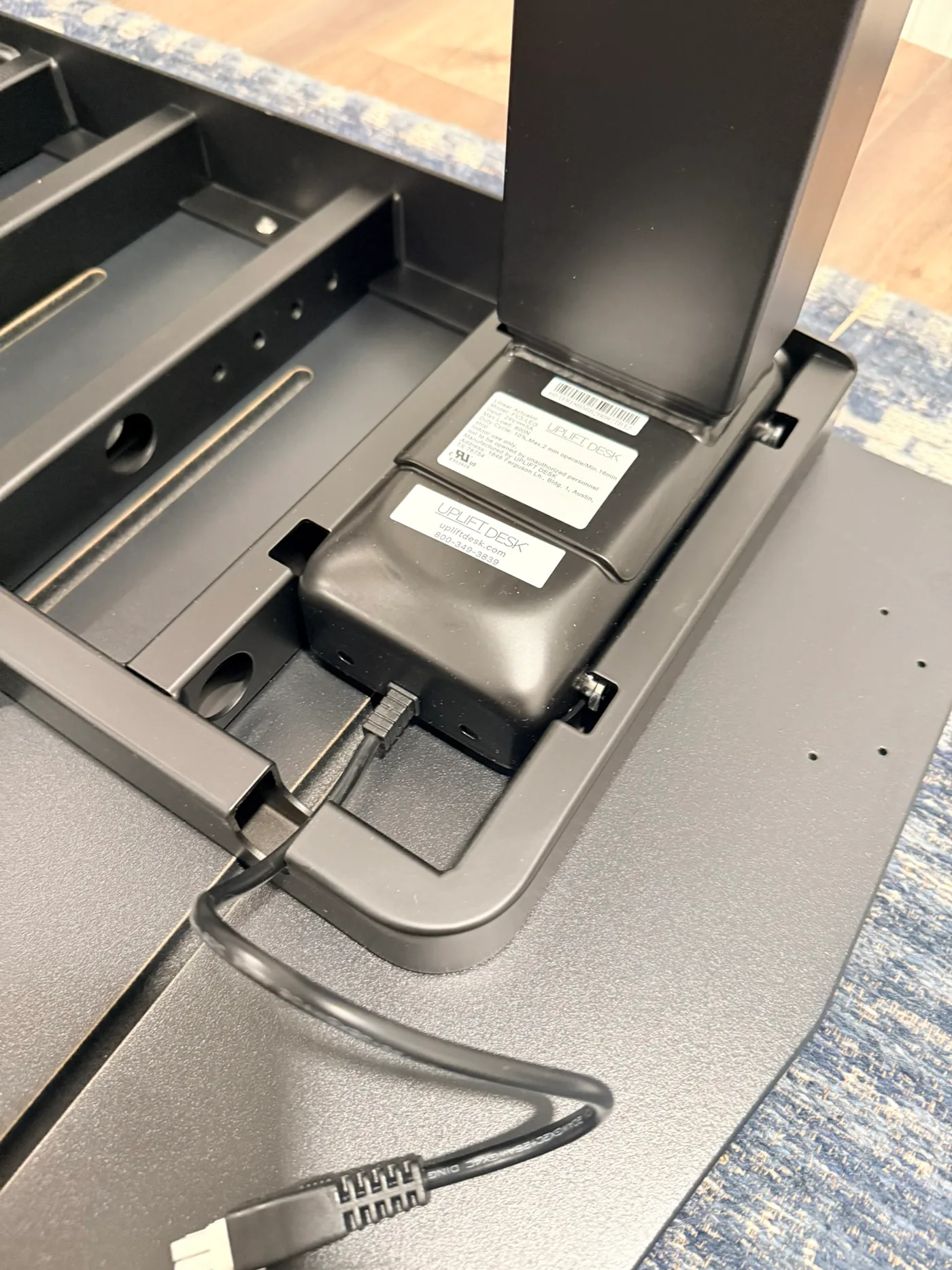
That fit matters because there are four corners to complete. A fiddly connection would become frustrating fast. Instead, the extra legs add repetition and weight, not confusion.
One small adjustment made tightening easier
Once a leg was in place, I wanted enough room to rotate the T-handle Allen wrench through a complete turn. I propped the desk slightly while tightening the leg fasteners so the handle could clear the floor and frame. That let me keep turning instead of removing and reseating the wrench every few degrees.
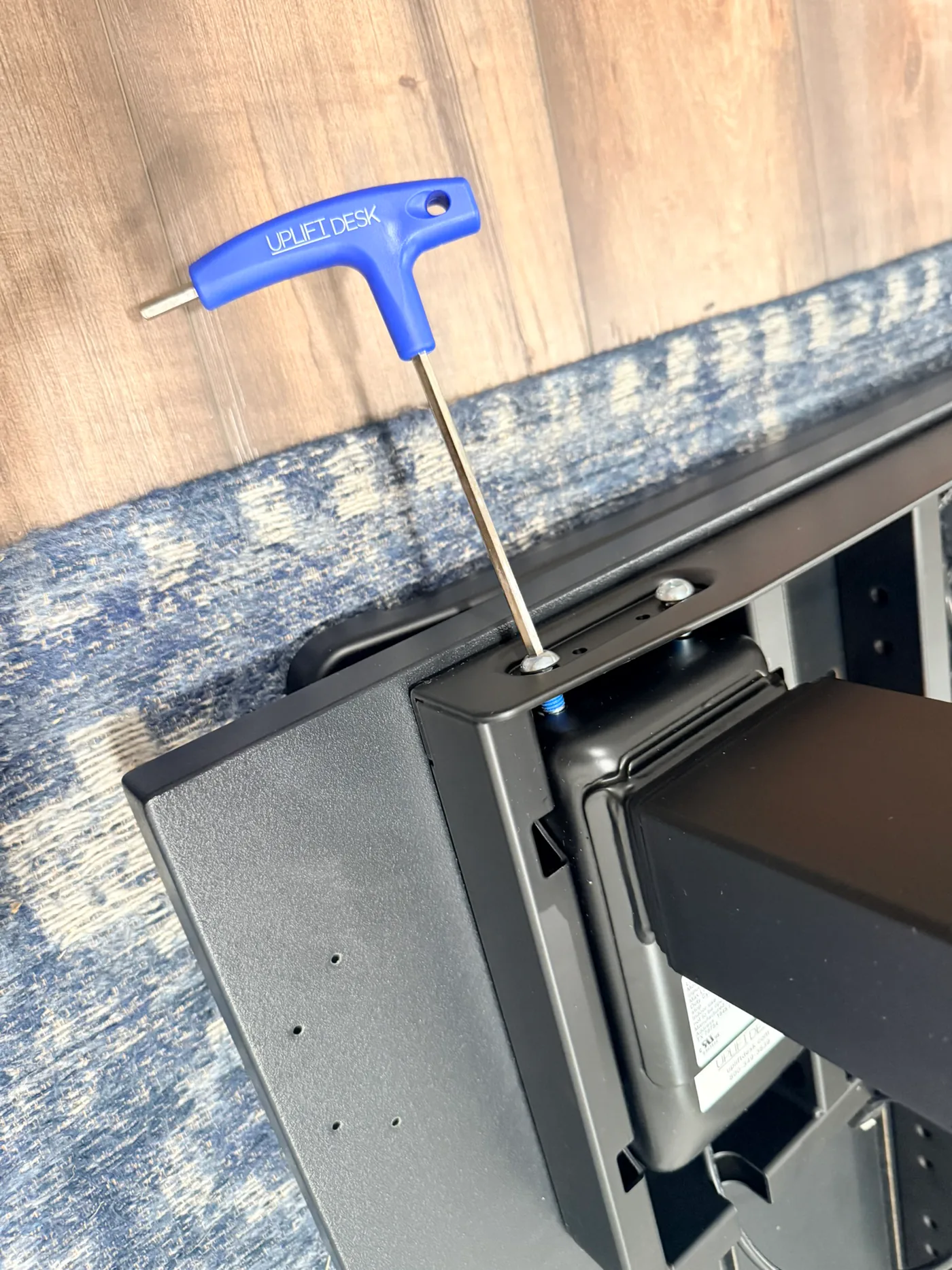
It is a small setup detail, but it made four repeated leg installations go faster. Keep the support stable, protect the desktop, and only raise the edge as much as needed for tool clearance.
Four motors mean four cables
The underside is more involved than a two-leg desk because each lifting column connects to the control box. UPLIFT labels the motor ports M1 through M4 and supplies extension cables for the legs farther from the control box. The frame provides cable pass-through openings, and the included FlexMount hardware gives the power and signal cables a place to live once the desk is upright.
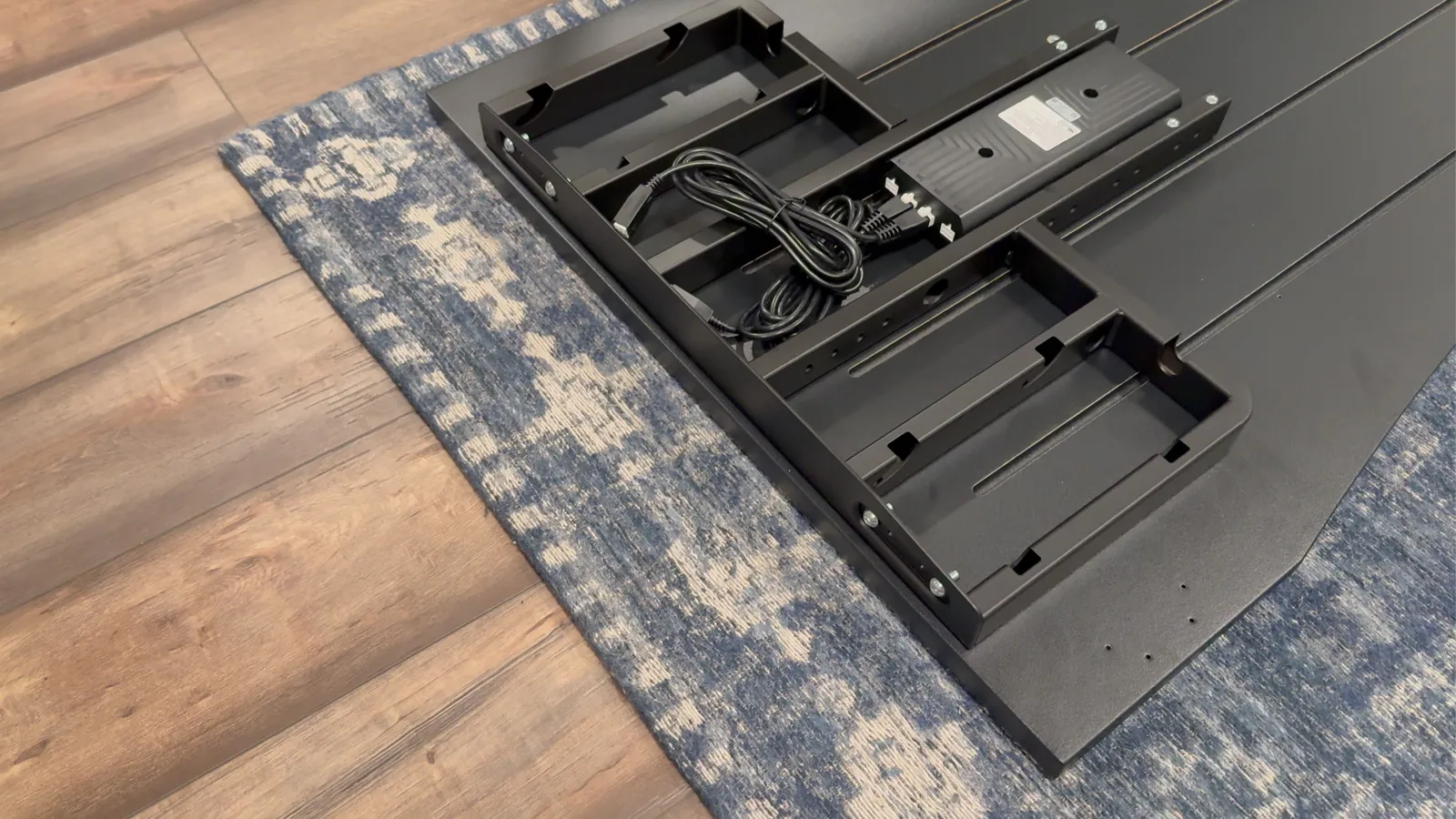
My advice is to route the motor, keypad, and power cables before adding every optional accessory. Confirm that all four motor plugs are seated, leave enough slack for the full height range, then use the cable sleeves and surge protector to finish the setup. Our desk cable management setup guide covers the planning step in more detail. If you're also adding drawers, a laptop shelf, or a side-mounted tower shelf, compare the clearance requirements in the UPLIFT Desk storage accessories guide before deciding where each cable run should live.
Can You Assemble the UPLIFT V3 4-Leg Alone?
Yes, because I did. No, because I do not recommend that you copy me.
The frame assembly itself is manageable for one person who is comfortable moving heavy components. The problem is the flip. By that stage, the 72 by 30 inch desktop, complete steel frame, four lifting columns, feet, control box, and casters are one large object. You are not only lifting weight. You are controlling a wide desktop while trying not to put sideways force through its mounting points.
UPLIFT recommends two people for both the flip and final positioning. Take that seriously. Get the second person in the room before the last assembly step, agree on which edge will touch down first, watch the keypad and cables, and rotate the desk gradually onto its feet.
I got mine upright alone, but success does not turn it into a good idea. This is the heaviest standing desk I have assembled, and the solo flip was the one part I would not repeat.
The Heavy-Duty Casters Are the Accessory I Would Not Skip
The weight problem changes as soon as the desk is on its wheels.
The heavy-duty locking casters remind me of rollerblade wheels. They roll smoothly instead of dragging or chattering across my hard floor. With all four unlocked, I can move the complete desk with one finger. That is a strange sensation after feeling the weight of every frame component during assembly.
The locks are important. Unlock the casters when you need to clean, reach the rear edge, or change the room layout. Lock them before you start working or lean against the desk. The point is not to make the desk feel light. It is to make a very heavy desk controllable.
For this configuration, the wheels are not a novelty. They are what let me live with the four-leg frame without treating its position as permanent. If your room has a suitable hard floor and you expect to move the desk at all, add the casters when you configure it.
UPLIFT V3 2-Leg vs V3 4-Leg: Which One Should You Buy?
These are my two favorite UPLIFT frames, but they solve different versions of the same problem.
| Decision | UPLIFT V3 2-Leg | UPLIFT V3 4-Leg |
|---|---|---|
| Motors | Two | Four, one per leg |
| Listed lifting capacity | 355 lb | 535 lb |
| Best fit | Most single-user workstations | Wide or equipment-heavy rectangular workstations |
| Assembly | Fewer heavy frame components | Straightforward process, but substantially heavier |
| Moving it later | Easier to handle | Casters are especially valuable |
| Why I would choose it | Simpler way to get the V3 experience | Most substantial rectangular UPLIFT frame I have used |
The regular UPLIFT V3 Standing Desk is still the sensible starting point. It already has more lifting capacity than most home workstations need, uses the same broad height range, and is easier to handle. Buying four legs only to own the larger number on the spec sheet misses the point.
Choose the V3 4-Leg when the frame itself is part of the decision. A wide desktop, multiple large displays, a desktop computer, audio equipment, heavy monitor arms, or plans to keep expanding the workstation are all rational reasons to want four synchronized lifting columns and more capacity. It also makes sense if you simply prefer the stance of a four-leg table and accept the extra weight.
If you need a corner footprint instead of a wide rectangle, the UPLIFT V3 L-Shaped Standing Desk is the better comparison. The UPLIFT standing desk selector explains how the main frame styles divide by room shape and workload. And if you're weighing this desk against FlexiSpot's four-motor frame, our FlexiSpot E7 Plus Max vs UPLIFT V3 4-Leg comparison breaks down that head-to-head. The two-leg FlexiSpot decision is FlexiSpot E7 Pro vs UPLIFT V3. If the other tab is IKEA, see IKEA standing desk vs UPLIFT.
Stability: What I Can Say and What I Have Not Tested Yet
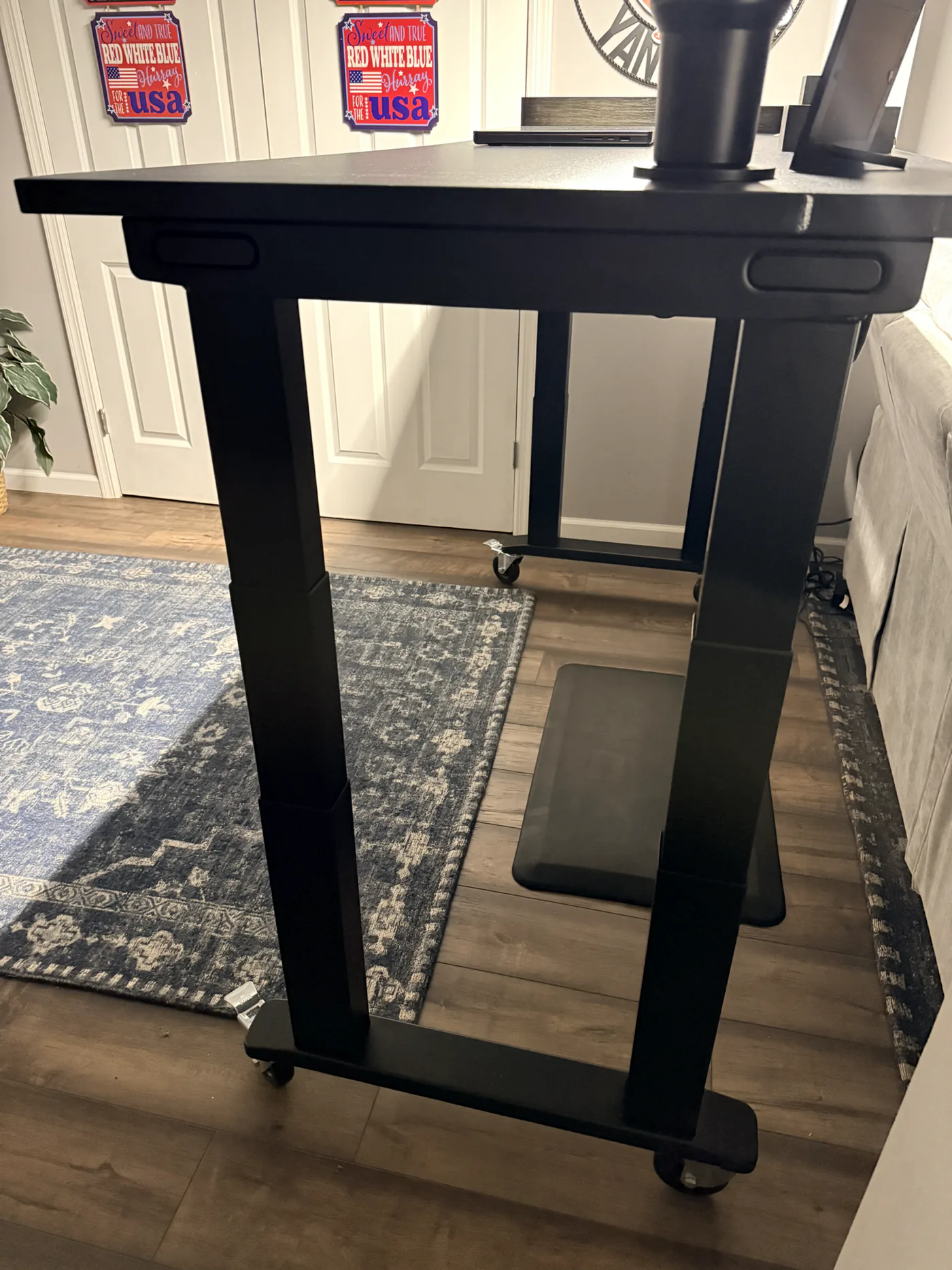
The V3 4-Leg feels extremely solid in early use. That starts during assembly. The lifting columns seat tightly in the crossbar ends, the large steel feet tie the front and rear columns together, and the central rails make the underside look and feel more like a piece of equipment than flat-pack furniture.
What I will not do is turn a first impression into an instrumented wobble score. I have not loaded the desk to its 535 lb rating, measured movement with a dial indicator, or completed a long-term maximum-height test. The 535 lb number is UPLIFT's confirmed lifting capacity, not my measured load.
What I have observed is a desk that feels planted, carries its 72-inch surface without feeling undersupported, and has no looseness at the four leg connections I assembled. It is the most substantial UPLIFT desk I have built so far. A future loaded test can add detail, but it does not need to replace the honest conclusion available now: the frame feels as serious as its size and weight suggest.
Living With a 72 by 30 Inch Eco Curve Desktop
The 72-inch width gives this desk presence. It also gives the four-leg frame a job to do. There is room to build out a large workstation without forcing the equipment into a narrow center section, and the two grommets give power and data cables direct routes below the surface.
The Eco Curve center cut brings the keyboard area toward you while leaving more depth at the left and right sides. The front edge is rounded instead of sharp, which fits the way I use a large desk: close to the center for focused work, with accessories spread toward the corners.
Measure more than the final floor space before ordering this size. Check the path from the delivery door to the office, the room available to lay the desktop face down, and the clear area required for the flip. A 72 by 30 inch desk can fit comfortably in a room that still does not have enough open floor space for easy assembly.
The black top and frame make the finished desk look cohesive, but I am not calling the surface scratch-proof after early use. That is the kind of durability judgment that belongs in a later update, not in the first version of the review.
Accessories: What Matters Most in My Order
My order included more than the base desk: the Advanced Keypad with USB, Bluetooth adapter, Sliding Flex Lamp, USB hub, mountable surge protector, basic wire-management kit, two zipped cable sleeves, desk mat, bamboo organizer, grommet covers, and the four heavy-duty locking casters.
The casters are the immediate standout because they solve a problem created by the frame's biggest downside. The keypad, power, lighting, and cable accessories make more sense as a system once the final workstation is wired, but I will not rate each one just because it arrived in the same shipment.
That distinction matters when you configure the desk. Spend first on the parts that change how the desk works in your room. For me, that means the desktop size, frame, keypad, and casters. Add the lamp, hub, organizer, and other accessories when they solve a specific setup problem rather than because they appear in the builder.
What Could Be Better
It is a heavy desk before and after assembly
There is no way around this. Four motorized lifting columns and a large desktop create a demanding delivery and setup. You need room for multiple boxes, a protected build surface, and another person for the flip. If the desk must travel up a tight staircase or around narrow corners, plan that route before delivery.
Four motor cables require a deliberate routing plan
The control system is clean, but it still has twice as many leg cables as the regular V3. Add the keypad, lamp, USB hub, and surge protector, and the underside can fill up quickly. Route the four essential motor cables first, then layer in power and accessories.
It is more desk than many workstations need
The 535 lb lifting capacity is impressive, but capacity alone is not a reason to spend more or handle a heavier frame. A laptop, one monitor, and a few accessories do not require four lifting columns. The regular V3 is the more efficient choice for that setup.
The casters solve mobility, but they are an added choice
My favorite practical feature is not the bare frame. It is the frame paired with the heavy-duty locking casters. Make sure they are selected in your configuration if you want the same one-finger movement I describe here.
Who Should Buy the UPLIFT V3 4-Leg
Buy it if you want a wide rectangular standing desk and the frame is the part you refuse to compromise on. It is especially easy to justify for a large multi-monitor layout, heavy monitor arms, a full desktop computer, production gear, or a workstation that will keep growing. Our multi-monitor desk setup guide can help plan the surface before you order it.
It also fits the person who expects to keep the same desk for years and wants room to change the equipment without reconsidering the frame. The 15-year warranty supports that kind of purchase, and the 40-point mounting system leaves room for accessories without turning the desktop into a drilling project.
Skip it if you have a light setup, limited assembly space, or no help available for the flip. The standard V3 gives most people the important UPLIFT experience with less mass. Skip it for an L-shaped room too, because the three-leg V3 L-Shaped uses that space more effectively.
Final Verdict: My Favorite UPLIFT Desk So Far
The V3 4-Leg makes an unusual first impression. It arrives as a lot of heavy steel spread across multiple packages, then goes together with less friction than many smaller desks. The legs slide into place. The fasteners line up. The included tool handles the core frame work. The engineering makes the process easy to understand even when the finished object is difficult to lift.
Then the casters change the experience again. The heaviest desk I have assembled becomes a desk I can reposition with one finger. That combination, substantial when locked and easy to move when unlocked, is what pushed this ahead of the other UPLIFT desks I have used.
If I were buying another full-size standing desk today, UPLIFT Desk is where I would start. My choice would come down to the regular V3 or this V3 4-Leg. The regular V3 is the easier recommendation for most people. The V3 4-Leg is my favorite.
Configure the UPLIFT V3 4-Leg $959
Frequently Asked Questions
What is the UPLIFT V3 4-Leg weight capacity?
The UPLIFT V3 4-Leg Standing Desk has a 535 lb lifting capacity. UPLIFT's product team confirmed that figure directly for the current model. That is a manufacturer rating, not a load I recreated during this early-use review.
Can one person assemble the UPLIFT V3 4-Leg?
One person can complete the frame assembly, and I assembled and flipped mine alone. I do not recommend doing the flip by yourself. UPLIFT's manual recommends two people, and the completed 72 by 30 inch desk is both heavy and awkward. Get help for the flip and final positioning.
How many boxes does the UPLIFT V3 4-Leg arrive in?
My complete order was split across five tracked packages. The desktop, lamp, and two frame boxes arrived first, with the smaller accessories grouped into a separate shipment. The exact count can vary with your selected desktop and accessories.
Are the heavy-duty casters included with the desk?
The four heavy-duty locking casters were selected as part of my configuration. Do not assume every V3 4-Leg order includes them. Check the desk builder before ordering. I would choose them again because they let me move this heavy desk smoothly across my hard floor with one finger when unlocked.
What is the height range of the UPLIFT V3 4-Leg?
UPLIFT lists a 22.6 to 48.7 inch height range with a 1-inch desktop, for 26.1 inches of total travel. My Eco Curve desktop is 1 inch thick, so that is the relevant manufacturer range for my configuration. Casters can change the finished desktop height, so measure your seated and standing targets around the exact base accessories you select.
How fast and loud is the UPLIFT V3 4-Leg?
UPLIFT lists a travel speed of 2 inches per second and a noise level below 48 dB. The frame uses four synchronized motors, one in each lifting column. Those are manufacturer specifications; I have not published an instrumented speed or sound measurement for my desk.
Does the UPLIFT V3 4-Leg wobble at standing height?
My desk feels extremely solid in early use, and the four leg connections have no looseness I can detect. I have not completed an instrumented maximum-height wobble test, so I will not claim a laboratory result. The frame is independently tested to ANSI/BIFMA X5.5-2021 standards for safety, stability, strength, and durability.
Does the UPLIFT V3 4-Leg include cable management?
Yes. The current V3 4-Leg includes the FlexMount Cable Manager and ten hook-and-loop cable wraps. My order also included a basic wire-management kit, two 60-inch zipped cable sleeves, and a mountable surge protector. With four motor cables, route the essential control-box connections before adding accessory wiring.
Should I buy the regular UPLIFT V3 or the V3 4-Leg?
Buy the regular V3 for a typical home workstation when you want an easier-to-handle frame and do not need the four-leg model's 535 lb capacity. Buy the V3 4-Leg for a wide, equipment-heavy rectangular setup, or when the most substantial frame is the point of the purchase. Both are among my favorite standing desks.
How much does the UPLIFT V3 4-Leg cost?
The current base and configured prices can change with desktop size, material, keypad, casters, and accessories. Check the live price here: $959. My 72 by 30 inch Eco Curve configuration includes several optional accessories, so it should not be treated as the base setup.
Related Guides
- UPLIFT V3 Standing Desk Review: The standard rectangular V3 and the better fit for most workstations
- UPLIFT V3 L-Shaped Standing Desk Review: The V3 option for a corner workspace
- IKEA Standing Desk vs UPLIFT: Store-pickup sit/stand vs the two-leg V3
- FlexiSpot E7 Pro vs UPLIFT V3: Two-leg FlexiSpot vs the standard V3
- FlexiSpot E7 Plus Max vs UPLIFT V3 4-Leg: How this desk compares with FlexiSpot's four-motor frame
- Which UPLIFT Standing Desk Is Right for You?: A model-by-model decision guide
- Multi-Monitor Desk Setup Guide: Plan a wide, equipment-heavy workstation
- Desk Cable Management Setup Guide: Route power and signal cables across a moving desk