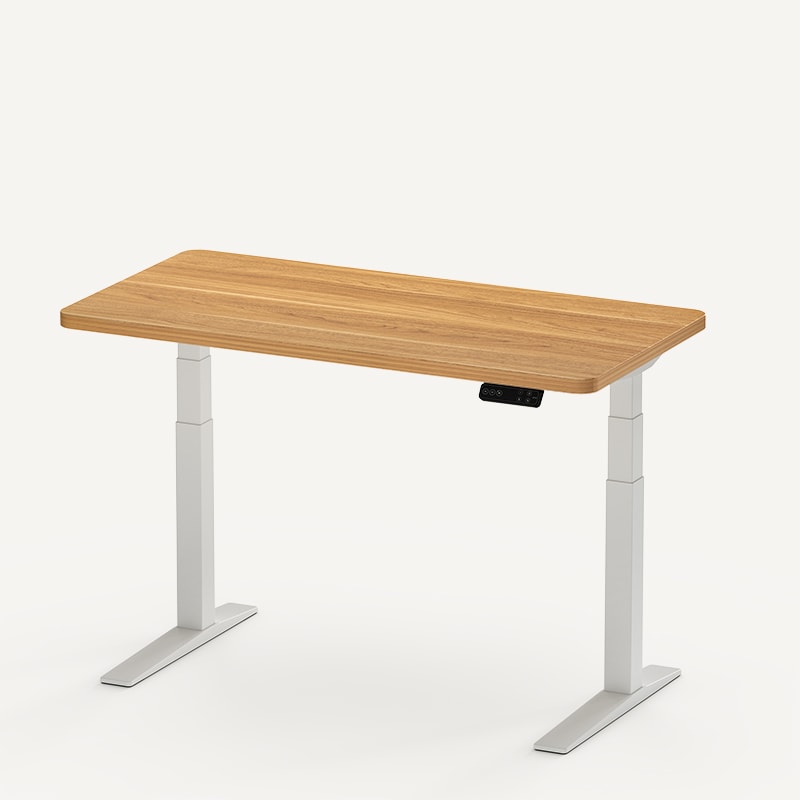
A standing desk and walking pad share the same patch of floor, but sitting, standing, and walking need different arrangements. The useful question is whether you can move between them without fighting your chair, cables, or desk height.
Use the simulator to explore those transitions. Its scene is an illustrative workspace, not a preview of any specific product. The height worksheet uses your measurements to give you a starting point to check in your room.
Start here: Measure your comfortable standing keyboard height before adding a walking pad.
Check the room: Include the pad's operating clearance and somewhere to park it.
Choose by task: Keep sitting and standing available for work that doesn't suit walking.
Make the setup fit your workday
Switch between the three modes above, then think through an ordinary work session. Where does the chair go when the pad comes out? Can you reach the controls? Will moving the pad block a doorway?
Desk width and finish help you explore the room's appearance. For an actual purchase, measure the desktop, monitor arrangement, and open space between the desk's feet. A wide top doesn't guarantee an equally wide opening underneath.
Walking also changes how the setup feels to use. In my UPLIFT walking-pad review, calls and light browsing suited walking better than sustained writing or coding. That's my experience with that pad, not a promise about everyone's concentration.
Plan around the work you actually do. If your day involves precise mouse movements or detailed typing, a pad can be an occasional mode. Being able to return to your chair easily matters more than keeping the belt moving.
Measure keyboard height before buying
Start with a standing position that already works for you. Keep the shoes and keyboard you expect to use. Measure from the floor to the top of the keys, rather than assuming the desktop and keyboard are at the same height.
For a flat walking pad, add the measured rise beneath your feet to that keyboard height. The worksheet makes this addition visible. If you're comparing the result with a desk's published desktop range, subtract the keyboard's height above the surface first.
Treat the result as a setup starting point. Recheck with relaxed shoulders and your hands aligned with your forearms. Position the monitor so its top is at or just below eye level, following OSHA's workstation guidance.
Measure the actual belt surface where you stand. Overall product height may include a taller motor housing. An incline also changes the geometry, so the flat-pad calculation doesn't establish your inclined working height.
Confirm whether the desk's published range includes the top. Your selected desktop thickness and casters can change the finished height. Save separate standing and walking presets once you've checked the real setup.
Leave room for the pad, cables, and chair
A pad's footprint is only part of the space it needs. For the UPLIFT Inclining Walking Pad MVT011, the manufacturer's manual calls for at least 3 feet behind it and 1 foot on each side. Those dimensions apply to this model; check the manual for any alternative.
The same manual specifies a stable, level surface, warns against thick carpet, and requires a grounded 120V outlet without adapters or extension cords. Keep its power cable out of walking paths. Don't assume the power arrangement for your computer equipment also suits the pad.
For equipment riding on the desktop, leave enough cable length for the highest position you intend to use. Check that movement doesn't pull on ports or leave loops near the belt. See the standing-desk cable-management guide for routing options.
Plan storage before ordering. Measure the parking place and the route to it, including furniture corners. Stop and unplug the UPLIFT pad before moving it, as its manual directs. Bring the chair back only after the walking area is clear.
UPLIFT V3 Standing Desk: A configurable foundation
The UPLIFT V3 Standing Desk is worth considering if you want a configurable desk with a documented setup on this site. My V3 review covers the specific desk I used, including its desktop, casters, and accessories.
UPLIFT publishes a 22.6 to 48.7-inch range for its current standing desk. Check the finished height of your chosen configuration against both your seated and walking targets.
The tradeoff is configuration complexity. Choose the top, keypad, and accessories before comparing totals. Skip this configuration if it can't reach your measured walking position; a matching brand name doesn't settle fit.
Price: $599-$939
FlexiSpot E7 Pro Standing Desk: Check the taller range
The FlexiSpot E7 Pro Standing Desk offers an alternative when the upper end of the height range is your constraint. FlexiSpot lists 25.0 to 50.6 inches on its current E7 Pro page.
That higher published maximum deserves a look if your walking target exceeds the V3's range. Its higher minimum also needs checking for seated work. Verify the finished surface height for the top you select.
This recommendation is based on manufacturer specifications, not my own use of the E7 Pro. Read the E7 Pro versus V3 comparison before choosing a configuration.
Price: $399.99−20%
UPLIFT Inclining Walking Pad: Add a third mode
The UPLIFT Inclining Walking Pad is the pad documented in my workstation review. Its official specification sheet lists a 48 by 20.25-inch footprint and a 39.4 by 15.4-inch walking belt. Use the outer dimensions for placement and the belt dimensions when considering the walking surface.
Consider it for sessions where walking suits the task and you have a place to store it. Skip it if the operating clearance would consume your only walkway. Read the hands-on review for my experience moving it between work modes.
Price: $349
UPLIFT Desk provided the V3 desk and walking pad documented in those reviews at no cost. Opinions are my own. This page contains affiliate links.
Frequently asked questions
Does the simulator tell me exactly which desk will fit?
It helps you explore the arrangement and calculate a starting height. It doesn't model every frame, desktop, floor, or body position. Compare your measurements with the exact configuration you're ordering.
Can I leave the walking pad under my chair?
Plan a separate sitting arrangement. The chair needs its own clear floor area; don't assume a walking pad can serve as a chair platform. Storage and the transition back to sitting belong in the buying decision.
Do I need to buy a walking pad with a standing desk?
No. Sitting and standing are complete options on their own. Add a pad only if the space, task, and storage checks work for you.
Related guides
- Complete ergonomic desk setup: Coordinate the desk, chair, screen, and input devices.
- Why your standing desk wobbles: Troubleshoot movement before adding equipment.
- Best standing desks under $700: Compare complete-desk and configurable options.