
UPLIFT Desk makes several standing desk models, and each one targets a different workspace problem. The right desk depends on room layout, equipment load, and how you work. For most rooms, start with the UPLIFT V3 Standing Desk.
Configure the UPLIFT V3 $599-$939
Across the lineup, UPLIFT Desk combines height adjustment, anti-collision protection, configurable controls, and a 15-year standing-desk warranty. The important differences are leg and motor count, lifting capacity, desktop shape, accessories, and price.
Best overall: UPLIFT V3 Standing Desk ($599-$939) with 15-year warranty, 5-minute assembly, 50+ desktop materials, and free accessories included.
Best for heavy rectangular workstations: UPLIFT V3 4-Leg Standing Desk ($959) with four synchronized motors and a 535 lb rated capacity.
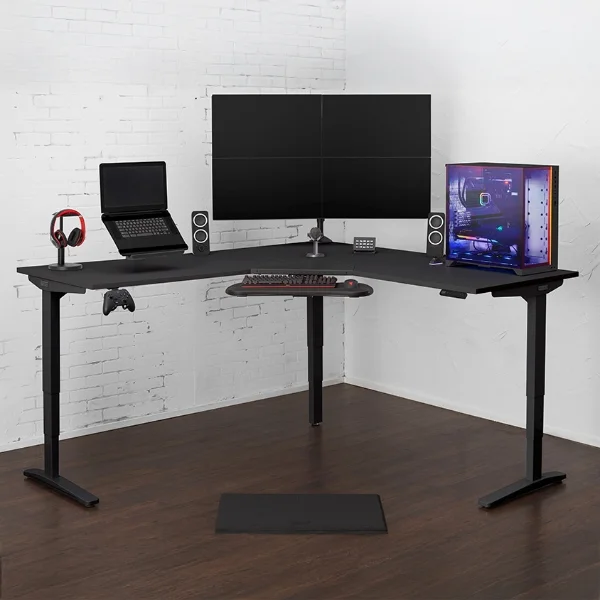
Best for large setups: UPLIFT L-Shaped Standing Desk, 3-Leg ($1,149+) with 3-leg stability and up to 80" x 80" surface.
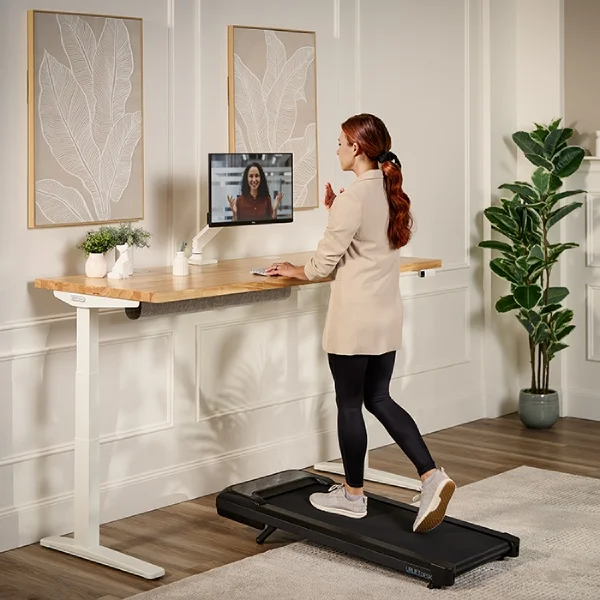
Best for staying active: UPLIFT Walking Desk ($948+) with integrated inclining walking pad (0-15% incline).
Best value: UPLIFT Clearance Standing Desk ($499+) with the same frame and motors at a discount.
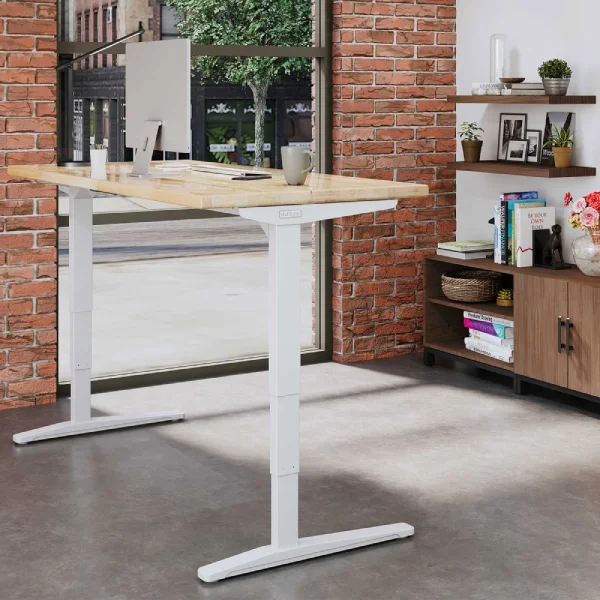
UPLIFT V3 Standing Desk: Best Overall
The UPLIFT V3 Standing Desk is one of the most reviewed and highest-rated standing desks on the market, with 24,500+ verified reviews and consistently strong ratings across independent review sites and standing desk communities.
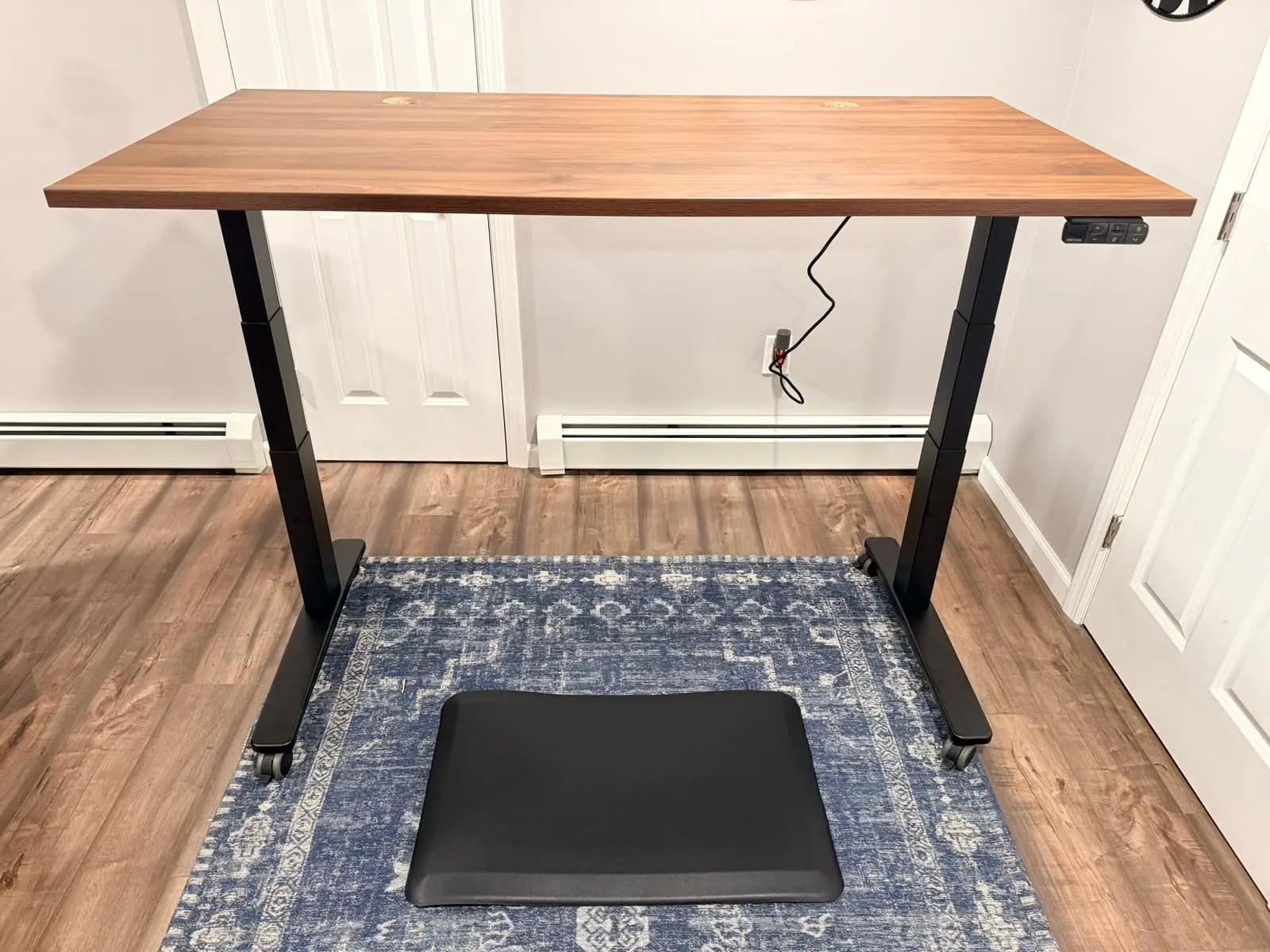
Why it wins for most people:
- 355 lb weight capacity handles any home office setup
- 50+ desktop materials including bamboo, laminate, solid wood, and butcher block
- Free accessories included with every purchase (check the V3 product page for the current promotion)
- Height range: 22.6 to 48.7 inches (26.1" of travel) accommodates approximately 95% of the population, with an optional foot-raiser for taller users
- 2"/sec lift speed with whisper-quiet dual precision motors under 48 dB
- 5-minute assembly with a single tool. UPLIFT Desk reduced the hardware count by 50% (from 32 to 16 screws) with pre-installed fasteners and pre-installed control box
- FlexMount Cable Management included at no extra cost. The patent-pending "ladder design" PET pouch holds up to 10 lbs of cables and adapters with tool-free depth adjustments
- 48 threaded mounting points for UPLIFT Desk accessories (monitor arms, keyboard trays, power strips, storage)
- Adjustable anti-collision system stops and reverses when the desk encounters an obstruction
- ANSI/BIFMA X5.5-2021 compliant and meets the ANSI/BIFMA G1-2013 height standard
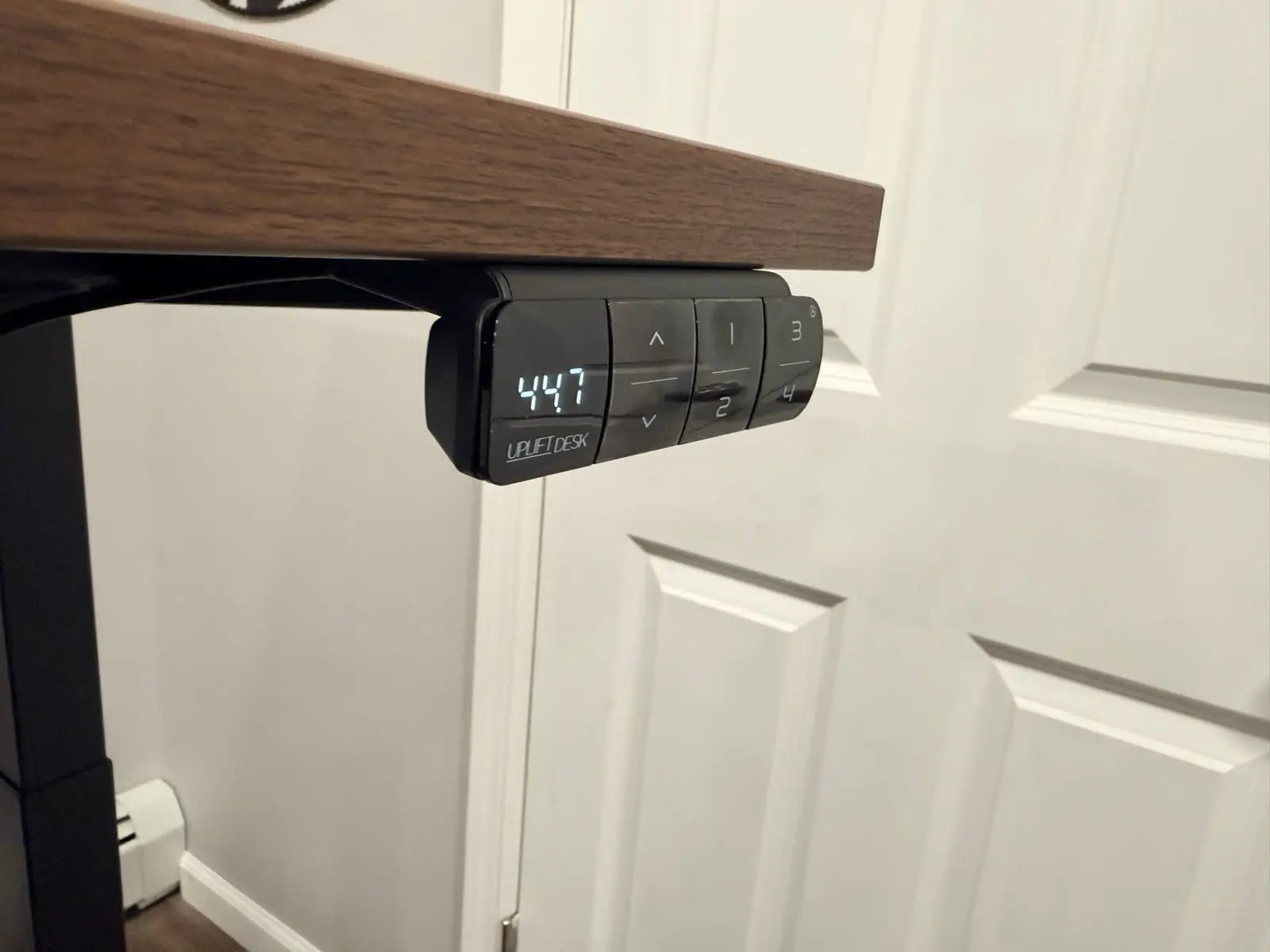
The UPLIFT V3 Standing Desk is the default recommendation because it covers the widest range of use cases. Unless your workspace has a specific constraint (corner layout, extra-large surface, active walking), start here. I use the UPLIFT V3 Standing Desk daily in my home office and can speak to the stability, build quality, and cable management from hands-on experience. See our full unboxing and first impressions for assembly photos and walkthrough.
Starting at $599-$939. Configure the UPLIFT V3.
Once the frame is set, the top still changes the order. Size, laminate versus wood, and grommets are covered in the UPLIFT desk desktop guide. For the shorter laminate versus bamboo versus solid wood split on the V3 builder, see UPLIFT V3 desktop comparison.
UPLIFT V3 4-Leg Standing Desk: Best for Heavy Rectangular Workstations
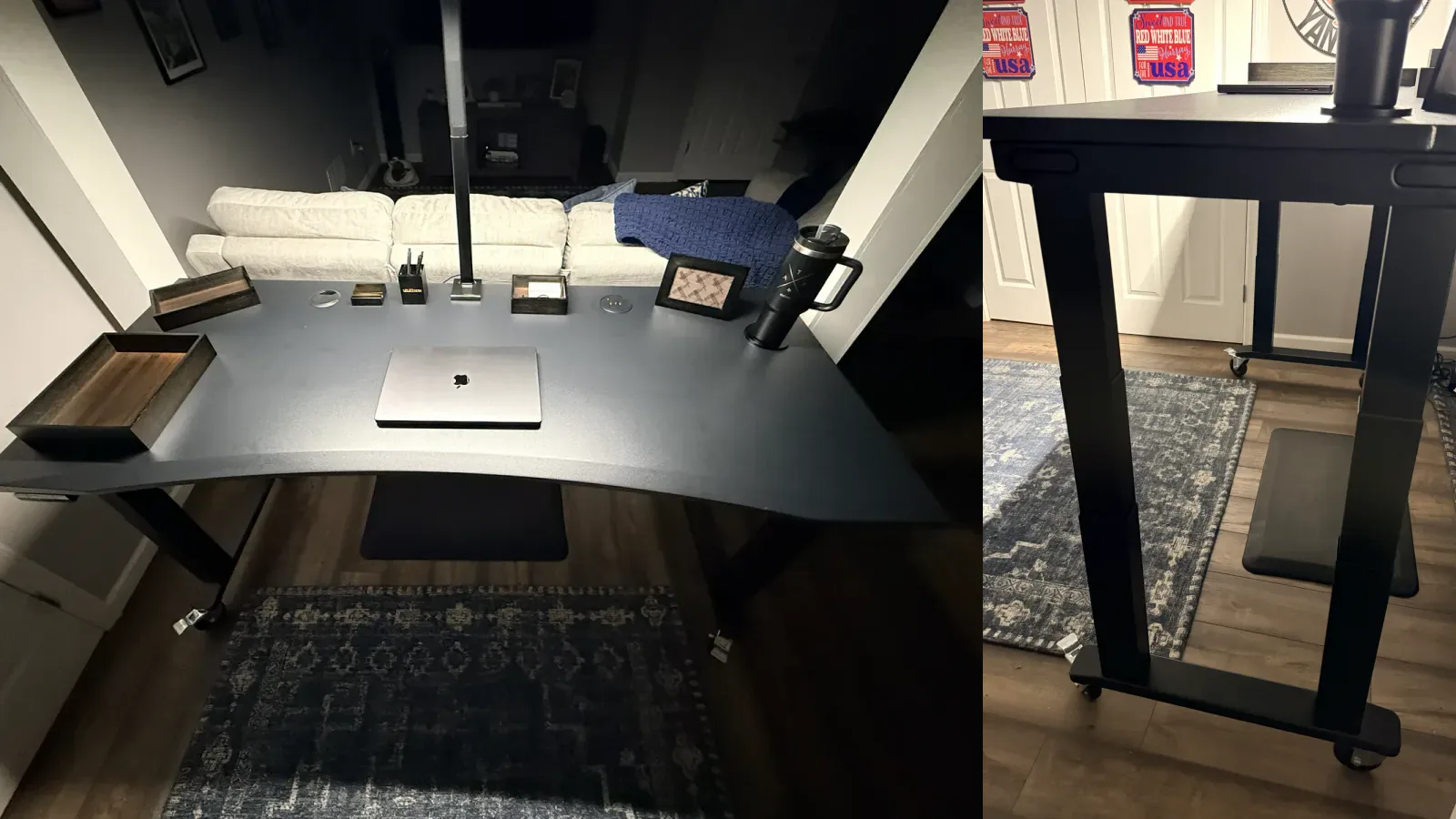
The UPLIFT V3 4-Leg Standing Desk is the step up for a wide rectangular desk carrying heavier equipment. It uses four synchronized motors, is rated for 535 lb, and keeps the V3 height range in a four-leg frame.
I assembled a black 72 by 30 inch model and found the frame easier to build than its weight suggests. The final flip is still a two-person job. See my hands-on V3 4-Leg review for assembly photos, caster behavior, and the drawbacks of living with that much steel.
Current price: $959. Configure the UPLIFT V3 4-Leg.
UPLIFT L-Shaped Standing Desk, 3-Leg: Best for Multi-Monitor Setups
If you run dual or triple monitors, a docked laptop alongside external displays, or simply need room to spread out, a standard rectangular desk forces compromises. The UPLIFT L-Shaped Standing Desk, 3-Leg solves this with up to 80" x 80" of continuous desk surface on a 3-leg frame that eliminates corner sag.
Why it wins for large setups:
- 3 independent legs provide stability across the entire L-shape with no wobble in the corner
- Massive surface area supports triple monitor arms, full-size keyboards, reference materials, and more
- Same UPLIFT V3 motor system with 355 lb capacity and anti-collision
- Fits corner and wall configurations that rectangular desks can't
- UPLIFT Desk 15-year frame warranty covers all three legs and motors
The 3-leg design is the key differentiator. Cheaper L-shaped desks use 2 legs with a passive support in the corner, which creates instability at standing height. The UPLIFT Desk 3-leg system keeps the entire surface rock-solid at any height.
Starting at $1,149+. Configure the L-Shaped desk.
UPLIFT Walking Desk: Best for Staying Active
The UPLIFT Walking Desk bundles an UPLIFT Desk standing desk with an integrated inclining walking pad. This isn't a flat treadmill. The pad inclines up to 15%, which engages different muscle groups than flat walking.
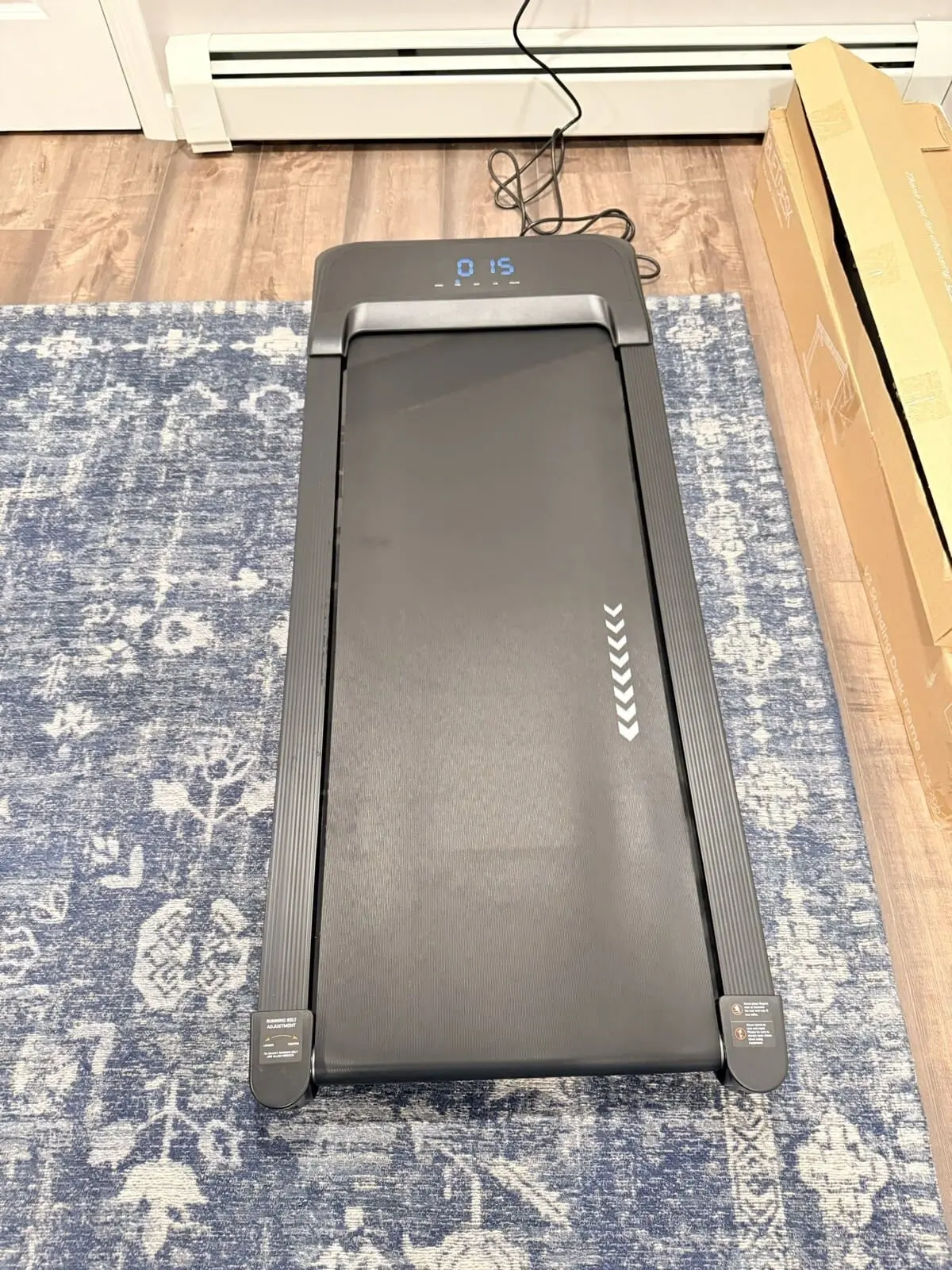
Why it wins for active workers:
- 0-15% incline range for varied intensity throughout the day
- Speed range: 0.5-3.7 mph. Slow enough for comfortable typing, fast enough for a real walk
- Walking pad stores under the desk when you want to stand or sit normally
- Complete bundle eliminates compatibility guesswork between desk and treadmill
- UPLIFT Desk 15-year desk frame warranty
Walking while working takes about a week to feel natural. Start at 1-1.5 mph for the first few days, then increase as typing accuracy improves. Most users find 1.5-2 mph works best for productive walking. I have the UPLIFT Inclining Walking Pad paired with my UPLIFT V3 Standing Desk and use it during lighter tasks like reading and email.
Starting at $948+. Configure the Walking Desk.
UPLIFT V3 Curved Corner Standing Desk: Best for Corner Offices
The UPLIFT V3 Curved Corner Standing Desk wraps the desktop around you in an arc, keeping monitors, keyboard, mouse, and reference materials within arm's reach without twisting or overreaching. It's designed specifically for corner placement where a rectangular desk would waste the space directly in front of you.
Why it wins for corner setups:
- Ergonomic curved shape reduces reaching and shoulder rotation
- 890+ verified reviews with strong ratings
- Same UPLIFT V3 frame and motor system with 355 lb capacity and UPLIFT Desk 15-year warranty
- 50+ desktop material options from the V3 product page
- Fits naturally into 90-degree room corners
If your desk is going in a corner and you want everything within easy reach while standing, the curved design is more ergonomic than pushing a rectangular desk into the same space.
Starting at $989+. Configure the Curved Corner desk.
UPLIFT Parsons Standing Desk: Best Looking
Most standing desks look like standing desks: visible C-frames, crossbars, and industrial hardware. The UPLIFT Parsons Standing Desk hides the entire lift mechanism inside furniture-style legs, creating a desk that looks like a premium dining table or executive desk.
Why it wins for design-conscious spaces:
- Parsons-style legs completely conceal the standing desk mechanism
- Butcher block desktop options for a warm, furniture-grade appearance
- No visible crossbar, C-frame, or industrial hardware
- UPLIFT Desk 15-year frame warranty with the same motor system
- Works in living rooms, shared spaces, and open-plan offices where aesthetics matter
If your standing desk will be visible to clients, in a shared living area, or in a space where you care about interior design, the UPLIFT Parsons Standing Desk is the furniture-style choice. I assembled and now use the Acacia Butcher Block version. My UPLIFT Parsons Standing Desk review covers the finished desk, assembly, and tradeoffs.
Starting at $829+. Configure the Parsons desk.
UPLIFT Clearance Standing Desk: Best Value
The UPLIFT Clearance Standing Desk uses the exact same frame, motors, and engineering as UPLIFT Desk's full-price models. The only difference is the desktop. Clearance desktops may have minor cosmetic variations like slight color differences or small surface marks that don't affect function.
Why it wins for budget buyers:
- Save $100+ vs standard pricing on the same desk
- Full UPLIFT Desk 15-year frame warranty. No warranty difference from full-price models
- Same dual precision motors and anti-collision sensors
- 474+ verified reviews from buyers who prioritized value
The trade-off is limited selection. Clearance stock rotates based on what's available, so your preferred desktop color or size may not always be in stock. If you're flexible on color, this is the smartest way to get an UPLIFT Desk at the lowest price.
Starting at $499+. Shop Clearance desks.
Comparison Table
| Feature | V3 | V3 4-Leg | L-Shaped | Walking Desk | Curved Corner | Parsons | Clearance |
|---|---|---|---|---|---|---|---|
| Starting Price | $599-$939 | $959 | $1,149+ | $948+ | $989+ | $829+ | $499+ |
| Best For | Most people | Heavy rectangular workstations | Multi-monitor | Active workers | Corner offices | Design spaces | Budget buyers |
| Weight Capacity | 355 lbs | 535 lbs | 355 lbs | 355 lbs | 355 lbs | 355 lbs | 355 lbs |
| Desktop Shape | Rectangle | Rectangle | L-Shape | Rectangle | Curved | Rectangle | Rectangle |
| Frame Warranty | 15 years | 15 years | 15 years | 15 years | 15 years | 15 years | 15 years |
| Desktop Options | 50+ | Configurable | 50+ | Select | 50+ | Select | Limited |
| Legs | 2 | 4 | 3 | 2 | 2 | 2 (hidden) | 2 |
How to Pick the Right UPLIFT Desk
By workspace layout:
- Standard home office or bedroom: UPLIFT V3 Standing Desk
- Corner of the room: Curved Corner or L-Shaped
- Wide rectangular setup with heavy monitors or a desktop PC: UPLIFT V3 4-Leg
- Large corner setup or separate work zones: L-Shaped
- Living room or shared visible space: Parsons
By work style:
- Standard desk work (typing, calls, browsing): UPLIFT V3 Standing Desk
- Walking while working: Walking Desk
- Heavy equipment on a rectangular surface: UPLIFT V3 4-Leg
- Several work zones or a corner return: L-Shaped
- Client-facing or design-conscious workspace: Parsons
By budget:
- Under $600: Clearance Desk ($499+) or V3 ($599-$939)
- $600-$1,000: V3, Parsons, or Curved Corner
- $1,000+: L-Shaped for maximum surface area
Buying Tips
All UPLIFT Desk models ship free and include the UPLIFT Desk 15-year frame warranty. Most models include free accessories (check the current promotion on the V3 product page for details). UPLIFT Desk frequently runs sales that offer substantial savings.
Frequently Asked Questions
Which UPLIFT Desk is best for a home office?
The UPLIFT V3 Standing Desk is the best choice for most home offices. It fits standard room layouts, starts at $599-$939 with free accessories, and offers 50+ desktop materials. With 24,500+ verified reviews and consistently strong ratings across independent review sites, it's one of the most validated standing desks on the market.
Should I buy the UPLIFT V3 or V3 4-Leg?
The standard UPLIFT V3 Standing Desk is the better fit for most home offices because it is easier to handle and already carries 355 lb. Choose the V3 4-Leg for a wide, equipment-heavy rectangular workstation or when the four-leg frame is the reason you are upgrading. For the full frame split, capacity numbers, and handling notes, see UPLIFT V3 vs V3 4-Leg.
Is the UPLIFT Walking Desk worth it?
Yes, if you'll actually use the walking pad. The UPLIFT Walking Desk eliminates the compatibility issues of pairing a separate treadmill with a standing desk, and the 0-15% incline engages different muscle groups than flat walking. If you already know you want to walk while working, the bundled solution saves hassle and money compared to buying separately.
What's the difference between the UPLIFT V3 and the Clearance Desk?
The frame, motors, and engineering are identical. The only difference is the desktop. Clearance desktops may have minor cosmetic variations like slight color differences. The UPLIFT Desk 15-year frame warranty is the same. If you're flexible on desktop color and finish, the Clearance Desk saves $100+ with no functional trade-off.
Do UPLIFT Desk standing desks wobble at standing height?
UPLIFT Desk standing desks are among the most stable standing desks tested by independent reviewers. The UPLIFT V3 Standing Desk's dual-wall steel foot construction, contract-grade i-beam crossbar, and 355 lb weight capacity provide excellent stability even at full standing height. For L-shaped setups, the 3-leg model eliminates corner wobble entirely. Minor monitor vibration at maximum height is normal for all standing desks and can be reduced with a monitor arm.
How long does UPLIFT Desk assembly take?
The UPLIFT V3 Standing Desk assembles in approximately 5 minutes with a single tool. UPLIFT Desk reduced the hardware count by 50% (from 32 to 16 screws) with pre-installed fasteners and a pre-installed control box. The L-Shaped 3-leg model takes longer due to the additional leg. UPLIFT Desk includes step-by-step animated 3D assembly videos for all models.
Does UPLIFT Desk offer a warranty?
All UPLIFT Desk standing desks include the UPLIFT Desk 15-year frame warranty covering the frame, motors, and all mechanical components. Electronics are covered for 5 years. This warranty applies equally to full-price and clearance models. The UPLIFT V3 Standing Desk also meets ANSI/BIFMA X5.5-2021 safety and quality standards.
The standard UPLIFT V3, V3 4-Leg, V3 L-Shaped, Parsons, and Inclining Walking Pad have hands-on coverage on WorkstationSetup. Other models on this page are recommended from verified specifications and product documentation. Some UPLIFT Desk products were provided for review.
If you want the two FlexiSpot frames against each other instead of a FlexiSpot vs UPLIFT pick, see FlexiSpot E6 Pro vs E7 Pro. That 1v1 stays inside FlexiSpot. Both the E6 Pro and the current E7 Pro stay research-backed.
If you want the two-motor E7 Pro against the four-motor E7 Plus Max instead of that two-motor 1v1, see FlexiSpot E7 Pro vs E7 Plus Max. That page is the 2-motor vs 4-motor FlexiSpot split, not E7 Pro vs V3. Both desks stay research-backed.
Related Guides
- UPLIFT V3 vs V3 4-Leg: Two-leg vs four-motor frame split
- UPLIFT V3 Desktop Comparison: Laminate vs bamboo vs solid wood on the V3 builder
- UPLIFT V3 Standing Desk Review: Weeks of nightly use on the default pick
- UPLIFT V3 4-Leg Standing Desk Review: Four-motor assembly, caster behavior, and real drawbacks
- UPLIFT V3 Standing Desk Unboxing: Assembly walkthrough, real photos, and first impressions
- IKEA Standing Desk vs UPLIFT: Store-pickup sit/stand vs the V3 workstation frame
- FlexiSpot E7 Pro vs UPLIFT V3: Head-to-head comparison with the top competitor
- FlexiSpot E6 Pro vs E7 Pro: Research-backed E6 Pro vs the current E7 Pro, not vs V3
- FlexiSpot E7 Pro vs E7 Plus Max: Two-motor E7 Pro vs four-motor E7 Plus Max, not vs V3
- Best Standing Desks Under $700: Full roundup including non-UPLIFT options
- Best Ergonomic Chairs Under $400: Pair your UPLIFT Desk with an ergonomic chair
- Best Monitor Arms for Desk Space: Mount to the UPLIFT V3's 48 threaded points
- Desk Cable Management: Complete Setup Guide: Maximize the FlexMount system
- UPLIFT Sequence Shelves Review: Matching modular storage for the room around the desk
- Best Ergonomic Desk Setup: Complete Guide: Full workstation walkthrough
- Complete Home Office Setup Under $1,000: UPLIFT Desk premium build included