You bought a dual-output KVM so a Mac and a second computer could share two monitors as two desktops. The screens clone. Or only one lights. Or the second monitor only works after you shut the lid. The cables are seated. Display Settings looks normal. The switch still will not give you two extended desktops.
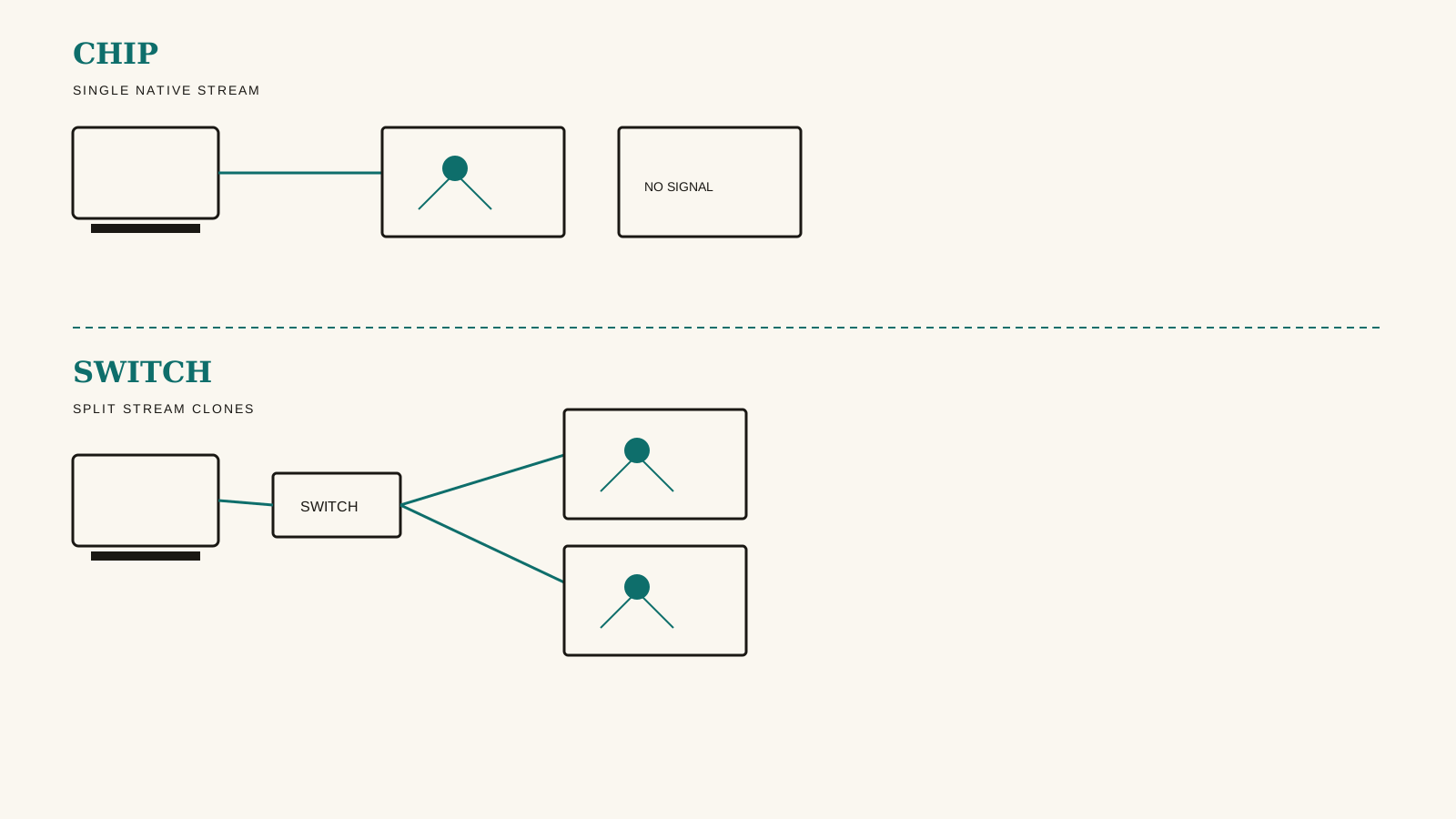
This is usually one of two limits. The Mac cannot send a second native stream. Or the switch is asking macOS to split one stream.
The rule is simple: count the native streams the Mac can send, then ask whether the switch is MST or native. Both answers have to be right. Two HDMI ports on the box are not two streams.
Two failures that look the same
No dual-extend looks the same from the chair. Both screens show one picture, or the second stays dark. The cause is not the same.
Chip limit. Base M1 and M2 MacBooks drive one native external display. That is Apple's published display support, not a KVM setting. A second monitor port cannot invent a second stream those chips do not have.
M3 base MacBooks can drive two externals only with the lid closed. Apple documents that path. Open the lid and the second external goes dark or disconnects. If that is the only way both screens work, the chip is doing what Apple said. The KVM is not broken.
M4 and M5 base MacBooks, plus Pro and Max chips, can send two or more native streams with the lid open. Apple lists two externals on M4 and M5 base MacBook Air and MacBook Pro, two on M4 Pro, three on M5 Pro, and four on M4 Max and M5 Max. A chip in that group can feed a native dual-extend switch. It still cannot split an MST switch.
Switch limit. USB-C MST KVMs take one DisplayPort stream and split it. Windows and Linux can turn that split into two desktops. macOS will not. The MST explainer covers what MST is. This page is the decision: chip or switch.
The Cable Matters 201085 is the MST case that catches Mac buyers. Each laptop uses one USB-C cable. The switch drives HDMI and DisplayPort. On Windows or Linux those outputs extend at up to 4K@60. On a Mac they mirror. That is true on every Mac, including M4 Pro and M4 Max. Cable Matters says dual extended displays require MST, and that macOS will only extend one display through this product. The switch does not charge the laptops. It has no EDID emulation. Cable Matters lists it for laptops, not desktop PCs.
The AV Access iDock C20 uses the same MST idea for two USB-C laptops: dual 4K@60 HDMI, up to 60W to each host. AV Access's C20 FAQ says macOS does not support MST, so the two screens duplicate. A connected Mac can use the dock. It will not get two extended desktops.
Don't buy the 201085 or the C20 expecting dual-extend on a Mac. An M4 Pro or Max does not change that. Those chips still send one DisplayPort stream into an MST switch.
If the second screen only works with the lid shut
Close the lid. The second monitor comes up. Open it. The second monitor drops. That is the M3-base clamshell path.
Apple's support article for MacBook Air and MacBook Pro with the M3 chip says you can connect two external displays when the lid is closed. Open the lid with both connected and the secondary external goes dark or disconnects. Apple also says closing the lid on M4 and M5 MacBooks does not raise the external count. Those chips already drive two with the lid open.
If clamshell is the only way both externals work, check the chip before you replace the KVM. An MST switch will still clone on that Mac once the lid is closed. Clamshell adds a second native stream on an M3 base MacBook. It does not turn MST into native dual-extend.
A Thunderbolt label is not dual-extend
USB-C and Thunderbolt share a connector. The label on the box does not tell you how many native streams the switch will accept.
Generic USB-C at 10Gbps carries one 4K@60 display, not two. Dual 4K@60 on USB-C is MST (macOS mirrors) or a two-cable native path. There is no generic single-cable USB-C KVM that gives a Mac two extended 4K@60 screens and also switches two laptops.
A Thunderbolt 4 KVM can still be a single-cable laptop path. The TESmart HDC202-X24 is that layout: Thunderbolt 4 USB-C on the laptop side with 60W charging, DisplayPort plus HDMI on the desktop side, and two HDMI 2.0 outputs. Video maxes at 4K@60, 1440p@120, or 1080p@240. It cannot do 4K@240.
Dual-extend on Apple Silicon through this switch is unconfirmed. TESmart's product FAQ says dual extended displays require a host that supports DP MST, then lists some Apple chips as supporting two displays. TESmart's marketing blog says the switch is compatible with Mac systems that do not support MST and can expand two screens from one Thunderbolt cable. Those manufacturer sources conflict. We have no hands-on. Don't buy the HDC202-X24 expecting confirmed extended dual displays on a Mac.
The two-cable native path
The AV Access iDock M10 can route two native streams. The MacBook connects through two USB-C ports so the dock receives two display streams. The second host is a desktop on HDMI, DisplayPort, and USB, not a second laptop on one USB-C cable. Both hosts then share two HDMI outputs rated for dual 4K@60, and the MacBook can take up to 100W Power Delivery.
On a Mac that already drives two externals natively, the M10 can route both as extended desktops. AV Access says M4 and Pro or Max chips can extend two, and that M3 base needs the lid closed. It cannot add a second native stream to a base M1 or M2 MacBook. AV Access says those chips get one external and the second monitor goes black. It also cannot make a two-laptop desk work.
If your second computer is a laptop, the M10 is the wrong topology. If your Mac is a base M1 or M2, the M10 cannot invent the missing stream.
When the chip is the limit
DisplayLink can add externals on a chip-limited Mac. The Anker Prime DL7400 is a single-host DisplayLink dock, not a two-host KVM. Anker lists it for macOS 13.5 or later and markets M1 through M5 MacBooks. You install a DisplayLink driver. The dock is not a switch for two computers.
DisplayLink also has a DRM caveat. Anker's troubleshooting guide says protected video can stay black on the DisplayLink screens while audio still plays. Use the built-in display for that, or treat DisplayLink as the chip workaround, not a KVM.
When a switch cannot do the job
A switch cannot add a second native stream to a base M1 or M2 MacBook. The 201085, the C20, the M10, and the HDC202-X24 all fail that job for the same chip reason.
A switch cannot turn MST into two Mac desktops. The 201085 and the C20 fail that job on every Mac, including M4 Pro and Max.
A Thunderbolt label cannot promise dual-extend on Apple Silicon. The HDC202-X24 remains unconfirmed for that. It also cannot drive 4K@240.
A two-cable native dock cannot switch two laptops. The M10 is MacBook plus desktop.
If you need two extended Mac desktops, you need a Mac that already sends two native streams and a switch that routes those streams without MST. Pointing a Mac dual-extend shopper at the 201085 or the C20 will not get there.
Where to go next
This page does not add a pick list.
For what MST is, and why those two outputs clone on every Mac, read the MST explainer.
For USB-C host pairings, MST vs native paths, and the DisplayLink workaround for chip-limited Macs, read the USB-C KVM guide for Mac and Windows.
For the Thunderbolt 4 switch, the 201085 MST caveat, and TESmart's refresh and Mac-display limits, read the Thunderbolt KVM guide for Mac and Windows.
If the screens work and the MacBook still will not charge, that is watts, not streams. The charging explainer covers that.
If you cannot get two extended desktops, start with the two counts. If the Mac cannot send two native streams, or the switch is MST, two monitor ports will stay one desktop.