
The buyer fork is simple: do you have a corner you want to fill with two work surfaces, or do you need a rectangle?
- Corner / return for monitors, printer, second laptop → UPLIFT V3 L-Shaped
- Typical rectangular home office → regular V3
- Wide, heavy rectangular load and you want four motors → V3 4-Leg
$1,249-$1,500+
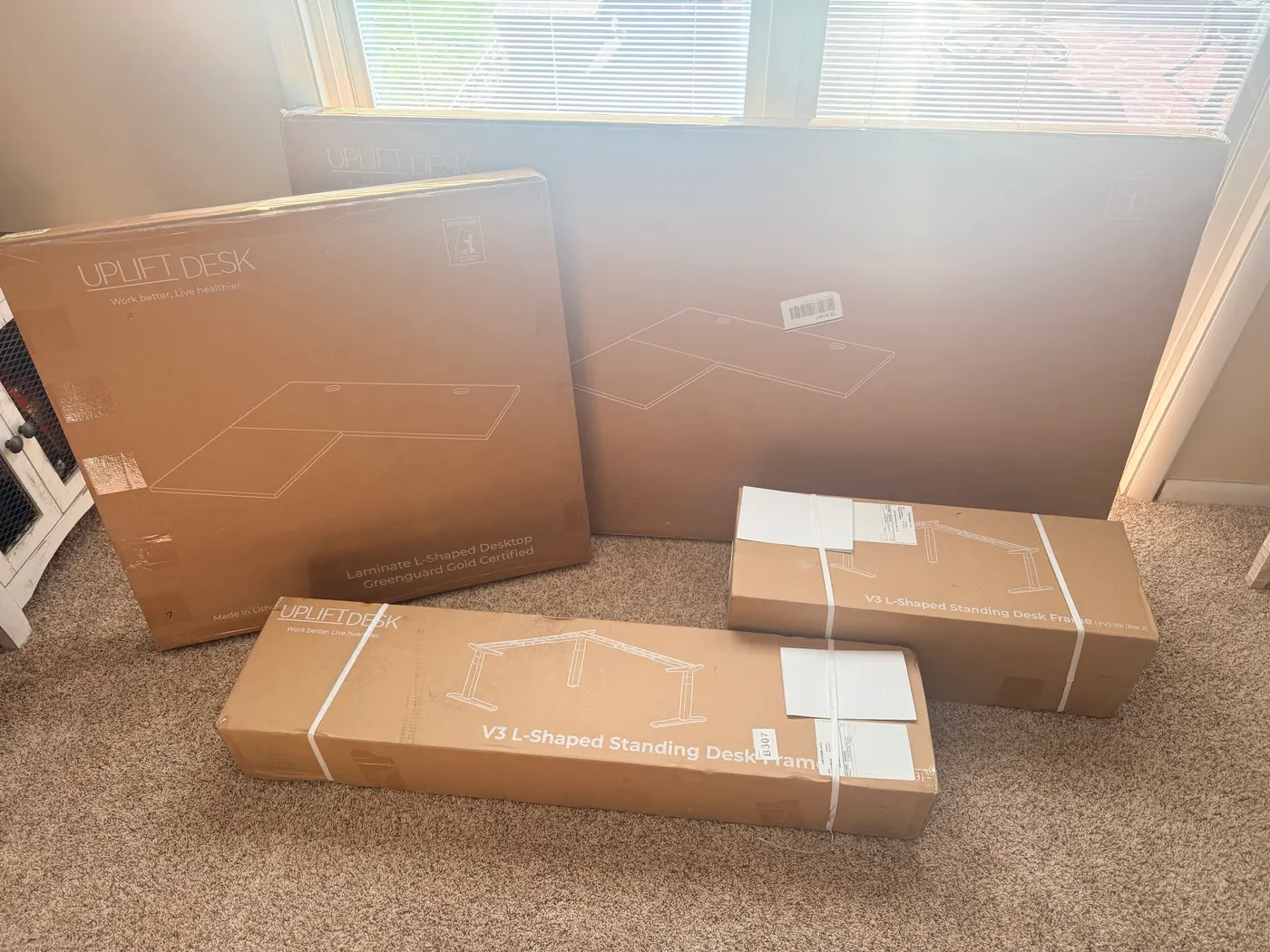
Five boxes showed up: four for the desk, one for the “UPLIFT personality kit.” Once the boxes were open I had it assembled, plugged in, and cycling sit-to-stand in about 30 minutes (photos included). Heavy. Quiet. The L held solid at full height. The whole time I kept thinking wow these are heavy but solid.
This is a first-day write-up. Hours on the desk, not months. The frame feel is real. So is the one assembly mistake you should know before your freight arrives.
UPLIFT provided the desk at no cost for review.
Before you order
An L-shaped standing desk needs a floor plan before it needs upgrades. Tape out both work surfaces and check the route from the doorway to the final corner.
- Choose the return: Confirm left or right orientation and both desktop dimensions. Leave space for your chair, drawers and any nearby door to move.
- Confirm the frame: The review covers the V3 three-leg frame. Check the frame selection in the builder instead of assuming the product link preselects this configuration.
- Plan cables and mounts: Check monitor-arm clamps, outlets and slack at standing height on both surfaces.
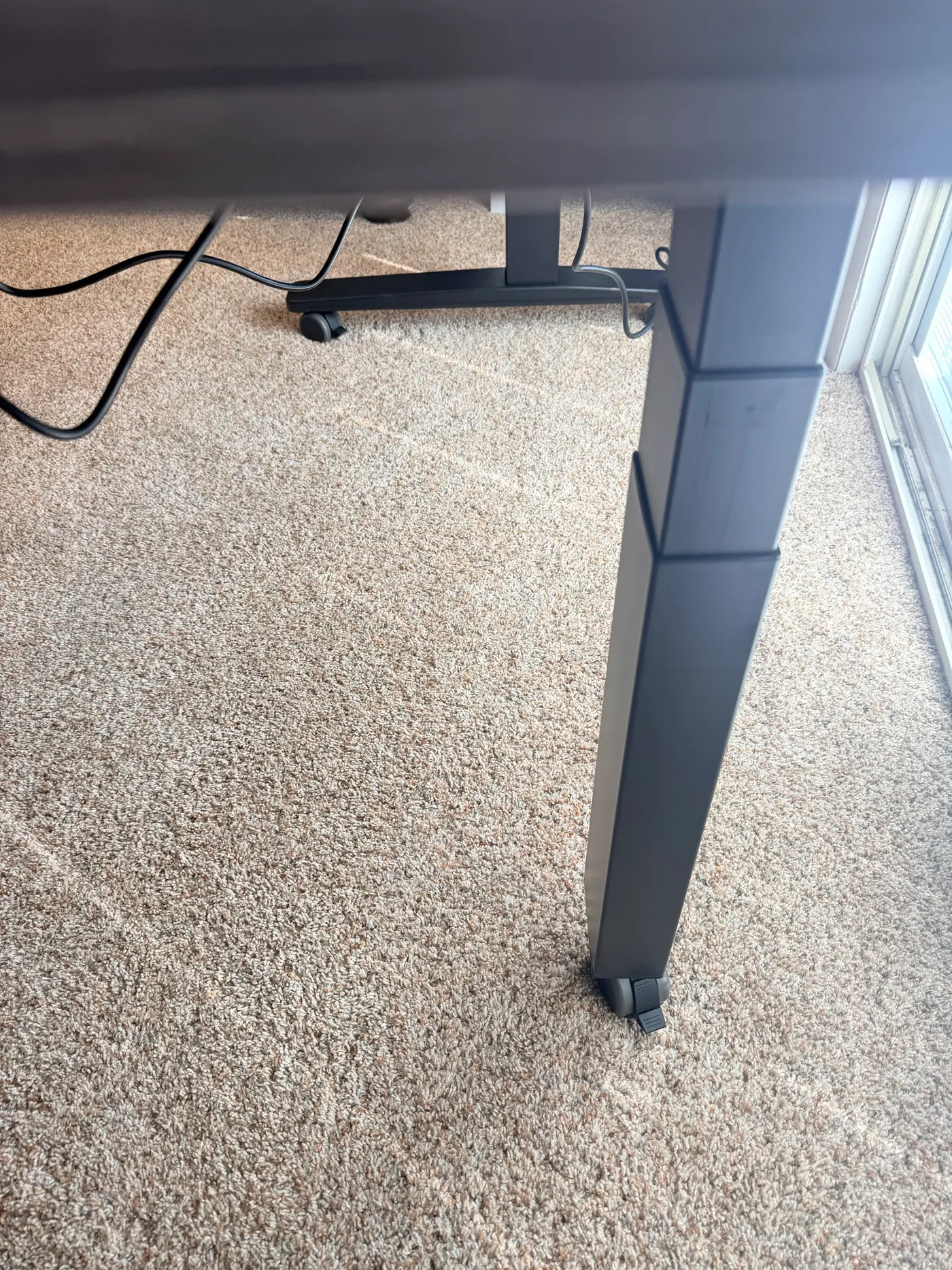
- Arrange the lift: Have a second person for the final flip. The damaged insert shown below is the reason I wouldn't repeat a solo flip.
Configure the V3 L-Shaped ($1,249-$1,500+). If the return only fills floor space you don't need, compare the rectangular desk choices first. Option amounts in the assembly notes describe my order; confirm today's selected options in your cart.
Quick take
- Triple-motor L-shape moves as one unit; quietest standing desk motor I’ve used so far
- No wobble I could feel at 44.9″ on main, return, or corner under normal load
- Build is fast; the flip is a two-person job. Solo can yank laminate threaded inserts
- Select V3 in the builder and confirm the frame before checkout; the product family also includes V2 choices
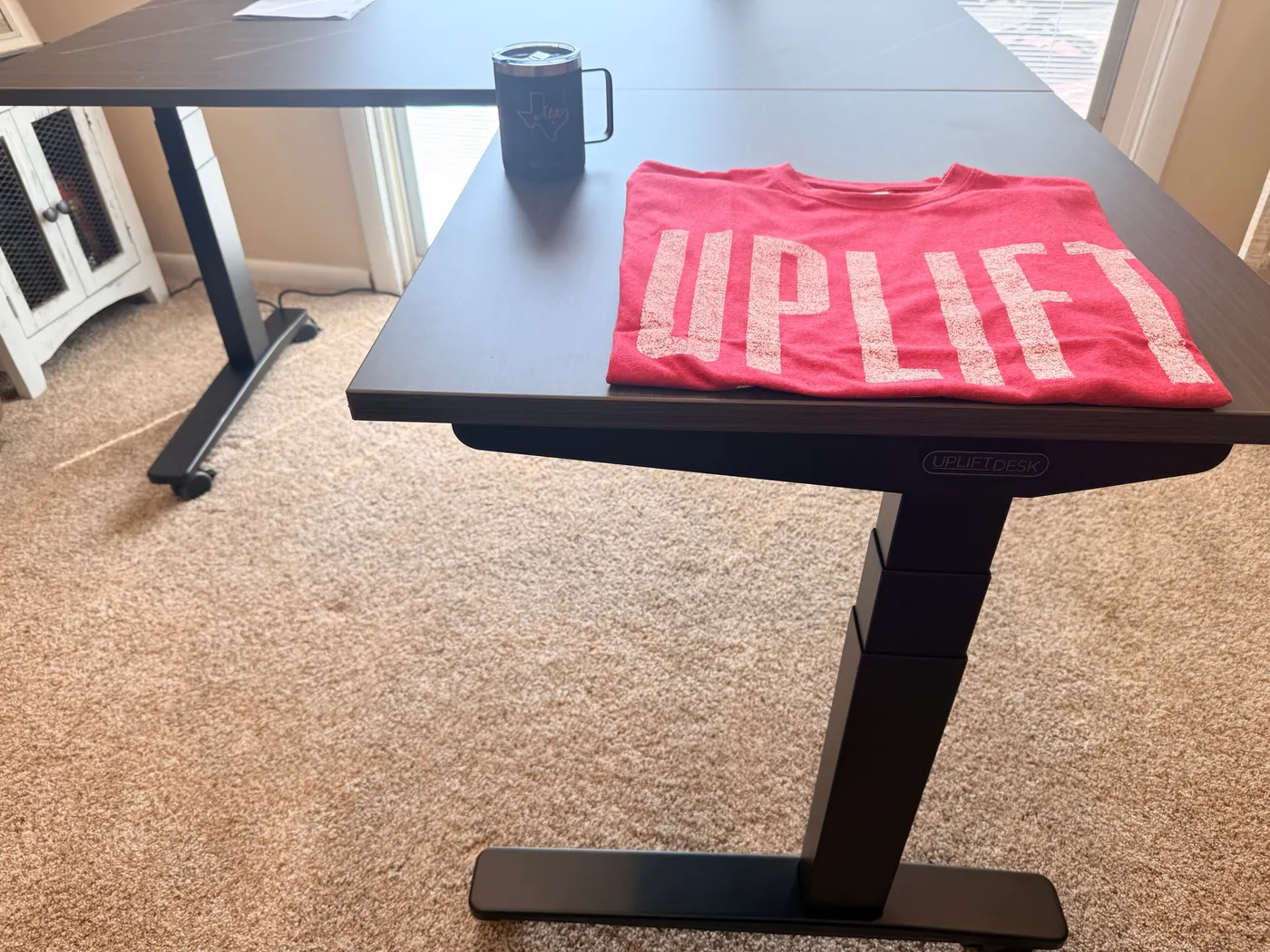
- My order included: punching bag, Austin tee, Texas mug, organizer, foot hammock
Exact config in the photos
These option amounts describe my May 2026 order, not current quotes.
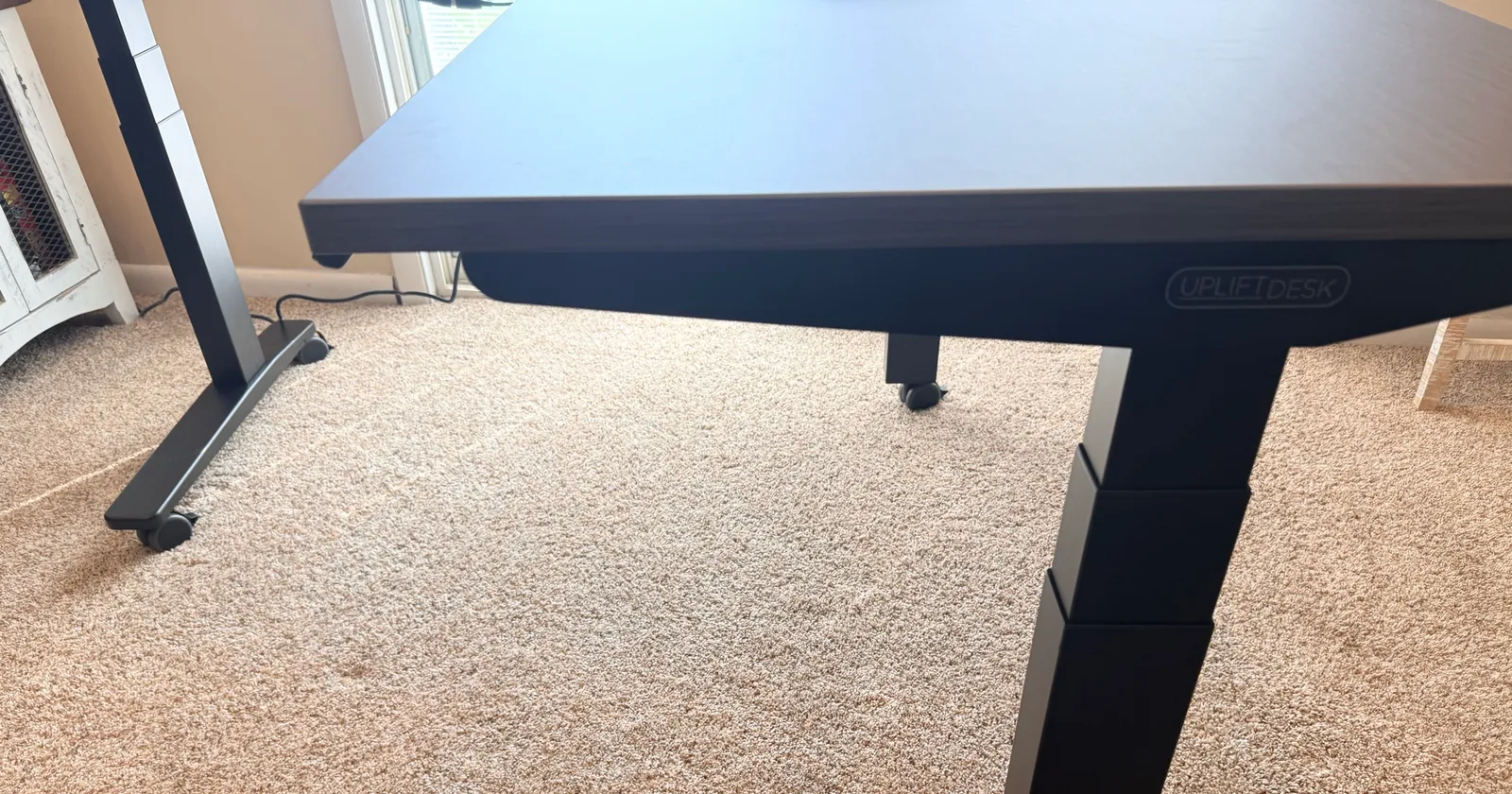
- Frame: V3 3-Leg in Black (+$100 over default V2)
- Desktop: 60″ main × 60″ return, Ash Gray laminate
- Return: right (left/right flip at order time, no charge)
- Keypad: Advanced Comfort Angled (+$29 over basic paddle)
- Two pop-up power grommets (+$158 on my build)
Configurator check: the product family includes both V2 and V3 choices. Under Frame Color & Type, confirm V3 to match this review, including its TremorGuard feet, I-beam crossbars and FlexMount Cable Manager.
Specs that matter
| UPLIFT V3 L-Shaped | |
|---|---|
| Price | $1,249-$1,500+ |
| Frame | V3 3-leg, triple-motor synchronized |
| Height range | 22.6 to 48.7 in (26.1 in travel) |
| Lifting capacity | 535 lb (UPLIFT published) |
| Speed / noise (UPLIFT) | ~2 in/s · under 50 dB |
| Cable kit | FlexMount Cable Manager included |
| Mounting | 90-point system on the steel frame |
| Return | Left or right at order time |
| Warranty | 15-year advertised on frame; current written terms apply |
535 lb is the published lifting rating, not a stack I put on the desk for this write-up. Standards cited by UPLIFT: ANSI/BIFMA G1-2013 and X5.5-2021.
Delivery and unboxing
Two long frame boxes + two flat desktop boxes for main and return. Accessories in a fifth. Packaging matched the rectangular V3: foam, molded corners, the thank-you tray on top. Nothing scratched on arrival.
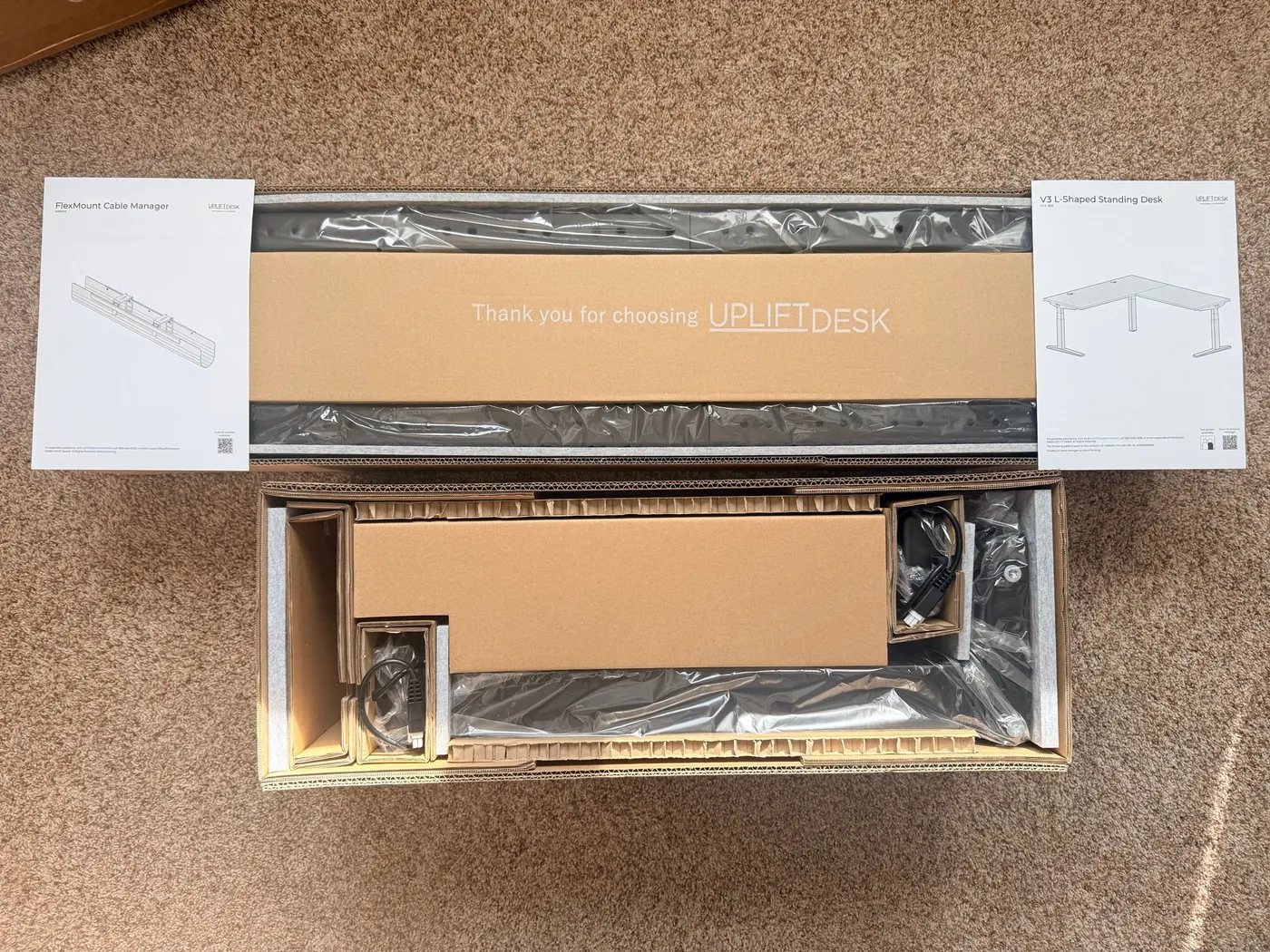
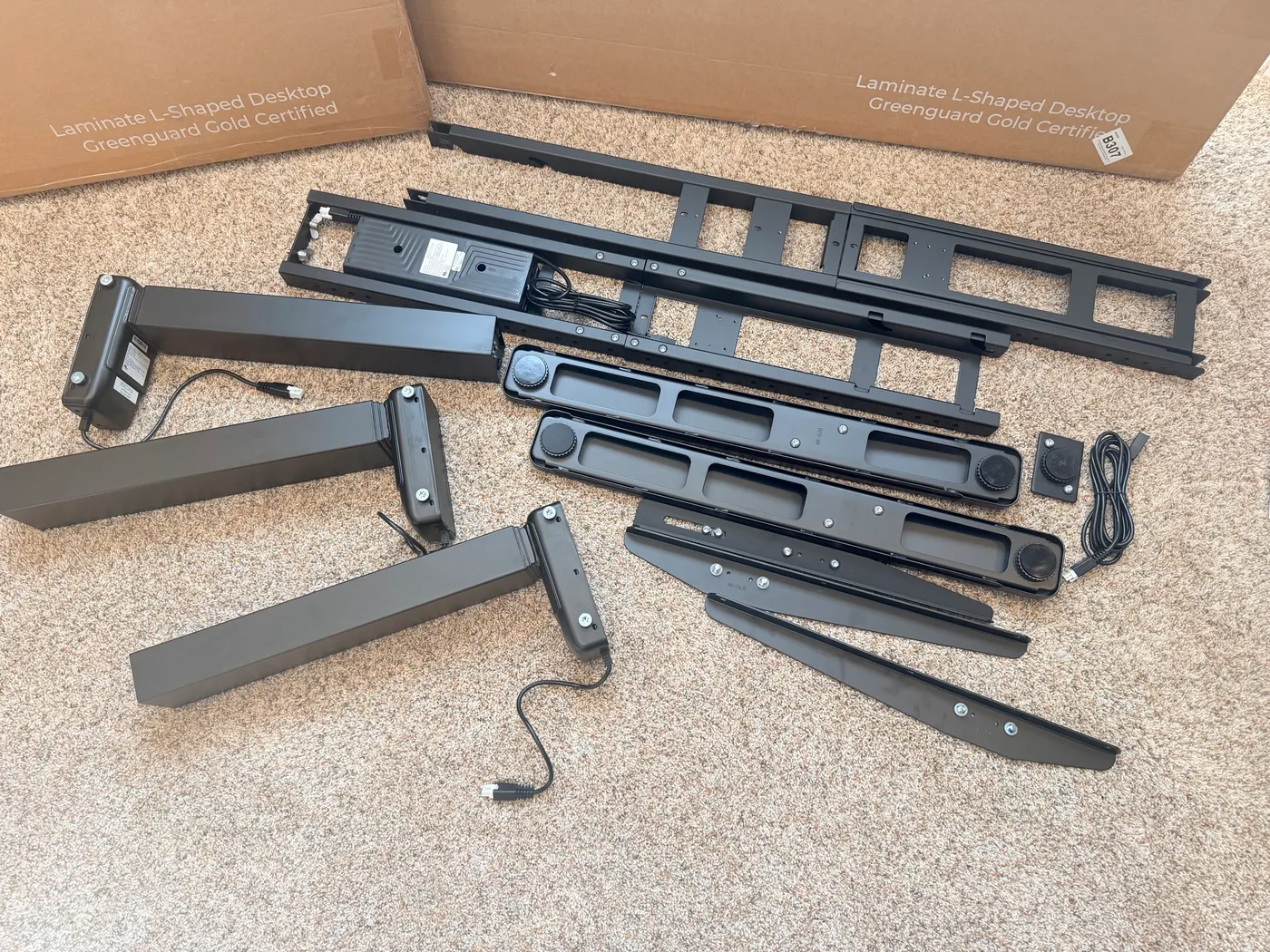
In the frame boxes: three legs (including corner), three TremorGuard feet, crossbar ends, side/corner brackets, control box pre-installed on the long crossbar, FlexMount, hook-and-loop strips, Advanced Comfort Angled keypad, power cord, 5 mm Allen wrench, manuals. Bring a Phillips; a powered drill speeds the wood screws.
Assembly: 30 minutes, then the flip
Sequence is mostly “build any V3, then deal with the corner leg.” Crossbars → legs → brackets → screw the frame to both upside-down tops. Corner geometry is the only L-specific puzzle. The rest feels familiar if you’ve seen a rectangular V3.
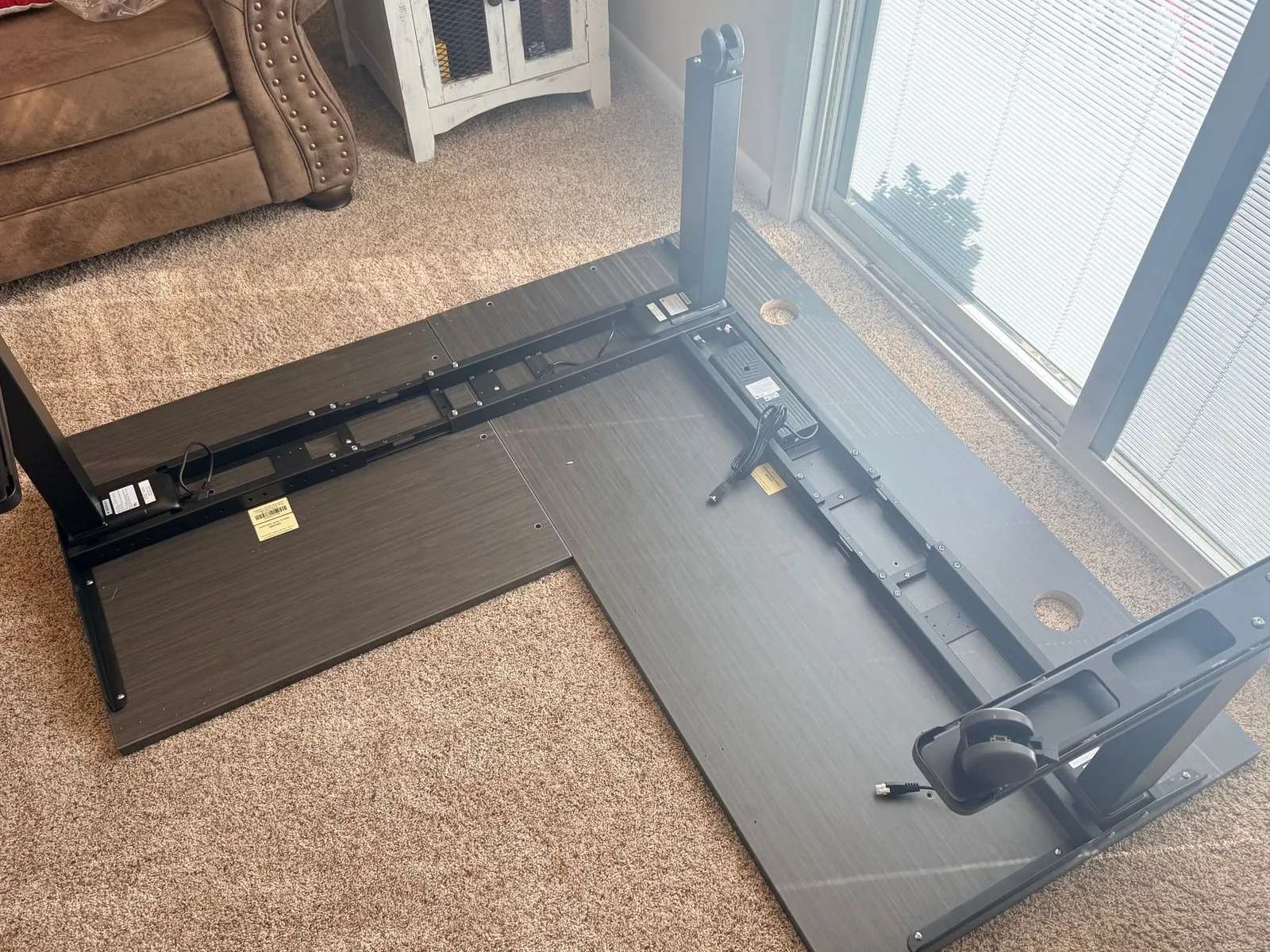
Then step 17: flip the whole chassis upright. Manual says two people. I tried solo.
The L does not want a one-person roll. There is no clean grab under the return without a corner pivoting out. Combined laminate + steel is awkward mass, well over 100 lb with leverage that fights you. I got it upright. One threaded insert in the laminate pulled partway when the top torqued. Screw did not strip; the MDF substrate just lost the fight against lateral force.
Desk still runs fine. That insert is not carrying day-to-day load the way the brackets and rails do. It is also the kind of scar you avoid with twenty seconds of help.
Plan a two-person flip, whichever desktop you choose. My damaged insert is a reason to follow that instruction. A solid-wood upgrade isn't a substitute for help handling this frame.
Frame, V3 vs V2, and how it moves
This frame is the product. Tops swap. Keypads upgrade. The steel is what makes a $1,500 desk feel like $1,500.
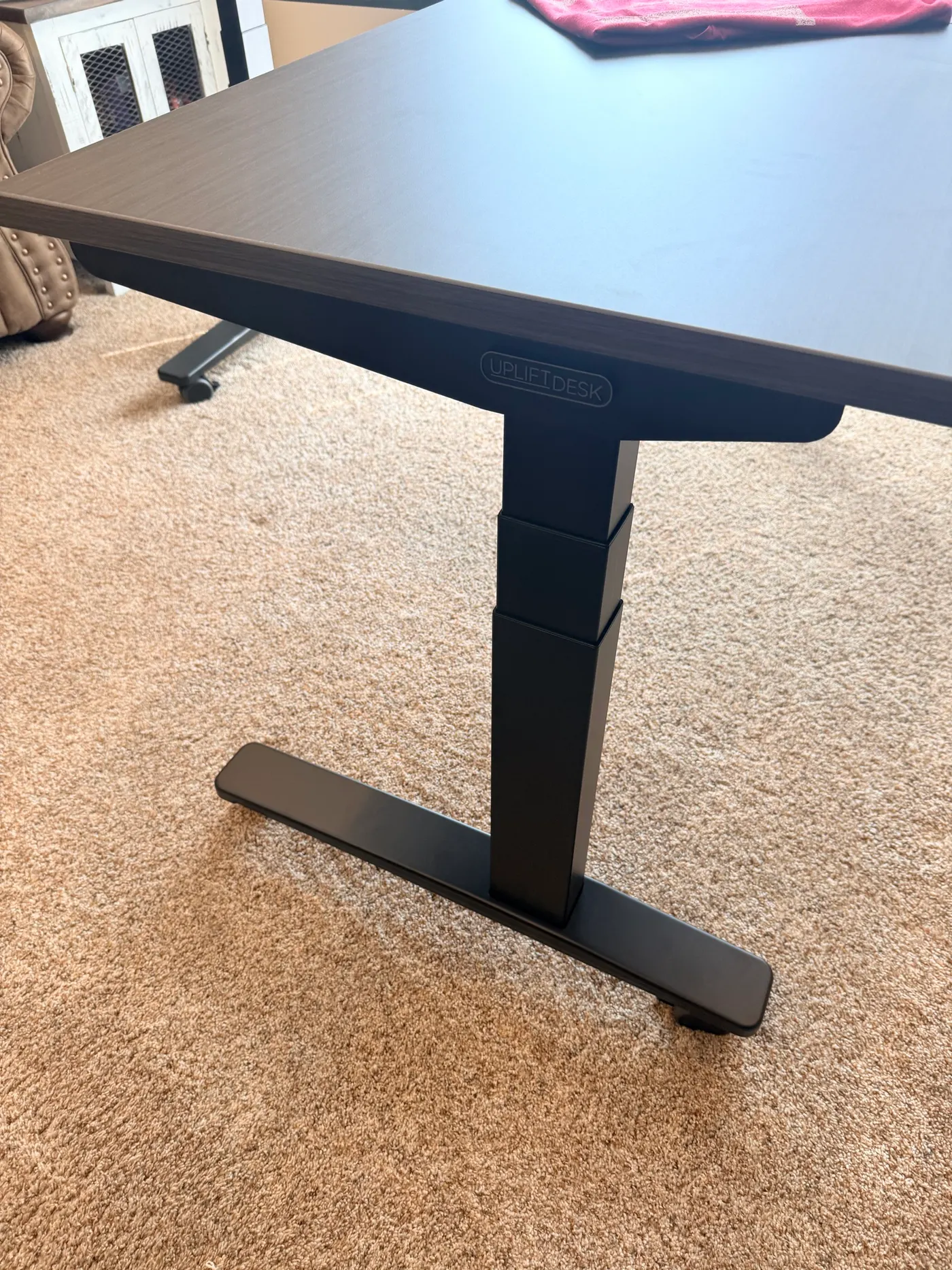
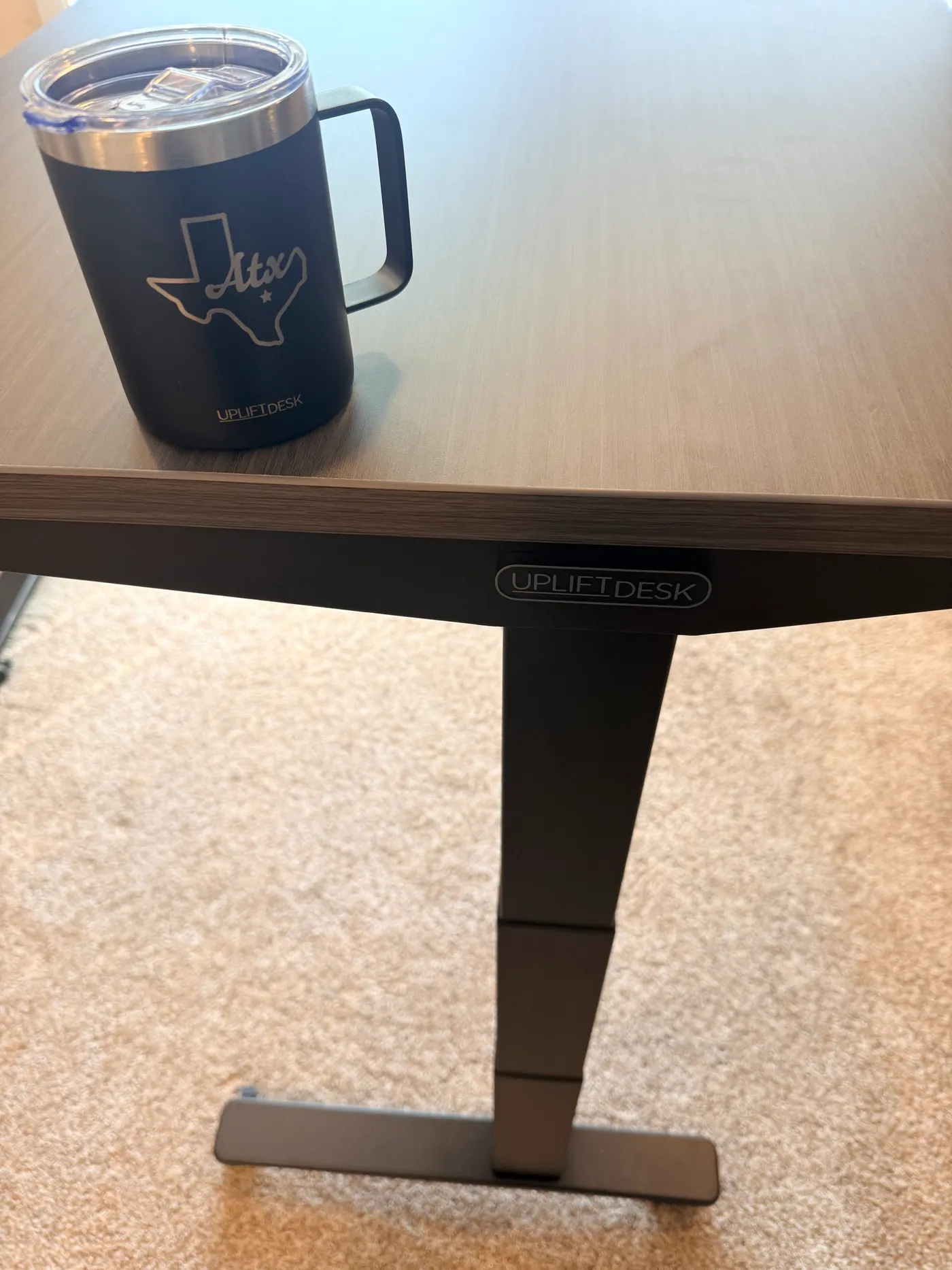
On my May 2026 order, the V3 upgrade over V2 was $100. That historical option price isn't a quote for today's cart. The V3 adds TremorGuard feet, included FlexMount cable management (also sold separately as FlexMount), and the 90-point mounting system. Compare the current configured total and choose the features you'll use.
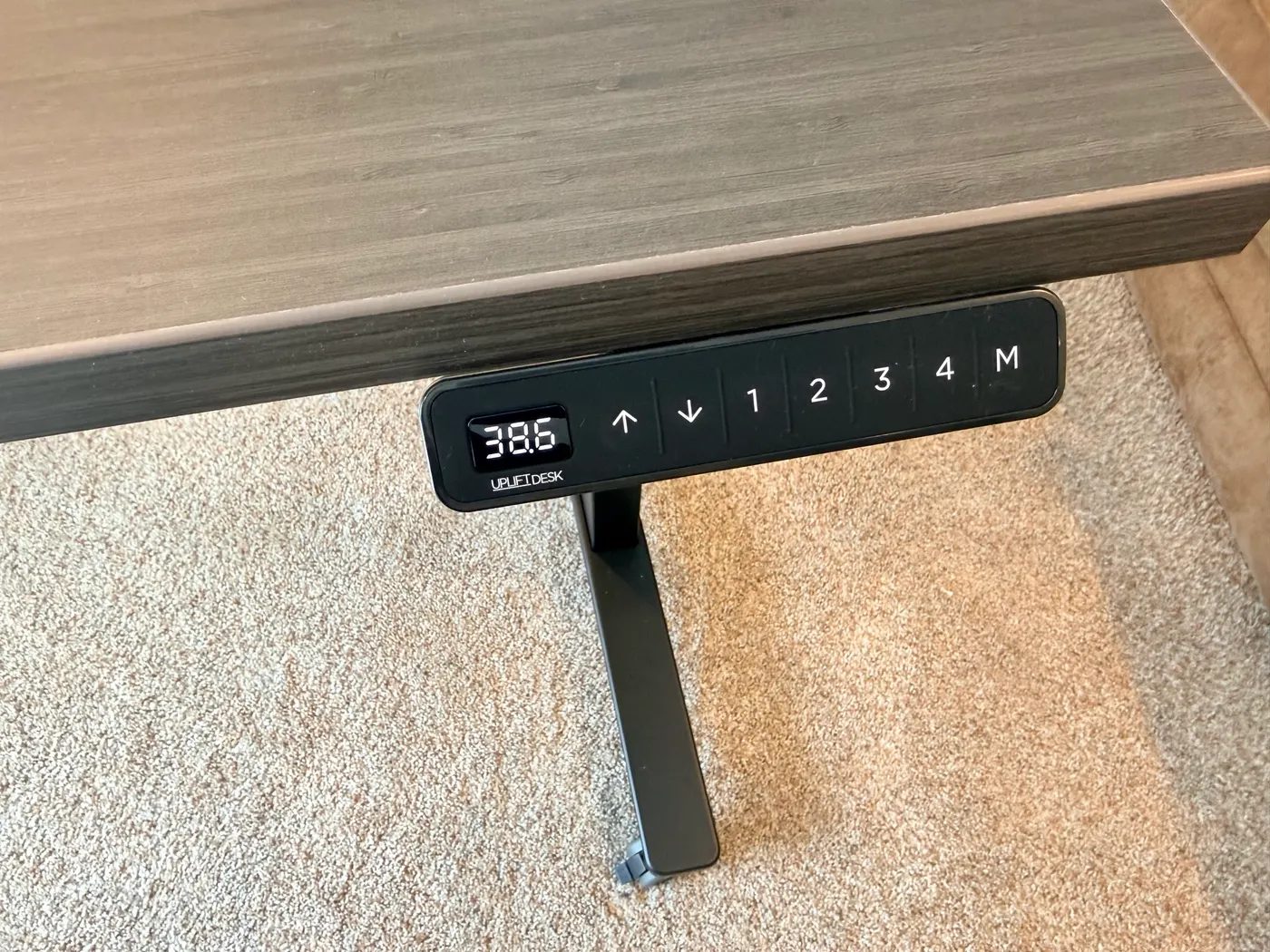
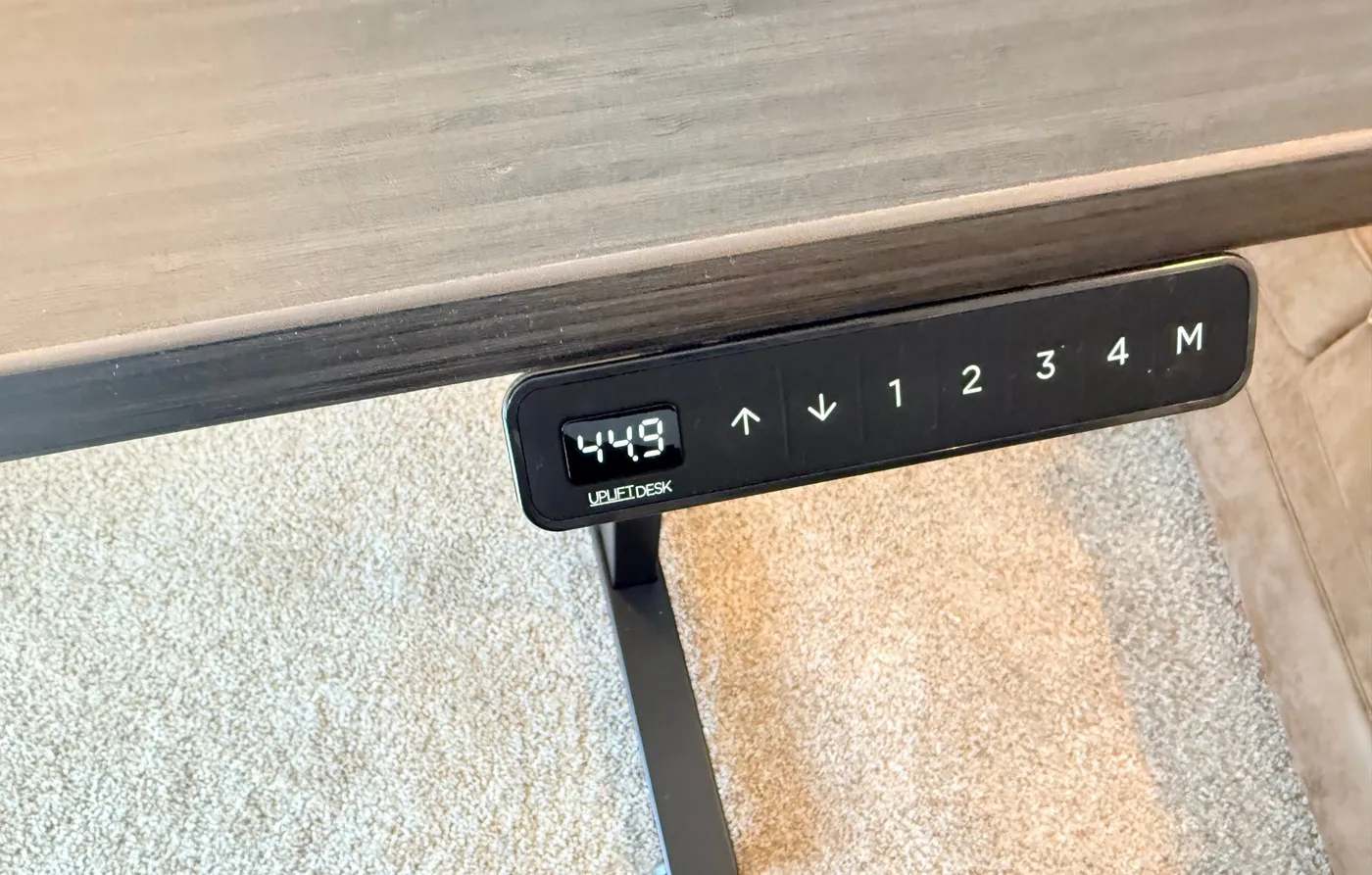
Angled keypad reads in tenths; four presets + M. I ran the range: seated 38.6″, standing 44.9″, floor 22.6″, top 48.7″. Smooth the whole way. No grind, no shudder, no whine. Quietest standing desk I’ve owned. Three motors stay synchronized; no lag between return and main that I could see.
Normal load (laptop, keyboard, monitor, full mug): leaned into main edge, return, and corner at 44.9″. No flex I could detect. Cheap L-shapes usually die at the corner; this one did not on day one.
Cables and the freebie pile
FlexMount ships on the V3 control-box crossbar. Power cable for the desk is already through it here. UPLIFT rates the tray around 10 lb of cable weight, enough for strip, monitors, dock, chargers once you finish the underside plan. Frame points also take things like an 8-outlet surge or magnetic cable clips without drilling the top.
Order extras that are not on the spec sheet: clamp-on punching bag (respect), Austin tee, Texas mug + cup holder, gray organizer, foot hammock. Not why you buy the desk. Still a better first day than “frame and a top, goodbye.”
L-shape vs straight V3 vs 4-Leg
| L-Shaped V3 | Regular V3 | V3 4-Leg | |
|---|---|---|---|
| Job | Corner / two surfaces | Most rectangular offices | Wide / heavy rectangle |
| Motors | Three synchronized | Two | Four |
| Capacity (published) | 535 lb | 355 lb | 535 lb |
| Pick when | Walls meet and gear needs a return | Laptop + monitors, simpler footprint | Max rectangular frame without an L |
Picker guide: /guides/which-uplift-standing-desk-is-right-for-you. Hands-on rectangle: /reviews/uplift-v3-standing-desk-review. Four-leg: /reviews/uplift-v3-4-leg-standing-desk-review.
What I’d configure differently
- Choose wood or laminate for the surface I want, with flip help arranged for either.
- Help on the flip, laminate or wood.
- Keep: V3 frame, Advanced Comfort keypad, pop-up grommets on both spans.
Who should buy it
Corner office with dead floor space. Multi-monitor or dual-purpose surface (return for arms, printer, interface, second machine). Quiet motor matters. You want the 15-year frame story and denser mounting than a budget L. Layout ideas: /guides/multi-monitor-desk-setup-guide.
Who should skip it
Rectangle-only room → V3 or hardwood Parsons. Same published 535 lb under a rectangle → 4-Leg. Sub-$700 hunt → /guides/best-standing-desks-under-700.
Verdict
Day-one L-shape that feels like the warranty length: heavy steel, silent lift, corner that does not wobble when you lean on it. Assembly is quick until the flip. Arrange a second person for the flip, whether you choose laminate or wood. Select V3 in the builder. If your room is a rectangle, do not buy an L for the vibes; buy the straight V3 or the 4-Leg instead.
Configure the V3 L-Shaped · $1,249-$1,500+
Frequently asked questions
Cost?
$1,249-$1,500+. Confirm the total for your selected frame, desktop and accessories in the builder. On my May 2026 order, the V3 upgrade was $100, the Advanced Comfort keypad was $29 extra, and the pair of pop-up grommets was about $158. Those historical option amounts may differ from today’s cart.
Assembly time?
~30 minutes desk-boxes-open to moving, with photo pauses. Corner leg + two tops add a little vs a rectangle.
Solo build?
Frame yes. Flip no. I damaged a laminate insert going alone.
Quiet?
Yes. Quietest standing desk motor I’ve used. UPLIFT lists under 50 dB.
Wobble at standing height?
None I could feel at 44.9″ with normal gear, including the corner.
V3 or V2 on this page?
This review covers the V3 three-leg frame. Check the Frame Color & Type selection and current upgrade cost before paying; don’t assume the product link preselects V3.
L-Shaped or 4-Leg?
Same published 535 lb class. Choose by footprint. Two surfaces / corner → L. Substantial rectangle → 4-Leg.
Solid wood vs laminate?
Choose by finish, maintenance, weight and budget. Plan a two-person flip for either material; a solid-wood top does not make solo handling a good idea.
Capacity / height?
535 lb lifting published. 22.6 to 48.7 in travel on this frame. Anti-collision on the control box with adjustable sensitivity via keypad.
Monitor arms?
Check your arm’s clamp or grommet limits against the selected desktop and underside clearance. The frame’s accessory mounting points are not universal monitor-arm mounts. Arm pairing: /guides/best-monitor-arms-desk-space.
Amazon and UPLIFT links are affiliate links. UPLIFT provided this desk at no cost for review.