
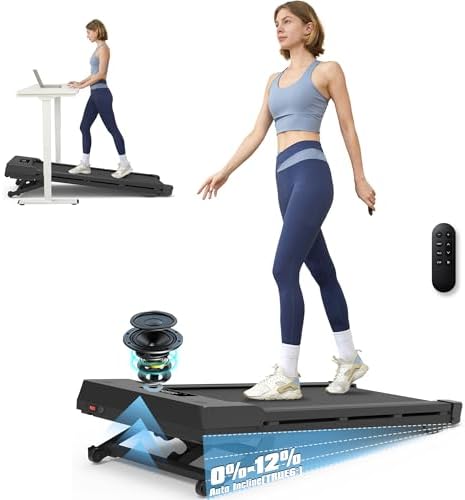


A standing desk gets you on your feet, but you're still standing in one spot. Adding a walking pad turns passive standing into light activity. Just 2 MPH is enough to burn 100-150 extra calories per hour, improve circulation, and keep your energy steady through afternoon slumps. Walking pads with incline take it further, engaging more muscle groups and increasing calorie burn compared to flat walking.
For most standing desk users, the UPLIFT Inclining Walking Pad ($349) is our top pick. Owners report it's solid, quiet, and the incline makes a real difference under an UPLIFT V3 Standing Desk. For the highest weight capacity, the PACEROCKER Walking Pad ($250-$300) handles up to 450 lbs with 12% incline. If you want the steepest grade available, the Foldable Walking Pad (15% Incline) ($200-$280) maxes out at 15%.
Why Add a Walking Pad to Your Standing Desk
Standing desks reduce the health risks of prolonged sitting, but standing still for hours introduces its own problems: lower back fatigue, swollen feet, and reduced blood flow. Light walking at 1.5-2.5 MPH addresses all three without distracting from work.
Research from the Journal of Physical Activity and Health found that treadmill desk users walked an average of 6,000 extra steps per day without reducing typing speed or accuracy after a two-week adjustment period. A Mayo Clinic study measured an additional 100-130 calories burned per hour at 1.5 MPH on a flat surface. Adding incline pushes that to 150-200 calories per hour.
The practical benefits for desk workers:
- Better focus and energy. Light walking increases cerebral blood flow, which directly improves concentration during long work sessions.
- Reduced back and leg fatigue. Movement prevents the muscle stiffness that comes from standing stationary for hours.
- More daily steps without extra time. You accumulate 5,000-8,000 steps during a normal workday without dedicating separate exercise time.
- Incline adds intensity without speed. A 10-15% incline at 2 MPH gives you a moderate workout that's quiet enough for video calls and slow enough for typing.
How to Choose a Walking Pad with Incline
Four factors determine which walking pad fits your standing desk setup:
Incline Range
Walking pads with incline typically offer 10-15% grades. Higher incline means more calorie burn and muscle engagement but also requires more effort. For casual desk walking, 10-12% is plenty. If you want a more intense workout during breaks, look for 15%.
Speed Range
For working while walking, you'll stay between 1.5-2.5 MPH. But some models go up to 10 MPH for jogging sessions before or after work. If you only plan to walk at your desk, 5 MPH max is fine and these models tend to be quieter.
Weight Capacity
Most walking pads support 220-300 lbs. If you're over 250 lbs, look for the 450 lb capacity models. They use heavier-duty motors and belts that also tend to last longer regardless of your weight.
Noise Level
Any motor under 2.5HP runs quiet enough for a home office. The 3.0HP models listed here stay under 45dB, quieter than a normal conversation. You can take video calls while walking at 2 MPH without anyone hearing the treadmill.
| Feature | UPLIFT Inclining | PACEROCKER 450lb | 15% Incline | 6-in-1 Foldable |
|---|---|---|---|---|
| Price | $349 | $250-$300 | $200-$280 | unavailable |
| Incline | Yes (adjustable) | 12% | 15% | 10% |
| Max Speed | 3.7 MPH | 5 MPH | 5 MPH | 4 MPH |
| Weight Capacity | 265 lb | 450 lb | 300 lb | 300 lb |
| Foldable | No | Yes | Yes | Yes |
| Handle Bar | No | No | No | Yes |
| Remote Control | Yes | Via app | Yes | Via app |
| Best For | Daily desk walking | Heavy-duty use | Steepest incline | Stability + desk |
Our Top Picks
UPLIFT Inclining Walking Pad: Our Pick
The UPLIFT Inclining Walking Pad pairs naturally with an UPLIFT V3 Standing Desk. Setup is quick. Pull it out of the box, plug it in, and start walking. The remote, a bottle of belt lubricant, and the manual are the only extras in the box.
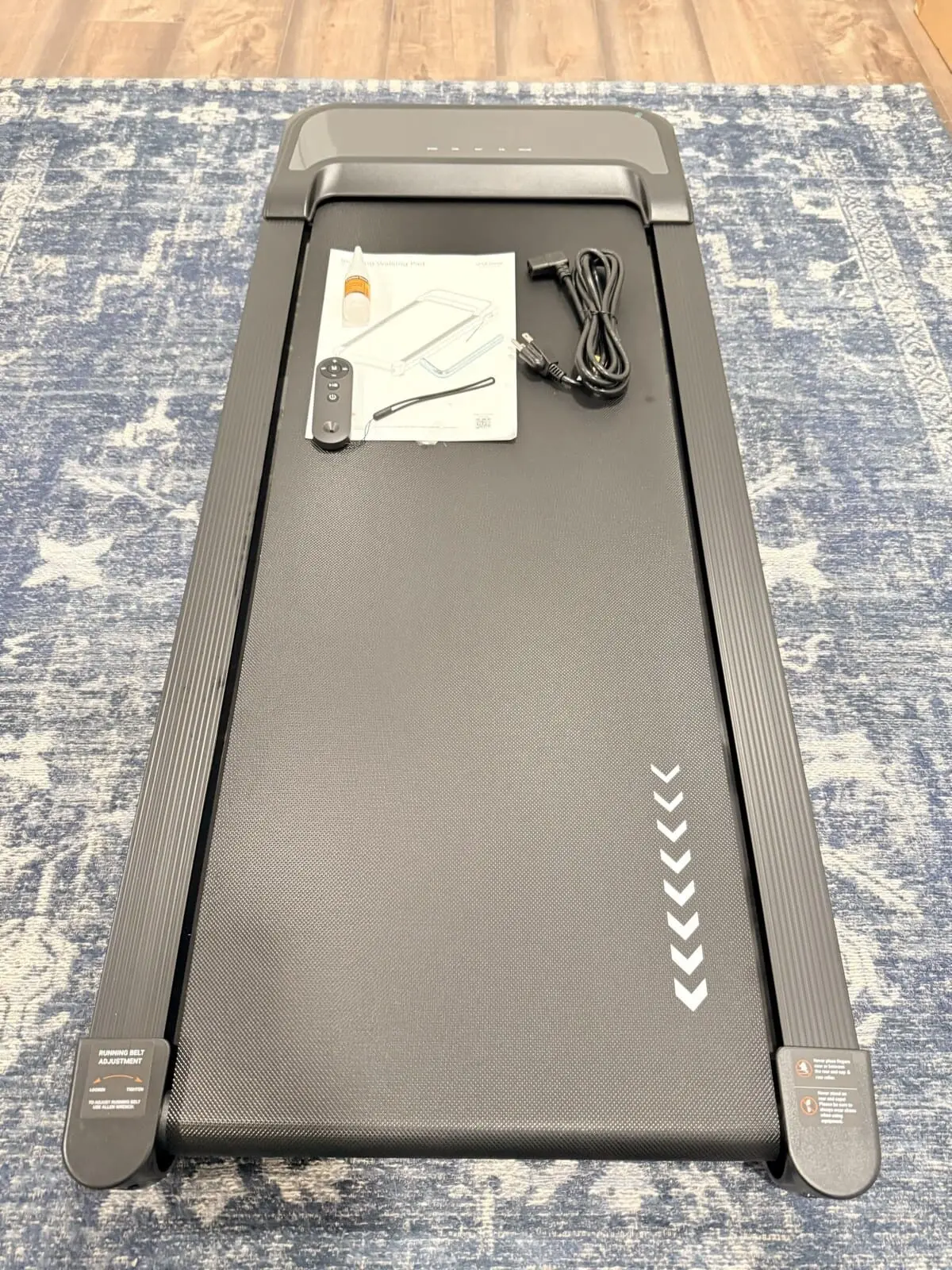
The build quality stood out immediately. It feels solid underfoot, and the walking belt is wide enough that you can walk comfortably without watching your feet. That matters when you're trying to type or read while walking. The last thing you want is to worry about stepping off the edge.
The incline sets it apart from the flat walking pads UPLIFT Desk and others sell. It adds a completely different feel. At 2 MPH with incline engaged, it's closer to a brisk uphill walk than a casual stroll. You feel it in your calves and glutes without having to walk faster.
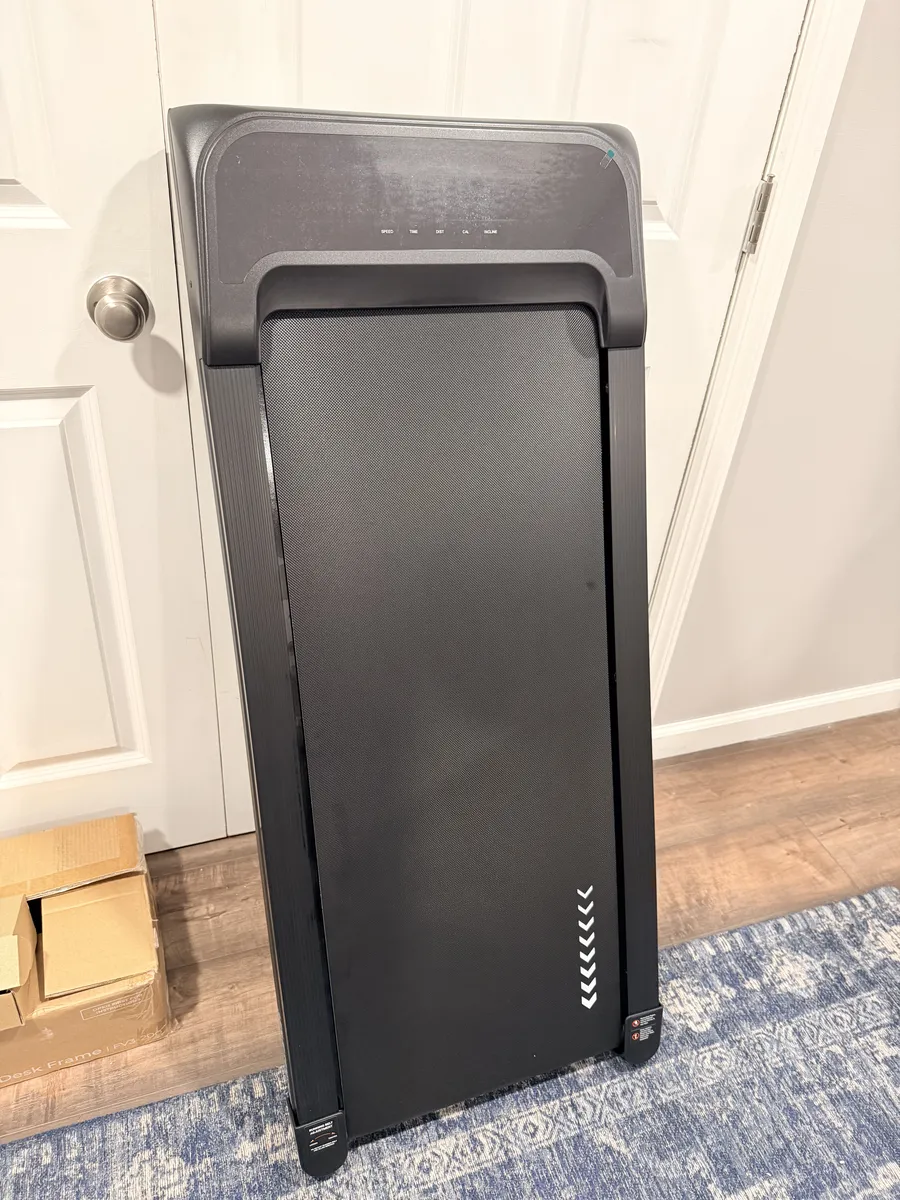
Noise is low at desk-walking speeds. At 1.5-2 MPH, it runs at a light hum that wouldn't get picked up on a video call. The remote control is a nice touch. You can adjust speed and incline without bending down or taking your hands off the keyboard.
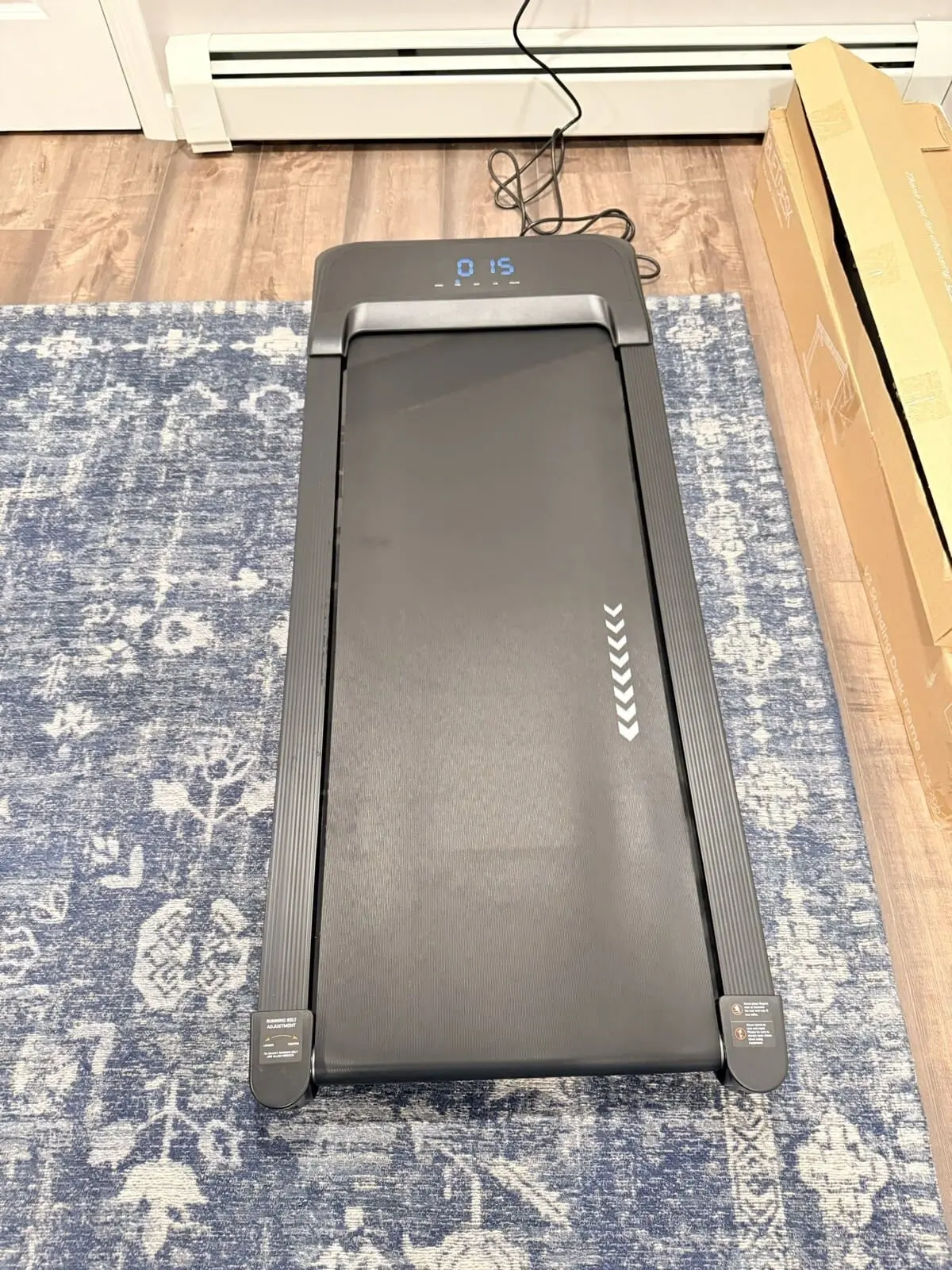
Key specs: Adjustable incline, 3.7 MPH max, 265 lb capacity, remote control, wide belt.
Who it's for: Standing desk users who want a quality walking pad from a brand that specializes in desk ergonomics. The UPLIFT Inclining Walking Pad pairs naturally with UPLIFT Desk standing desks and the build quality reflects a company that understands daily-use office equipment. UPLIFT Desk also offers a complete Walking Desk bundle that combines a standing desk with the walking pad in one package.
PACEROCKER Walking Pad (450 lb, 5 MPH): Best for Heavy-Duty Use
The PACEROCKER stands out with its 450 lb weight capacity, which is 150 lbs more than most competitors. That heavy-duty motor also means smoother, more stable walking for users of any weight. The 12% incline is adjustable and adds real intensity without requiring you to walk faster.
Key specs: 12% incline, 5 MPH max, 450 lb capacity, Bluetooth app, foldable design.
Who it's for: Anyone who wants a high-capacity walking pad for daily desk use. The 450 lb rating means the motor and belt are overbuilt for most users, which translates to durability. Also the best option if you're over 250 lbs.
Foldable Walking Pad (15% Incline): Steepest Incline
The Foldable Walking Pad with 15% Incline offers the highest incline on this list, paired with a 3.0HP motor that keeps noise under 45dB. The steeper grade burns noticeably more calories than 10% incline at the same speed. The remote control lets you adjust incline and speed without bending down.
Key specs: 15% incline, 5 MPH max, 300 lb capacity, 3.0HP quiet motor, remote control.
Who it's for: Users who want the most intense walking workout possible while working. The 15% incline at 2 MPH feels like a brisk uphill hike, enough to raise your heart rate noticeably.
6-in-1 Foldable Walking Pad: Best with Desk Attachment
The 6-in-1 Foldable Walking Pad includes an adjustable handle bar and a desk attachment for holding a laptop or tablet. The handle bar adds stability for users who aren't comfortable walking hands-free, and the desk attachment creates a self-contained walking workstation without needing a separate standing desk.
Key specs: 10% incline, 4 MPH max, 300 lb capacity, handle bar, desk attachment, foldable.
Who it's for: Users who want extra stability from a handle bar, or who want a walking workstation without owning a standing desk. Also good for shared spaces where the pad needs to function independently.
Setting Up Your Walking Pad with a Standing Desk
Desk Height Adjustment
When you step onto a walking pad, you gain 4-6 inches of height from the pad's deck. Your standing desk needs to go up by the same amount to maintain proper ergonomic positioning. Keep your elbows at 90 degrees, monitor at eye level. Check that your standing desk has enough height range before buying. The UPLIFT V3 Standing Desk reaches 48.7" at maximum height, which accommodates walking pad users up to approximately 6'2". Most desks with a 48-inch max height cover users up to 6 feet tall.
Placement and Floor Protection
Place the walking pad centered under your desk with 6-12 inches of clearance behind it for safety. Use a rubber equipment mat underneath to protect hardwood floors and reduce vibration noise. The mat also prevents the pad from sliding on smooth surfaces.
Cable Management
A walking pad adds one more power cable to your desk setup. Route the power cord along the desk leg using cable clips and connect it to a power strip mounted under the desk. Keep the cord away from the walking belt. Use cable raceways on the floor if the outlet is more than a few feet away. See our cable management guide for the full setup. If you're using an UPLIFT V3 Standing Desk, the included FlexMount Cable Management handles the routing.
Break-In Period
Expect 1-2 weeks to adjust to walking while working. Start at 1.0-1.5 MPH with no incline for the first few days. Typing accuracy may drop initially. This is normal and recovers within a week. Increase speed by 0.5 MPH increments and add incline gradually. Most users settle at 2.0-2.5 MPH with moderate incline for sustained work sessions.
Footwear
Wear supportive shoes, not socks or bare feet. Running shoes or walking shoes with cushioned soles reduce fatigue over multi-hour sessions. Flat-soled shoes (like Converse) don't provide enough cushioning for extended walking pad use.
Frequently Asked Questions
How loud are walking pads with incline?
Most walking pads with incline operate at 40-50dB, roughly the volume of a quiet conversation or a refrigerator humming. At 2 MPH, the motor is barely audible. You can comfortably take video calls while walking without anyone hearing the treadmill. Noise increases slightly with speed and incline, but stays below conversational volume at desk-walking speeds. The UPLIFT Inclining Walking Pad runs at a light hum at desk-walking speeds.
Do I need to adjust my standing desk height for a walking pad?
Yes. A walking pad adds 4-6 inches to your standing height. Raise your desk by the same amount to keep your elbows at 90 degrees and your monitor at eye level. The UPLIFT V3 Standing Desk reaches 48.7" at maximum height and accommodates approximately 95% of the population. Most desks with a 48-inch max height work for users up to 6 feet tall.
How many calories does walking on an incline burn?
At 2 MPH on a flat surface, expect to burn 100-130 calories per hour. Adding 10% incline increases that to 150-180 calories per hour. At 15% incline, you can burn 180-220 calories per hour, roughly double the flat-walking rate. These numbers vary by body weight; heavier individuals burn more.
Can I use a walking pad on carpet or hardwood floors?
Both work, but with different considerations. On hardwood, place a rubber equipment mat under the pad to prevent scratching and reduce vibration. On carpet, use a firm, thin mat. Thick carpet can cause the pad to wobble and increases motor strain. Avoid placing walking pads on plush rugs.
How long do walking pad belts last?
Most walking pad belts last 2,000-4,000 miles with regular use. At 2 MPH for 4 hours per day, that's roughly 2-4 years of daily use. Apply silicone belt lubricant every 3-6 months to extend belt life. Higher-capacity models (450 lb) tend to have thicker, more durable belts. The UPLIFT Inclining Walking Pad comes with a bottle of belt lubricant.
Is a walking pad too distracting for focused work?
Not after the adjustment period. Studies show that typing speed and accuracy return to baseline within 1-2 weeks of regular use. The key is staying at 2-2.5 MPH, fast enough for health benefits, slow enough that walking becomes automatic. Most users report that the light movement actually improves focus compared to standing still.
Can I get the UPLIFT walking pad bundled with a desk?
Yes. UPLIFT Desk offers a complete Walking Desk bundle that combines an UPLIFT Desk standing desk with the Inclining Walking Pad in one package, plus the UPLIFT Desk 15-year frame warranty on the desk. See our Which UPLIFT Standing Desk Is Right for You? guide for details on all UPLIFT Desk configurations.
The UPLIFT Inclining Walking Pad is covered alongside our UPLIFT V3 Standing Desk workstation setup. All walking pad recommendations are based on specification analysis and owner feedback. Some UPLIFT Desk products were provided for review.
Related Guides
- UPLIFT V3 Standing Desk Unboxing: See the walking pad in our full setup
- Which UPLIFT Standing Desk Is Right for You?: Walking Desk bundle option
- Best Standing Desks Under $700: The desk your walking pad sits under
- Desk Cable Management: Setup Guide: Route the walking pad power cable
- Best Desk Mats for Home Office: Protect your floor under the pad
- Best Ergonomic Desk Setup: Complete Guide: Full workstation walkthrough