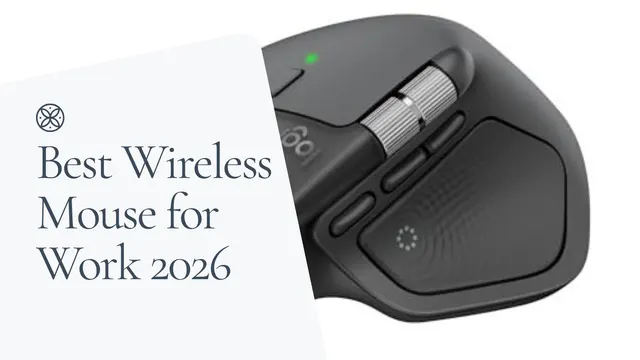
The best mouse for work for most people is the Logitech MX Master 4. It pairs a comfortable full-size shape with quiet clicks, an 8,000 DPI sensor that tracks on glass, and switching across three devices. If your wrist hurts, choose a vertical mouse like the Logitech Lift instead, and budget buyers get the most from the Logitech Signature M650.
Bottom line
Best for most people: The Logitech MX Master 4 ($119.99) is the most complete work mouse here. Quiet clicks, glass tracking, MagSpeed scrolling, and 3-device switching cover every office job.
Best for wrist pain: The Logitech Lift Vertical ($63.99−20%) puts small to medium hands in a 57-degree handshake posture. Larger hands should size up to the Logitech MX Vertical ($71.24).
Best for multi-device and KVM desks: The Logitech M720 Triathlon (unavailable) is the cheapest pick here with 3-device Easy-Switch for a two-computer desk.
Best budget and travel pick: The Logitech Signature M650 ($39.99) covers quiet clicks, Bluetooth, and two shell sizes for far less than the MX line.
Jump straight to the pick that matches your work:
- Best for most people: Logitech MX Master 4
- Best for wrist pain: Logitech Lift Vertical
- Best for multi-device and KVM setups: Logitech M720 Triathlon
- Best budget pick: Logitech Signature M650
- Best for travel and laptops
- Wired vs wireless for work
- Full comparison table
Best Mouse for Work: Picks at a Glance
| Pick | Best For | Connectivity | Hand Size Fit | Price |
|---|---|---|---|---|
| Logitech MX Master 4 | Most people, all-day office work | Bluetooth or USB-C receiver | Medium to large, right hand | $119.99 |
| Logitech MX Master 3S | Premium features for less | Bluetooth or Logi Bolt | Medium to large, right hand | $85-$100 |
| Logitech Lift Vertical | Wrist pain, smaller hands | Bluetooth or Logi Bolt | Small to medium, left or right versions | $63.99−20% |
| Logitech MX Vertical | Wrist pain, larger hands | Bluetooth, USB receiver, or wired USB-C | Medium to large, right hand | $71.24 |
| ProtoArc EM11 NL | Rechargeable budget vertical | Dual Bluetooth or 2.4GHz receiver | Small to medium, right hand | $24.99 |
| Anker Vertical Ergonomic Mouse | Cheapest vertical test | 2.4GHz receiver only | One size, right hand | $29.99 |
| Wave Vertical Mouse by UPLIFT Desk | UPLIFT desk orders | Wireless USB receiver | One size, left or right versions | $34+ |
| Logitech M720 Triathlon | Cheap multi-device switching | Bluetooth or Unifying receiver | Medium to large, right hand | unavailable |
| Logitech Signature M650 | Budget office work, travel | Bluetooth or Logi Bolt | Two sizes, left-hand option | $39.99 |
Wired vs Wireless: Which Is Better for Work?
The "best mouse for work" question is not only a wireless question, so it is worth settling this first. A wired mouse still wins on three things: you never charge it or swap batteries, there's nothing to pair, and you get the most sensor for your money. If your mouse never leaves one desk and you want to spend as little as possible, wired is a fine answer.
Wireless wins everything else that matters at a work desk. There's no cable dragging across your desk mat, packing for travel is easier, and the better wireless models pair with two or three computers at once, which no cable can do. Modern wireless sensors are accurate and responsive enough that latency is a non-issue for documents, spreadsheets, browsers, and design tools.
One practical note for office workers: if your company laptop locks down unknown USB devices, Bluetooth pairing avoids the receiver entirely. Every Logitech pick here works over Bluetooth; the M720 is the only one whose receiver is the older Unifying dongle instead of Logi Bolt. Use the receiver at home and Bluetooth on the locked-down work machine.
Logitech MX Master 4: Best for Most People and All-Day Office Work
The Logitech MX Master 4 is the best mouse for work if you want one device to handle documents, spreadsheets, browser tabs, creative apps, and multi-computer switching. It keeps the familiar MX Master shape with a broad thumb rest and quiet clicks, and uses Logitech's 8,000 DPI Darkfield sensor for tracking on glass and polished desk surfaces.
Its real advantage is workflow density. The MagSpeed scroll wheel handles long pages without feeling loose, the thumb wheel is useful in spreadsheets and timelines, and the Actions Ring gives you another shortcut layer for supported apps. If you live in Excel, Figma, Photoshop, Notion, or multiple browser windows every day, those controls do more for you than a higher gaming-style DPI number.
Skip it if you're left-handed, have smaller hands, or only need email and a browser. The MX Master 4 is a right-handed, full-size shell, and it's more mouse than a basic setup needs. In those cases the Logitech Signature M650 covers the essentials, and the Logitech Lift is the better fit for small hands.
Price: $119.99
Logitech MX Master 3S: Same Formula for Less
The Logitech MX Master 3S is the smarter buy when you want the MX Master formula without paying for the newest controls. It has the same broad ergonomic shape, 8,000 DPI glass tracking, quiet clicks, USB-C charging, horizontal thumb wheel, and 3-device Easy-Switch workflow that made this line the default productivity mouse for years.
The headline features you give up versus the MX Master 4 are the haptic panel and the Actions Ring shortcut layer. If you mostly work in email, docs, spreadsheets, and browser tabs, you may never miss them. The MX Master 4 vs 3S comparison walks through the three real differences and who each one actually serves.
One buying note: street prices on the 3S move around as stock shifts between sellers, so check the current price against the MX Master 4 before assuming a big gap. Skip the 3S when the gap to the MX Master 4 shrinks to about $20 or less; at that point the newer controls are worth the difference.
Price: $85-$100
Logitech Lift Vertical: Best for Wrist Pain and Ergonomics
The Logitech Lift Vertical is the safest vertical mouse recommendation for most office workers because it fixes wrist rotation without feeling extreme. The 57-degree angle moves your hand toward a handshake posture, which reduces the forearm twist a flat mouse forces all day.
It's built for small to medium hands, and Logitech is unusually clear about that sizing. It matters: a vertical mouse that's too small forces your fingers to curl and defeats the comfort goal. If your hand is larger, go to the MX Vertical below, or use the Logitech Lift vs MX Vertical comparison to settle the sizing question directly.
The Lift also keeps the office features cheap vertical mice usually skip: quiet clicks, Bluetooth plus a Logi Bolt receiver, 3-device switching, SmartWheel scrolling, and a true left-handed version. That makes it a better long-term desk mouse than most budget vertical models, and the reason it holds this spot over cheaper options.
Price: $63.99−20%
Logitech MX Vertical: Vertical Comfort for Larger Hands
The Logitech MX Vertical applies the same 57-degree posture idea in a taller, fuller body, which makes it the right vertical pick when the Lift feels cramped. It swaps the Lift's AA battery for USB-C recharging and sits closer to the MX Master family in build quality.
The 4,000 DPI sensor is plenty for productivity work and multi-monitor desks, and it pairs with three devices. The tradeoff is handedness: it's right-hand only. Left-handed users should look at the Lift or the UPLIFT Wave below instead.
Price: $71.24
ProtoArc EM11 NL: Budget Vertical with USB-C Charging
The ProtoArc EM11 NL is the budget vertical to buy if a rechargeable battery and multi-device pairing matter to you. It connects to up to three devices through dual Bluetooth plus a 2.4GHz receiver, charges over USB-C, and has quiet left and right clicks, a combination many cheap vertical mice skip entirely.
The limits are clear: the back and forward buttons don't work on macOS, the buttons aren't programmable, and the shape targets small to medium hands. If you want polished software and reliable Mac shortcuts, buy the Logitech Lift. If you want a rechargeable vertical shape at the lowest credible price, this is it.
Price: $24.99
Anker Vertical Ergonomic Mouse: Cheapest Way to Test the Shape
The Anker Wireless Vertical Ergonomic Mouse is the low-risk way to find out whether a vertical mouse helps your wrist before spending more. It uses a simple 2.4GHz receiver, three DPI steps (800, 1200, and 1600), five buttons, and a handshake-style shell, and it runs on two AAA batteries that aren't included.
There's no Bluetooth, no multi-device switching, and no shortcut software. That simplicity is the point: you get the posture change for the least money, and if the shape works for you after a couple of weeks, you can upgrade to the Lift or MX Vertical for the office features. Skip it if you already know you need multi-device pairing or quiet clicks.
Price: $29.99
Wave Vertical Ergonomic Mouse by UPLIFT Desk: For UPLIFT Desk Orders
The Wave Vertical Ergonomic Mouse by UPLIFT Desk is the practical add-on if you are already ordering a desk, chair, or cable management from UPLIFT Desk and want a vertical mouse in the same cart. It is simple, affordable, and one of the few vertical mice sold in both right and left-handed versions.
It doesn't compete with Logitech on software, multi-device switching, or quiet-click polish, and it's not trying to. For smaller hands, UPLIFT also offers the more compact Swell Vertical Ergonomic Mouse ($30+).
Price: $34+
Logitech M720 Triathlon: Best for Multi-Device and KVM Setups
The Logitech M720 Triathlon is the practical choice when device switching matters more than premium scroll feel. It pairs with up to three devices and jumps between them with Easy-Switch, which is exactly what a desk with a work laptop, a personal desktop, and a tablet needs.
That also makes it a strong companion on two-computer desks. A mouse with hardware Easy-Switch covers the pointer side of a KVM switch setup, and if you would rather solve switching in software, our Mouse Without Borders vs Logitech Flow vs Synergy guide compares the three main options.
The tradeoff is age. The 1,000 DPI sensor is fine for office work but well behind the MX line, clicks aren't the quiet type, and stock comes and goes with third-party sellers. Buy it for cheap switching; if it's unavailable or you want quieter clicks and a modern sensor, the MX Master 3S is the upgrade path.
Price: unavailable
Logitech Signature M650: Best Budget Mouse for Office Work
The Logitech Signature M650 is the best traditional budget mouse in this lineup because it gets the office basics right: quiet SilentTouch clicks, Bluetooth or Logi Bolt pairing, SmartWheel scrolling, side buttons, and a shape sold in two sizes plus a left-hand version.
That size choice is the reason it belongs here. Most cheap mice come in one shell and force your hand to adapt; the M650 lets you pick a fit, which does more for all-day comfort than any spec-sheet feature. Pick the regular size for small to medium hands and the L for larger hands.
Skip it if you need 3-device switching or glass tracking, which is what the extra money for the M720 or MX line actually buys.
Price: $39.99
Best Mouse for Travel and Laptops
For a laptop bag, the Logitech Signature M650 is the pick from this lineup. The regular size is light and compact, it pairs over Bluetooth so there's no receiver to lose (the Logi Bolt receiver is in the box when you want it), the clicks are quiet enough for cafes and shared spaces, and Logitech rates the AA battery at up to 24 months, so charging never enters your travel routine.
If you want wrist relief on the road, the ProtoArc EM11 NL is the travel-friendly vertical: it's compact, recharges over USB-C, and pairs with up to three devices. The full-size sculpted picks like the MX Master 4 travel fine but take up real pouch space, so most people keep them on the desk and carry something smaller.
How to Choose the Best Mouse for Work
Start With Hand Size
A work mouse should let your fingers rest on the buttons without clawing forward or stretching back. Small to medium hands: the Logitech Lift, ProtoArc EM11 NL, regular-size M650, or UPLIFT Swell. Larger hands: the MX Master 4, MX Master 3S, MX Vertical, or M650 L.
Match the Mouse to Your Grip
If you rest your whole palm on the mouse, a full-size sculpted shell like the MX Master line supports that grip best. If you arch your hand and steer with fingertips, a smaller, flatter mouse like the M650 or M720 gives you more control. If you want your hand in a relaxed handshake position, that's what the vertical picks are for.
Choose Vertical Only if You Need the Posture Change
A vertical mouse helps when a flat mouse leaves your wrist rotated inward all day. It's not automatically better for everyone. If a sculpted traditional mouse already feels fine, the MX Master line is the stronger productivity tool. If you feel wrist or forearm tightness, start with the Lift, MX Vertical, ProtoArc, Anker, or UPLIFT Wave.
Pay for Multi-Device Switching if You Actually Switch Devices
Three-device switching is worth paying for when you move between a work laptop, home desktop, and tablet, and it pairs naturally with a two-computer KVM desk. It's wasted money if you only ever use one computer.
Quiet Clicks Matter More Than You Think
If you take video calls, share a room, or record audio, quiet clicks are a real quality-of-life feature, not a gimmick. The MX Master line, Lift, M650, and ProtoArc are the strongest quiet-click options here.
Glass Desks Need the Right Sensor
Most optical mice need an opaque surface or a desk mat. If you work on glass and don't want a desk mat, choose the MX Master 4 or MX Master 3S, whose Darkfield sensors are built for glass and glossy surfaces.
Frequently Asked Questions
What is the best mouse for work?
For most people, the best mouse for work is the Logitech MX Master 4 ($119.99). It combines a comfortable full-size shape, quiet clicks, an 8,000 DPI sensor that tracks on glass, and switching across three devices. If you have wrist pain, start with a vertical mouse like the Logitech Lift instead. On a tight budget, the Logitech Signature M650 covers the office basics for far less.
Is a wired or wireless mouse better for work?
A wireless mouse is better for most work setups because it keeps the desk clear, travels well, and can pair with more than one computer. Modern wireless sensors are accurate enough that latency isn't a practical concern for office tasks. A wired mouse still makes sense if the mouse never leaves one desk, you never want to think about batteries, or you want the most performance per dollar.
What is the best mouse for large hands?
The Logitech MX Master 4 and MX Master 3S fit large hands best in this lineup because of their tall, sculpted shells and broad thumb rests. For a vertical shape, the Logitech MX Vertical has a fuller body than the Lift. The Logitech Signature M650 also comes in a large size.
What is the best mouse for small hands?
The Logitech Lift Vertical is designed for small to medium hands, which is why it's the starting vertical recommendation here. The regular-size Logitech Signature M650 and the ProtoArc EM11 NL also fit smaller hands well. Avoid full-size sculpted mice like the MX Master line if your fingers have to stretch to reach the buttons.
What is the quietest mouse for an open office?
The quietest options here are the Logitech MX Master 4, MX Master 3S, Logitech Lift, and Logitech Signature M650, all of which use Logitech's quiet-click switches. The ProtoArc EM11 NL also has quiet left and right clicks. Quiet clicks matter most on video calls, where a standard click is loud enough for your microphone to pick up.
Is a mouse or trackpad better for wrist pain?
A well-fitted mouse is usually more comfortable than a trackpad for long work sessions because it supports the weight of your hand. A vertical mouse like the Logitech Lift goes further by rotating the forearm toward a handshake position. Trackpads avoid gripping but concentrate the work in your fingertips, which many people find tiring over a full day. If pain persists with either, adjust your desk and chair setup and consider professional advice.
How much should you spend on a work mouse?
Plan on roughly $20 to $40 for a solid basic office mouse, $40 to $80 for an ergonomic or vertical upgrade, and $100 or more for a full productivity mouse with multi-device switching and app-level shortcuts. Spending more mainly buys comfort and workflow controls, not better basic tracking. The Logitech Signature M650 ($39.99) and Logitech MX Master 4 ($119.99) mark the practical ends of that range.
Which mouse is best for switching between Mac and Windows?
The Logitech MX Master 4 and MX Master 3S are the best picks for Mac and Windows switching because they pair with three devices and support Logitech Flow for moving the cursor and files between them. The Logitech Lift and ProtoArc EM11 NL also pair with three devices. On a two-computer desk with one monitor, pairing one of these with a KVM switch covers the keyboard and monitor side too.
Which mouse should left-handed users buy?
Left-handed users should start with the left-hand version of the Logitech Lift Vertical or the Wave Vertical Ergonomic Mouse by UPLIFT Desk, which is sold in right and left versions. The Logitech Signature M650 also has a left-hand model. The MX Master 4, MX Master 3S, MX Vertical, ProtoArc EM11 NL, and Anker vertical are right-hand designs.
Related Guides
- Logitech Lift vs MX Vertical: The dedicated head-to-head for Logitech's two vertical mice
- Logitech MX Master 4 vs 3S: Which MX Master is worth buying now
- KVM Switch Setup for Two Computers: One desk, two machines, one mouse and keyboard
- Mouse Without Borders vs Logitech Flow vs Synergy: Software switching compared
- Best Ergonomic Keyboards for Home Office: Pair your mouse with a keyboard that reduces wrist strain
- Best Desk Mats for Home Office: Give your mouse a better tracking surface
Recommendations are based on verified manufacturer specifications, product documentation, owner feedback, and independent review consensus, not hands-on testing. Some links are affiliate links, and we may earn a commission at no extra cost to you. Availability and sale pricing change often, so check the current price through the links above.