


A tangle of cables is the fastest way to make an expensive desk setup look cheap. Cable management isn't complicated. It takes about 30 minutes and under $75 in products to go from cable chaos to a workstation that looks intentionally clean. Here's exactly how to do it.
Under-desk cable management: UPLIFT FlexMount Cable Management for UPLIFT desks, or VIVO 2-Pack ($20-$25) for any desktop. Both hide your power strip and bulk cables out of sight.
Cable sleeve: UPLIFT Zipped Cable Sleeve ($10-15) bundles the desk-to-floor run into one clean column.
Cable clips: UPLIFT Magnetic Cable Clips ($19) for steel frames, or OHill adhesive clips ($7-$10) for any surface.
J-channel raceways: Yecaye 6-Pack ($20-$25) routes cables along desk edges and walls.
VELCRO cable ties: VELCRO One-Wrap ties ($9-$12) bundle any group of cables together, fully reusable.
Total cost under $75. Setup takes about 30 minutes.
Why Cable Management Matters
Beyond aesthetics, unmanaged cables create real problems. Loose cables snag when you adjust a standing desk height. Tangled power cords under your desk collect dust and make it impossible to trace which cable goes where. Exposed cables on the desk surface get caught under your mouse and interrupt your workflow.
A clean setup takes 30 minutes to build and makes every future change (adding a monitor, swapping a device, rearranging your desk) faster and less frustrating. If you're using an UPLIFT V3 Standing Desk, the included FlexMount Cable Management system handles the heaviest cable routing, but the accessories below complete the job from desk edge to wall outlet.
What You'll Need
Every cable management setup uses the same categories of products. Not every desk needs all of them, but here's the complete toolkit:
| Product | What It Does | Price |
|---|---|---|
| UPLIFT FlexMount | Patent-pending under-desk cable management for UPLIFT standing desks | $59 |
| J-channel raceway | Routes cables along desk edges or walls | $13-25 |
| Cable sleeve | Bundles the desk-to-floor cable run into one clean column | $10-15 |
| Cable clips | Holds individual charging cables at desk edge | $19 |
| VELCRO cable ties | Bundles any group of cables together | $9-$12 |
Total: $55-120 depending on whether you choose budget or UPLIFT Desk options. Most desks need at minimum a cable tray, VELCRO ties, and a cable sleeve.
Step-by-Step Setup
Step 1: Unplug and Audit
Unplug everything from your desk. Lay all cables out and identify what connects to what. Most people find 2-3 cables from devices they no longer own. Discard those.
Sort your cables into three groups:
- Permanent: monitor power, display cable, desk lamp, charger brick. These rarely change.
- Semi-permanent: USB hub, keyboard/mouse charging cable, ethernet. Changed occasionally.
- Daily access: phone charger, laptop cable, headphone cable. You reach for these every day.
This grouping determines where each cable gets routed in the following steps.
Step 2: Mount the FlexMount (or a Cable Tray Alternative)
Under-desk cable management is the backbone of any clean setup. It mounts under your desktop and holds your power strip, charger bricks, and all permanent cables completely out of sight.
For UPLIFT desks: The UPLIFT FlexMount Cable Management is the patent-pending system designed for UPLIFT standing desk frames. Its ladder-design PET pouch holds up to 10 lbs of cables, adapters, and power strips, with tool-free depth adjustments. Oval slots in the i-beam give you multiple front-to-back routing access points, and Tidy-Ties (included) bundle remaining wires. It's the cleanest solution if you're already in the UPLIFT ecosystem, and it's covered by UPLIFT Desk's warranty.
For any other desktop: The VIVO Under Desk Cable Trays (2-pack) ($20-$25) is the universal alternative. Two 17" steel-frame trays mount via screws or clamps to virtually any desk surface, with similar function to FlexMount for general cable concealment. Shorter warranty than UPLIFT, but a solid budget option for non-UPLIFT setups.
If your power strip needs its own dedicated mount instead of sharing the cable tray, the StarTech Universal Power Strip Desk Mount (unavailable) clamps to any desk edge without drilling and holds standard power strips out of sight underneath.
No-drill option: If you rent or have a glass top, use adhesive-backed J-channels (Step 3) or a clamp-on tray instead of either screw-mount option.
Whichever solution you choose, place your power strip inside it first, then route all permanent cables through it. Leave extra cable length so nothing pulls tight at maximum standing height. Cables flex with your desk.
Step 3: Route with Raceways
J-channel raceways attach to the underside of your desk or along a wall with pre-applied adhesive. They're open-topped channels that cables drop into and stay hidden.
Run a raceway from your cable tray to wherever your desk meets the wall. This handles the horizontal cable run that would otherwise drape visibly along the back of your desk.
Cut raceways to length with scissors or a utility knife. The Yecaye 6-pack provides 94 inches of total coverage, enough for most desks with extra sections left over for wall runs.
Step 4: Bundle with Sleeves and Ties
For the vertical cable run from desk to floor, use a cable sleeve. The UPLIFT Zipped Cable Sleeve bundles 8-10 cables into a single clean column. It comes in 30" and 60" lengths. The 60" version handles most standing desk setups with slack to spare. The full-length zipper means you can add or remove cables later without dismantling anything.
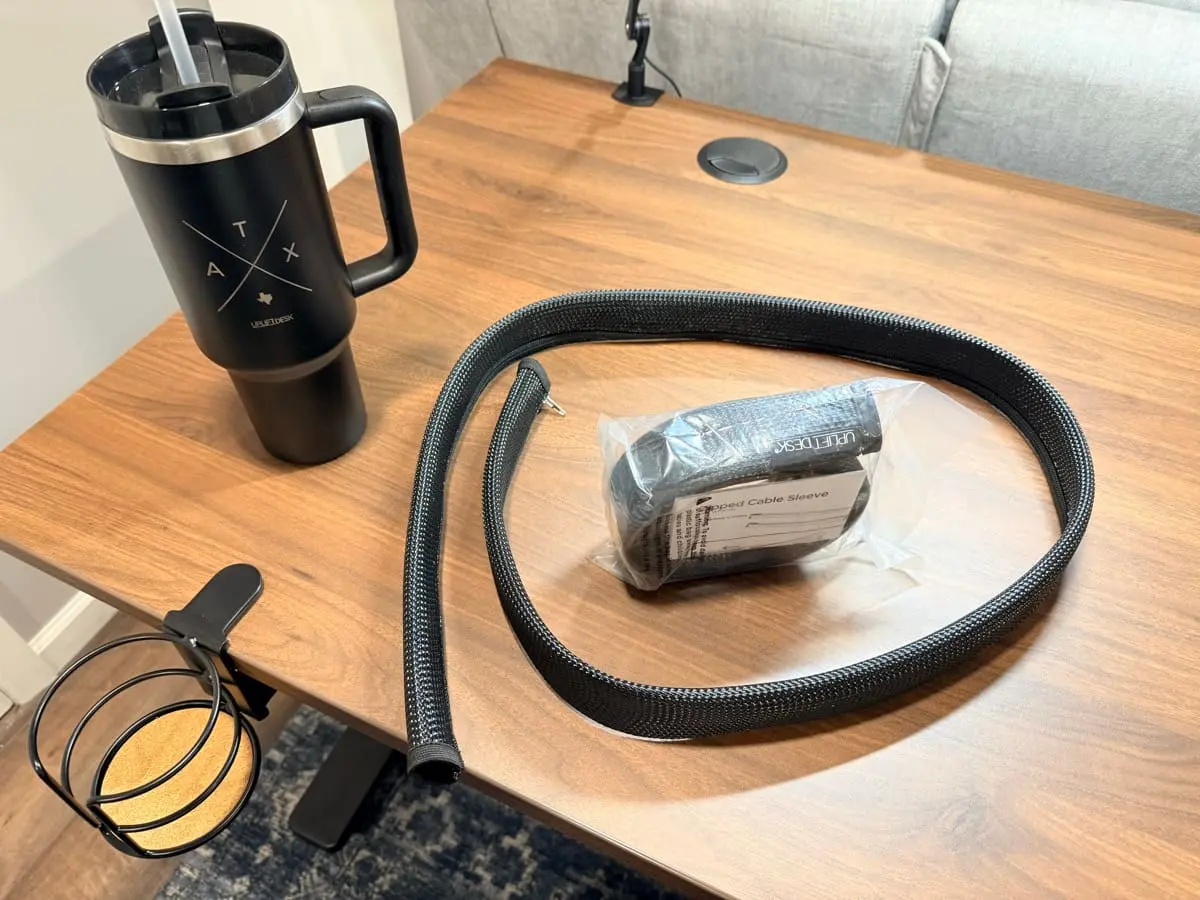
The braided sleeve material is flexible enough to route around corners, and the zipper runs the entire length so you can open it flat, lay your cables in, and zip it shut. Owners of the UPLIFT Desk cable sleeves on a UPLIFT V3 Standing Desk report that the difference between before and after is dramatic.
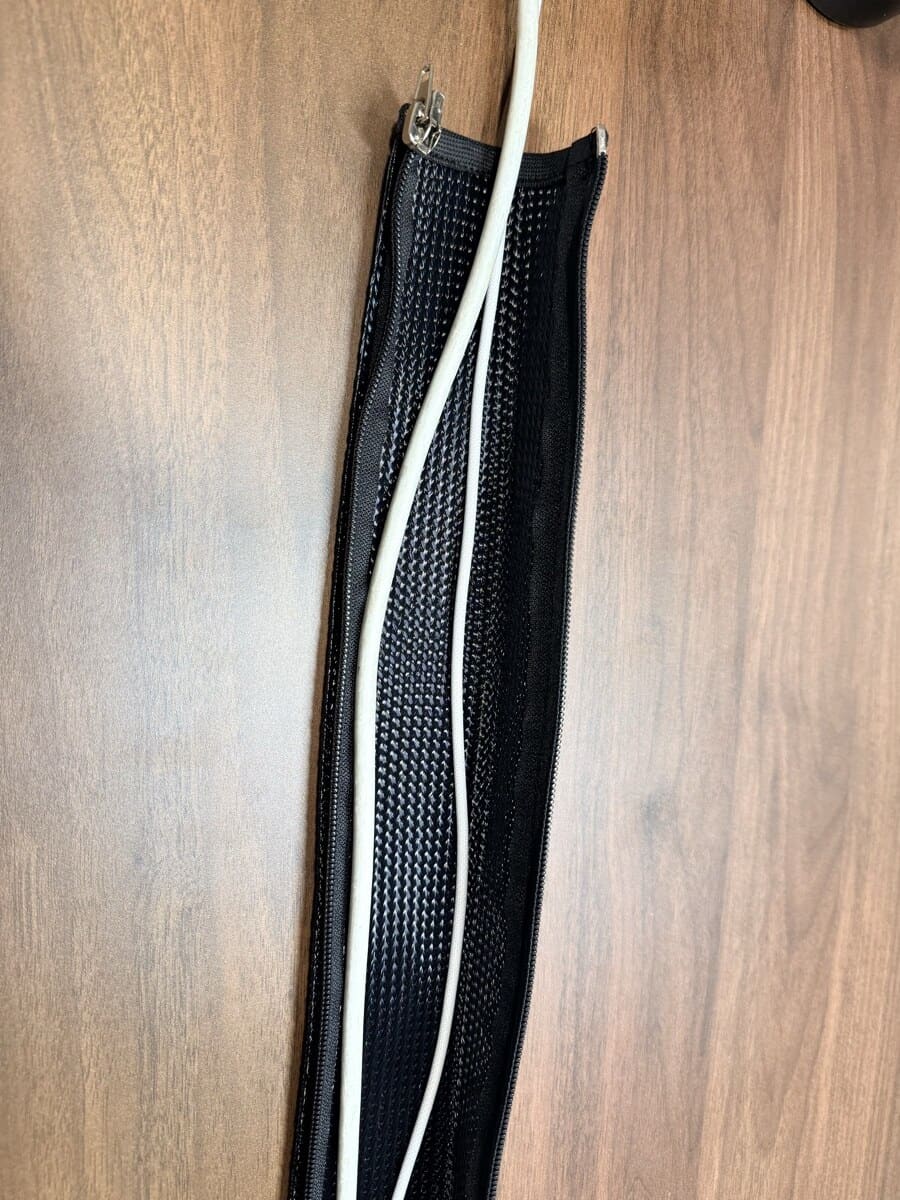
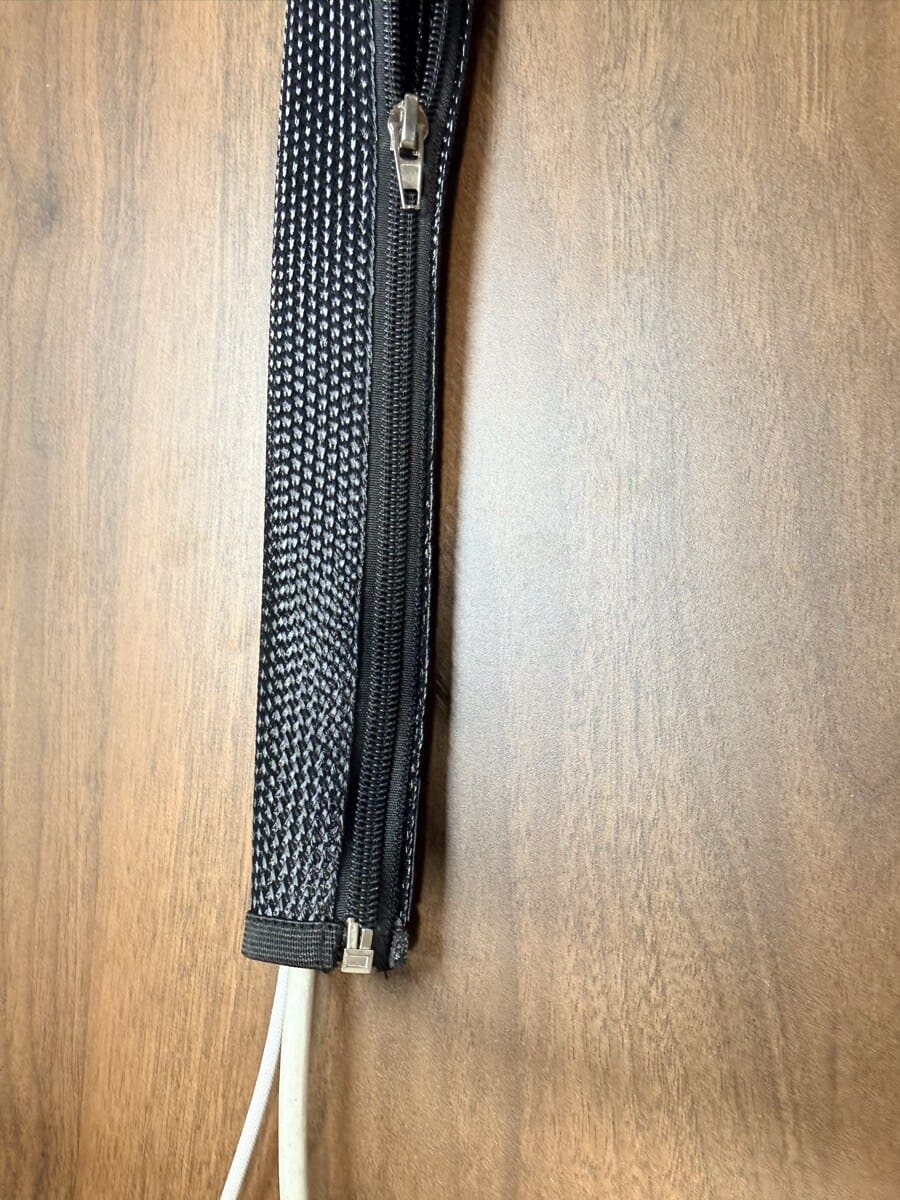
Use VELCRO ties to bundle remaining cable groups. Wrap a tie every 12-18 inches along a cable run to keep bundles tight and prevent sagging. Unlike zip ties, VELCRO ties are fully reusable. Adjust them every time you change your setup.
Step 5: Secure Charging Cables at the Desk Edge
Cables you reach for daily (phone charger, laptop cable, headphone cable) need to stay at your desk edge within reach. Cable clips hold these in place so they don't slide off the desk when you unplug a device.
Place clips along the back or side edge of your desk, spaced for the cables you use most. If you have a steel desk frame, the UPLIFT Magnetic Cable Clips ($19 for a 3-pack) are the best option. They use neodymium magnets that snap onto any steel part of your desk frame (legs, crossbars, supports) and reposition instantly without adhesive. Each clip has an open slot that holds individual cables. The magnets don't lose strength over time. They won't work on aluminum or wood surfaces. For non-metal desks, the OHill 16-pack adhesive cable clips ($7-$10) include single, double, and triple-slot sizes that stick to any smooth surface.
Keeping It Clean
Cable management isn't a one-time project. Every time you add a device, take two minutes to route the new cable properly. Keep a few spare VELCRO ties in your desk drawer for quick adjustments.
Every few months, do a quick audit: unplug anything unused, re-tighten loosened bundles, and replace any adhesive that has weakened. A maintained cable setup takes almost no effort to keep looking clean.
Frequently Asked Questions
Does cable management work with a standing desk?
Yes, with one adjustment: you need extra cable length. When your desk rises from sitting to standing height, cables must flex without pulling tight. Use a cable sleeve with extra slack and form a loose S-curve between the desk and floor. Mount your cable tray near the desk's motor column where the natural flex point is. The UPLIFT V3 Standing Desk includes FlexMount Cable Management that handles most of the under-beam routing, plus oval slots in the i-beam for front-to-back cable access.
Can I do this without drilling into my desk?
Yes. Adhesive J-channel raceways, adhesive cable clips, and clamp-on cable trays all install without a single hole. The entire setup can be done drill-free.
How long does the setup take?
About 30 minutes for a typical desk with 8-12 cables. The first time takes longer because you unplug everything and plan the layout. Future adjustments (adding a device, rerouting a cable) take under 5 minutes.
Will adhesive raceways damage my desk?
Most adhesive cable management products use removable adhesive similar to Command strips. They hold firmly during use but can be peeled off by pulling slowly at an angle. On painted or laminate surfaces, minor adhesive residue comes off with rubbing alcohol.
I have a wireless setup. Do I still need cable management?
Even a wireless desk has cables. Your monitor needs power. Your desk lamp needs power. Your laptop charger, phone charger, standing desk motor: all cabled. A typical minimalist setup still has 5-7 permanent cables. Cable management hides them so your desk looks wireless even when it's not.
How do I manage cables for a dual-monitor setup?
Dual monitors add 2-4 extra cables (power and video per monitor). Use a wider cable tray to accommodate the bulk, and run all monitor cables through the same J-channel raceway as your other back-of-desk cables. Bundle monitor cables together with a VELCRO tie before they enter the raceway. A monitor arm with integrated cable routing (like the Ergotron LX or Range-X by UPLIFT Desk) keeps monitor cables hidden along the arm itself.
What cable management comes with the UPLIFT V3 Standing Desk?
The UPLIFT V3 Standing Desk includes the patent-pending FlexMount Cable Management system at no extra cost. The "ladder design" PET pouch holds up to 10 lbs of cables, adapters, and power strips with tool-free depth adjustments. Oval slots in the i-beam provide multiple access points for routing cables front to back. Tidy-Ties bundle remaining wires. The accessories in this guide (sleeve, clips, raceways) complement the FlexMount for a fully clean desk-to-wall cable run. If a drawer or under-desk shelf is part of the same build, use the UPLIFT Desk storage accessories guide to check which option needs the least space around the tray and control box.
UPLIFT Desk cable management products (Zipped Cable Sleeves, Magnetic Cable Clips) are covered in our UPLIFT V3 Standing Desk write-up, which ships with the FlexMount Cable Management system pre-installed. All recommendations are based on specification analysis and owner feedback. Some UPLIFT Desk products were provided for review.
Related Guides
- UPLIFT V3 Standing Desk Unboxing: See the cable management setup in action
- Best Standing Desks Under $700: The desk your cables attach to
- Best Monitor Arms for Desk Space: Arms with integrated cable routing
- Best Desk Mats for Home Office: Protect the surface above your managed cables
- Best Desk Lamps for Home Office: One more cable to manage (or go clamp-mount)
- Best Ergonomic Desk Setup: Complete Guide: Full workstation walkthrough
- Complete Home Office Setup Under $1,000: Budget + UPLIFT premium builds