



Disclosure: UPLIFT Desk provided the V3, Parsons, and V3 4-Leg configurations discussed here at no cost for review. All opinions are my own. This post contains affiliate links.
Choosing an UPLIFT frame is only half the order. The desktop determines how much room your keyboard, displays, speakers, and writing space get. It also determines what you touch, clean, and look at every day.
Configure the UPLIFT V3 price varies
The safest way through the builder is to choose dimensions first, then material, then grommets. I have used three exact UPLIFT desktop configurations: a 60 by 30 inch Walnut Laminate V3, a 60 by 30 inch Acacia Butcher Block Parsons, and a 72 by 30 inch black Eco Curve V3 4-Leg. Only the Walnut and Acacia observations below cover several weeks of use. The Eco notes are early-use observations, and the bamboo and other wood guidance comes from current UPLIFT specifications rather than direct use.
Bottom line
Best default: Start with the UPLIFT V3 (price varies) in a 60 by 30 inch laminate configuration. That size gives a single-computer workstation useful depth without demanding an unusually large room.
Best premium surface from my direct use: Acacia Butcher Block adds real grain and a substantial feel, but it is heavier and each top looks different.
Best move when you are unsure: Order UPLIFT desktop samples ($9) before paying for a natural material you have only seen on a screen.
Best grommet approach: Keep at least one cable pass-through when the configuration allows it. Add surface power only if quick access matters more than the space its body occupies below the top.
Choose the Size Before the Material
UPLIFT's current rectangular desktop range lists 42, 48, 60, 72, and 80 inch widths, with 24 or 30 inch depths available across the range. Not every material and size can be combined, so treat those as the overall range and confirm the exact pairing in the live builder.
| Workspace | Sensible starting size | What to check |
|---|---|---|
| Laptop or one compact display in a shallow room | 42 or 48 inches wide, 24 inches deep | Keyboard depth, monitor stand footprint, and wall clearance |
| One or two displays for everyday office work | 60 inches wide, 30 inches deep | Monitor distance, speakers, and writing space |
| Two large displays or a three-display setup | 72 inches wide, 30 inches deep | Arm span, cable routes, and the frame's supported sizes |
| Wide creative or shared workstation | 80 inches wide, 30 inches deep | Doorways, stair turns, assembly room, and center equipment load |
A 24 inch top solves a real space problem, but it leaves less room between you and a display on its stock stand. A 30 inch top is the more forgiving default when the room can take it. Width is mostly an equipment and room decision. Lay out the dimensions with painter's tape before ordering, including the chair path and the space needed to walk behind it.
Some custom desktops allow intermediate widths, but customization can also change lead times, available finishes, and return eligibility. Confirm those terms for the exact configuration rather than assuming a stock policy applies.
UPLIFT Desktop Materials at a Glance
The important distinction is not simply engineered surface versus real wood. Thickness, edge shape, finish consistency, weight, and natural variation all change the ownership experience.
| Material family | Published construction or thickness | What it does well | What to accept |
|---|---|---|---|
| Laminate | 1 inch material-family thickness | Consistent color, straightforward cleanup, and lower commitment than premium wood | Dark colors can show fingerprints, and the printed finish will not have natural grain variation |
| Eco | 1 inch recycled MDF core with a powder-coated finish | Smooth surface and a distinctive center-cut option | Only early-use evidence is available here, so long-term wear is still an open question |
| Bamboo | 1 inch material-family thickness | Natural-looking surface without the thickness of butcher block | WorkstationSetup has not used it hands-on, and appearance can vary from screen images |
| Acacia Butcher Block | 1.5 inch solid-wood strip construction | Real grain, substantial feel, and direct-use evidence from the Parsons desk | More weight, natural color variation, and ongoing wood-care considerations |
| Wide Plank and Live Edge Solid Wood | 1.75 inch material-family thickness | Wider boards and the most natural visual character | Highest variation, substantial weight, and a small sample cannot show the final live edge |
UPLIFT also offers additional finishes and wood species. Availability changes by frame, width, and depth. This guide focuses on the material decisions that transfer across the builder rather than promising that every finish fits every frame.
Walnut Laminate: The Practical Default I Used
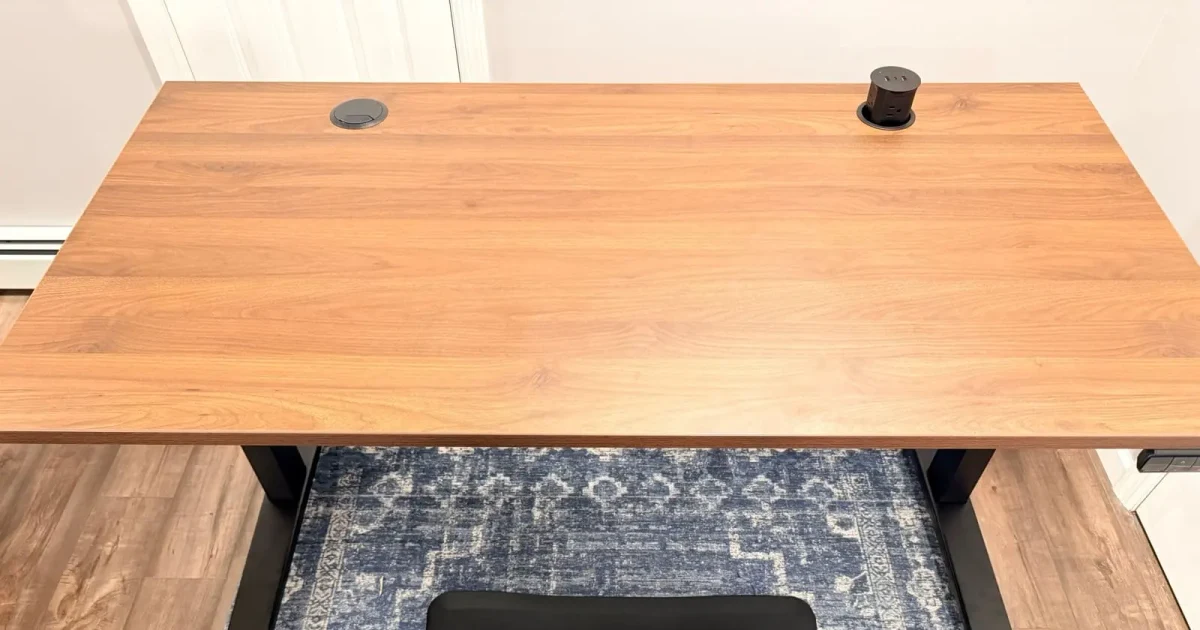
My 60 by 30 inch Walnut Laminate top was the easiest UPLIFT surface to recommend as a general starting point. After several weeks of daily use, I did not see scratches, dents, or a worn mouse area. Smudges wiped away easily with a soft cloth.
The honest drawback is visibility. The dark Walnut finish showed fingerprints and skin oils more readily than a lighter top would. That was cosmetic and easy to clean, but it means dark laminate is not maintenance-free in appearance.

This is the exact Walnut Laminate surface used for the hands-on UPLIFT V3 review, not a representative catalog finish.
One used top cannot establish how every laminate color will age. It does show why laminate is the low-risk choice for someone who values finish consistency and simple cleanup more than unique grain.
Acacia Butcher Block: The Premium Surface I Used
The 60 by 30 inch Acacia Butcher Block on my Parsons desk felt different before the desk was even assembled. The 1.5 inch top was substantial to carry, and the grain changed across the narrow solid-wood strips rather than repeating like a printed finish.
After five weeks of daily use, I had not seen scratches, dents, mouse wear, or water rings. I had not applied oil or conditioner during that period. That is a useful observation from one exact desktop, not a promise that Acacia will stay mark-free or never need care.
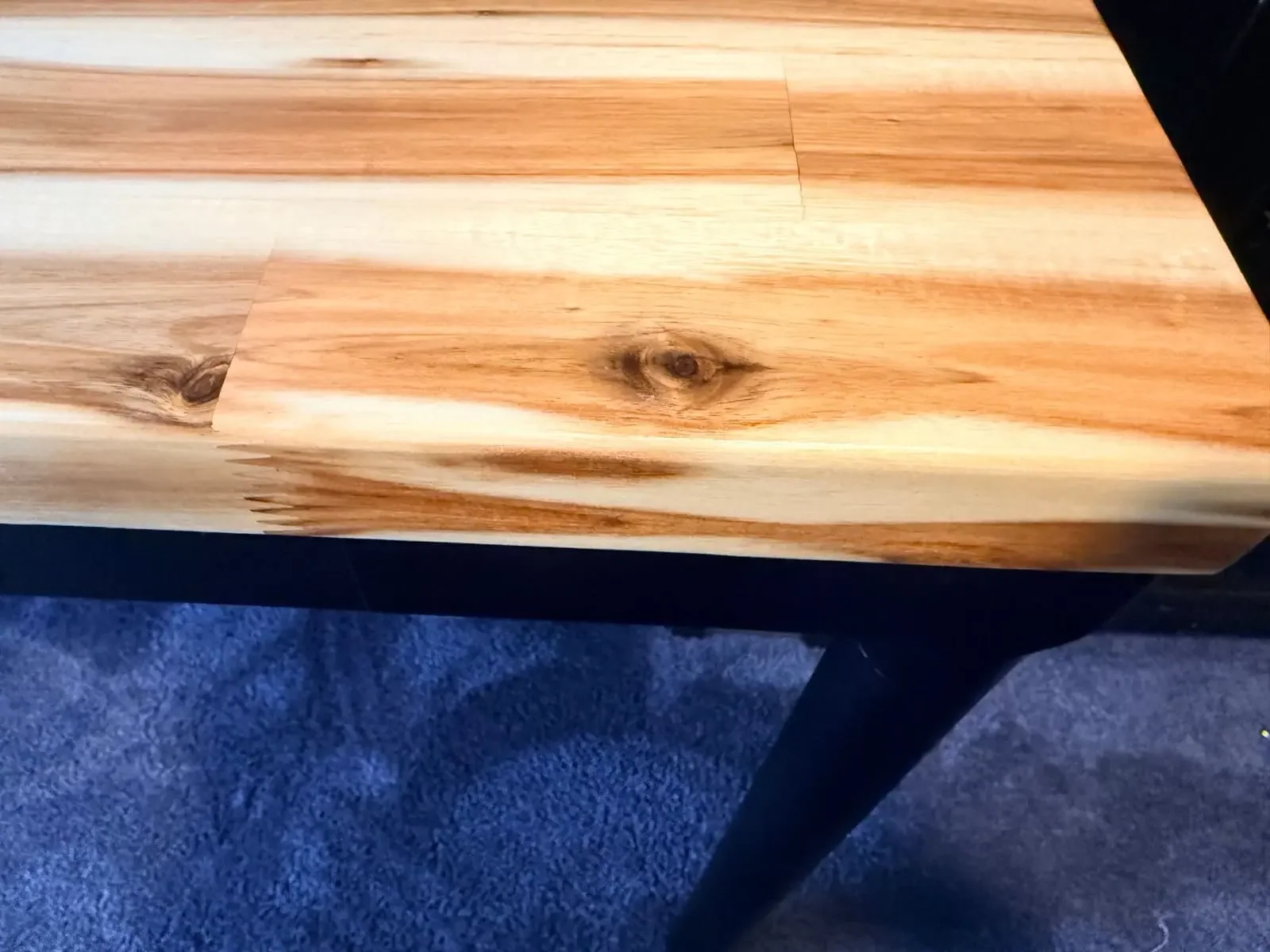
The Acacia surface after five weeks. Natural color and grain variation are part of the material, so another desktop will not look identical.
Choose Acacia when real wood is part of what you want from the room and the extra weight is manageable. Choose laminate when a predictable finish and lower-stress ownership matter more. The UPLIFT V3 vs Parsons comparison covers the frame and design differences around those two configurations.
Eco Curve: Useful Shape, Limited Durability Evidence
The black 72 by 30 inch Eco Curve top on my V3 4-Leg provided a wide work area and a center cut that brought the front edge around the seated position. Its rounded front shape felt less abrupt than a straight rectangular edge during early use.
UPLIFT describes the Eco top as a 1 inch high-grade recycled MDF core with an infrared-cured powder-coat finish. I have not used this surface long enough to make a long-term scratch, stain, or edge-durability claim.
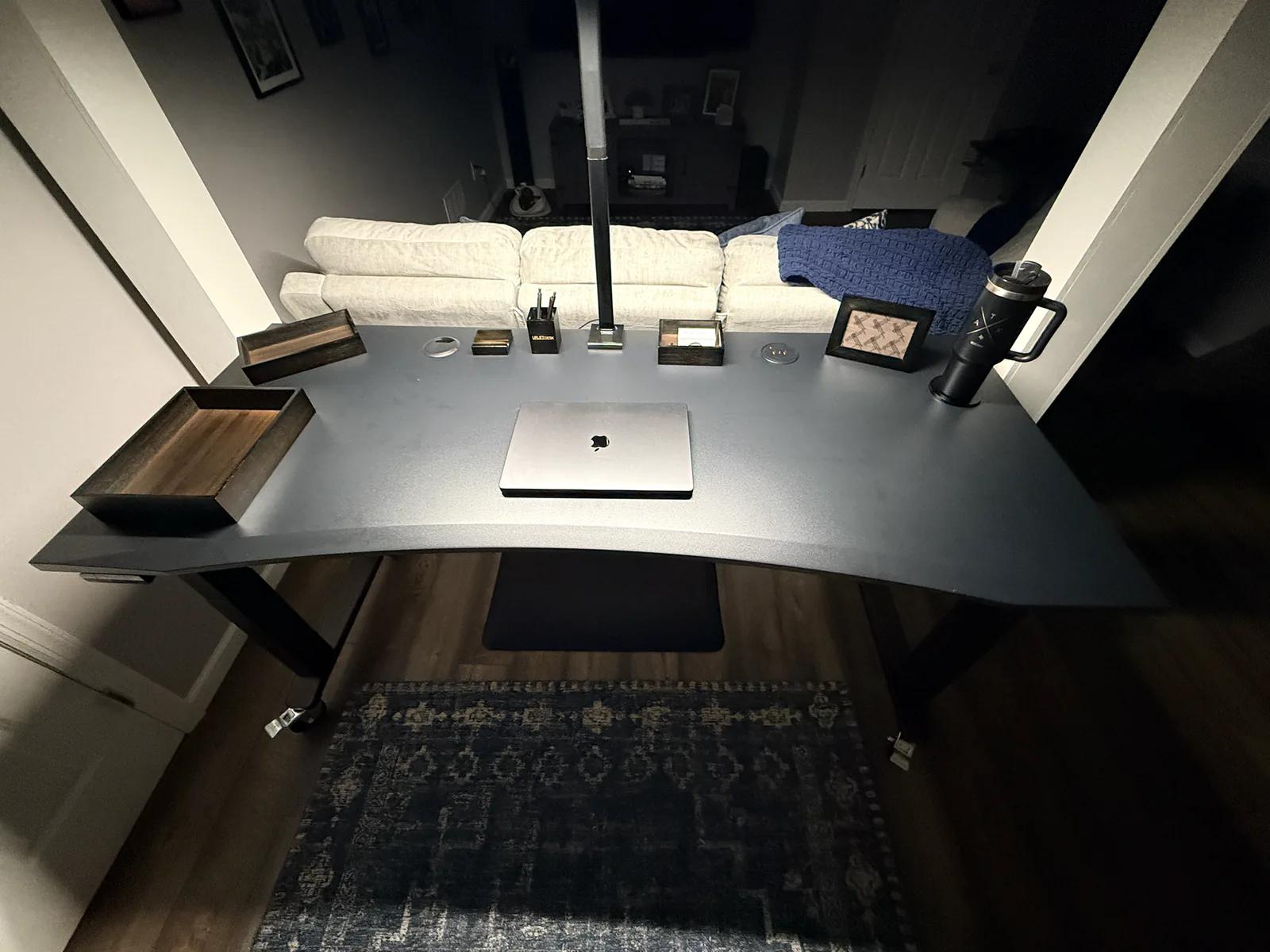
The exact 72 by 30 inch black Eco Curve configuration covered in the UPLIFT V3 4-Leg review.
The curve is the main buying reason. Choose it because you want that front-edge shape, not because an unverified durability assumption makes it sound superior to laminate.
Bamboo and Other Solid Woods: What We Can and Cannot Say
WorkstationSetup has not used an UPLIFT bamboo desktop hands-on. UPLIFT lists bamboo within its 1 inch sample group, but a specification cannot tell you how a specific top will look in your light or how its finish will wear under your equipment. It belongs on the sample shortlist, not in a claim that it is automatically stronger, greener, or longer-lasting than the other options.
Solid wood also is not one uniform choice. Butcher block uses narrower joined strips and is 1.5 inches thick in UPLIFT's current line. Wide plank and live-edge options use broader pieces and sit in the 1.75 inch material family. Species, color, knots, grain direction, and small natural checks can vary. UPLIFT's warranty terms also distinguish natural wood characteristics from manufacturing defects.
I have handled a Pheasantwood sample, but I have not owned or worked on a full Pheasantwood desktop. The sample felt smooth and substantial and showed real grain. It did not show the live edge or predict the grain of a finished desktop. That boundary matters when a material's uniqueness is the main reason to pay more.
Order Samples Before Committing to Premium Wood
UPLIFT desktop samples are the best low-cost decision tool in this guide at $9. UPLIFT currently allows up to four choices per order. Each sample is about 7 by 7 inches, and the thickness matches the relevant material family: 1 inch for laminate and bamboo, 1.5 inches for butcher block, and 1.75 inches for wide plank and live-edge wood.
The sample purchase is credited toward a later UPLIFT standing desk purchase, but the samples themselves are nonreturnable. A sample lets you judge color, surface feel, edge treatment, and thickness in your room. It cannot promise the exact grain, knots, or color distribution of a natural desktop.
There is one especially important limitation. The Pheasantwood, Saman, and Ash with Epoxy samples do not reproduce the finished live edge. Use them to judge the wood and finish, then inspect the current product photography to understand the edge shape.
Choose Grommets Around the Equipment Below the Desk
UPLIFT's standard desktop grommet holes are 80 mm across and positioned about 2.5 inches from the rear edge. Depending on the configuration, those openings can hold a cable cover, cable pass-through, power module, storage insert, or compatible monitor-arm mount. Exact hole and no-grommet availability varies by material and size.
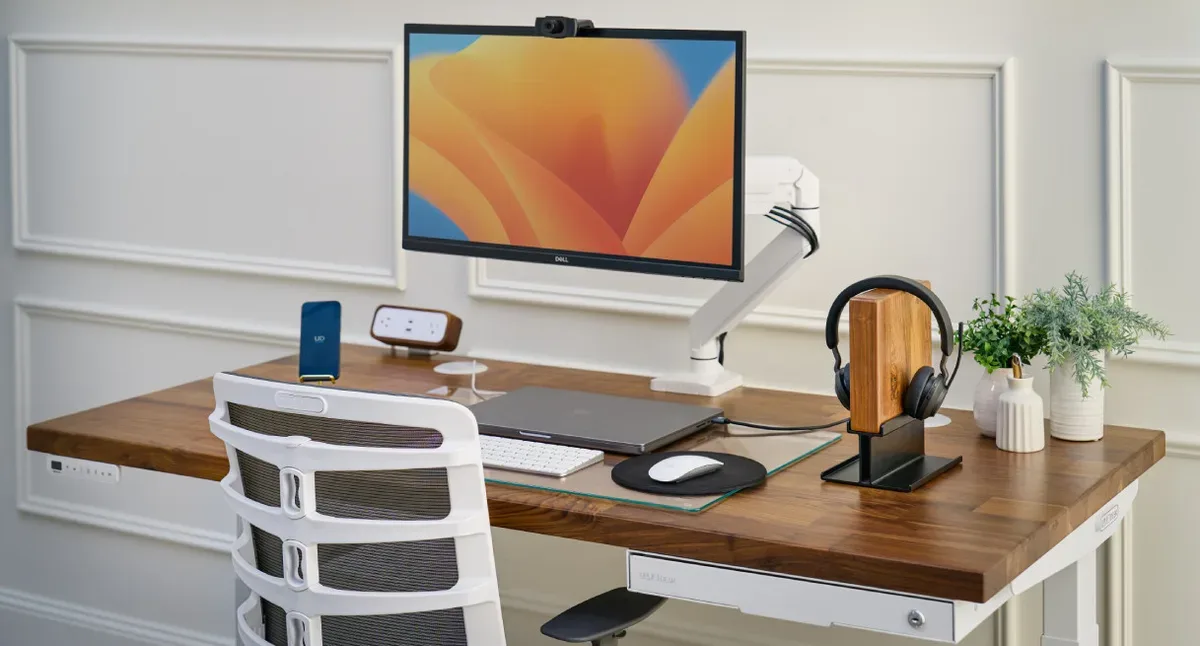
On my Walnut Laminate V3, the Pop Up Power Grommet made laptop and phone power easy to reach. The current unit provides four AC outlets, two USB-A ports, and one 20W USB-C port. Its body and cord also occupy space below the desktop, where they can compete with a cable tray or other under-desk accessories.
On the Acacia Parsons desk, I used a grommet-mounted Range-X monitor arm. That kept the rear edge available, but it still required checking the mount hardware and clearance below the thicker top. A grommet hole is not universal proof that every monitor arm or power accessory will fit.
Use this order of operations:
- Mark the monitor, laptop, and speaker positions on the planned desktop.
- Decide whether each grommet is for cables, power, or a mount.
- Map the cable tray, frame rails, control box, drawers, and accessory bodies below the top.
- Confirm the selected material and size actually offers the grommet layout you want.
For the rest of the under-desk plan, use the desk cable management setup guide before adding trays and power strips to the order.
Desktop Decision Checklist
- Tape the footprint on the floor. Include the chair path, walking clearance, and nearby doors or drawers.
- Map the equipment on the surface. Measure monitor stands, arms, speakers, docks, and anything that needs a permanent home.
- Choose depth before finish. Use 30 inches when the room allows and displays need more separation. Use 24 inches when room depth is the real constraint.
- Choose consistency or natural variation. Laminate gives you the more predictable look. Wood gives you a unique surface that may include grain, knots, and color shifts.
- Sample uncertain materials. Put the samples beside the wall, flooring, and lighting where the desk will live.
- Plan above and below each grommet. A useful surface power module can block the exact cable-tray position you wanted.
- Confirm the live builder. Material, width, depth, edge, and grommet combinations are not universal across every UPLIFT frame.
- Plan a two-person assembly. A full desktop is awkward even when the material is not solid wood. Use a second person to lift and flip the desk instead of treating material choice as protection from assembly damage.
If the frame is still undecided, start with Which UPLIFT Standing Desk Is Right for You?. This guide begins where that decision ends.
If the frame is already the V3 and you only need the top split, see UPLIFT V3 desktop comparison. That page covers laminate, bamboo, and solid wood upcharges on the same builder.
Frequently Asked Questions
Is an UPLIFT laminate or solid wood desktop better?
Laminate is the better default when you want predictable color, easier cleanup, less weight, and a lower-commitment purchase. Solid wood is the better fit when natural grain and a substantial surface are worth the additional weight, variation, care, and cost to you. My direct-use evidence covers one Walnut Laminate top and one Acacia Butcher Block top, not every finish in either category.
Is a 24 inch UPLIFT desktop too shallow?
A 24 inch depth can work well for a laptop, a compact display, or a room where every inch matters. It leaves less room for a display on a deep stock stand and less separation between the screen and keyboard. A 30 inch desktop is the safer default when the room can accommodate it, especially for monitor arms, speakers, or a writing area.
Can I order UPLIFT desktop samples before buying a desk?
Yes. UPLIFT desktop samples are available at $9, with up to four choices per order. The sample cost is credited toward a later UPLIFT standing desk purchase. Samples are nonreturnable, and natural wood samples cannot predict the exact grain or live edge of the final desktop.
Should I add an UPLIFT power grommet?
Add a power grommet when you regularly plug in a laptop, phone, or temporary device at the desktop. Skip it when a rear cable pass-through and an under-desk power strip already cover your needs. Check the space below the hole first because the power module and cord can interfere with a cable tray, drawer, or frame component.
Do all UPLIFT desktops fit every UPLIFT frame?
No. UPLIFT offers a broad range of materials and sizes, but the compatible widths, depths, hole patterns, and grommet choices vary by frame and configuration. UPLIFT desktops are predrilled for supported UPLIFT frames. Confirm the exact pairing in the builder before ordering, especially for L-shaped, curved-corner, custom, or unusually wide tops.
Can I use an UPLIFT desktop on a different frame?
It may be possible, but the predrilled pattern is designed around compatible UPLIFT frames. A different frame can require measuring, drilling, and choosing fasteners appropriate for the material and thickness. Confirm the frame's supported desktop dimensions and mounting instructions rather than assuming the existing holes will align.
Source Notes
Specifications were checked on August 8, 2026 against UPLIFT's current Desktop Lookbook, Desktop Samples page, and desk grommet guide. Hands-on observations and original photos come from the exact Walnut Laminate, Acacia Butcher Block, and Eco Curve configurations identified above.
Related Guides
- UPLIFT V3 Desktop Comparison: Laminate vs bamboo vs solid wood on the V3 builder
- UPLIFT V3 Standing Desk Review
- UPLIFT V3 4-Leg Standing Desk Review
- UPLIFT Parsons Standing Desk Review
- Which UPLIFT Standing Desk Is Right for You?
- IKEA Standing Desk vs UPLIFT
- FlexiSpot E7 Pro vs UPLIFT V3
- UPLIFT V3 vs Parsons Standing Desk
- Best Standing Desks Under $700
- Desk Cable Management Setup Guide
- Best Monitor Arms for Desk Space